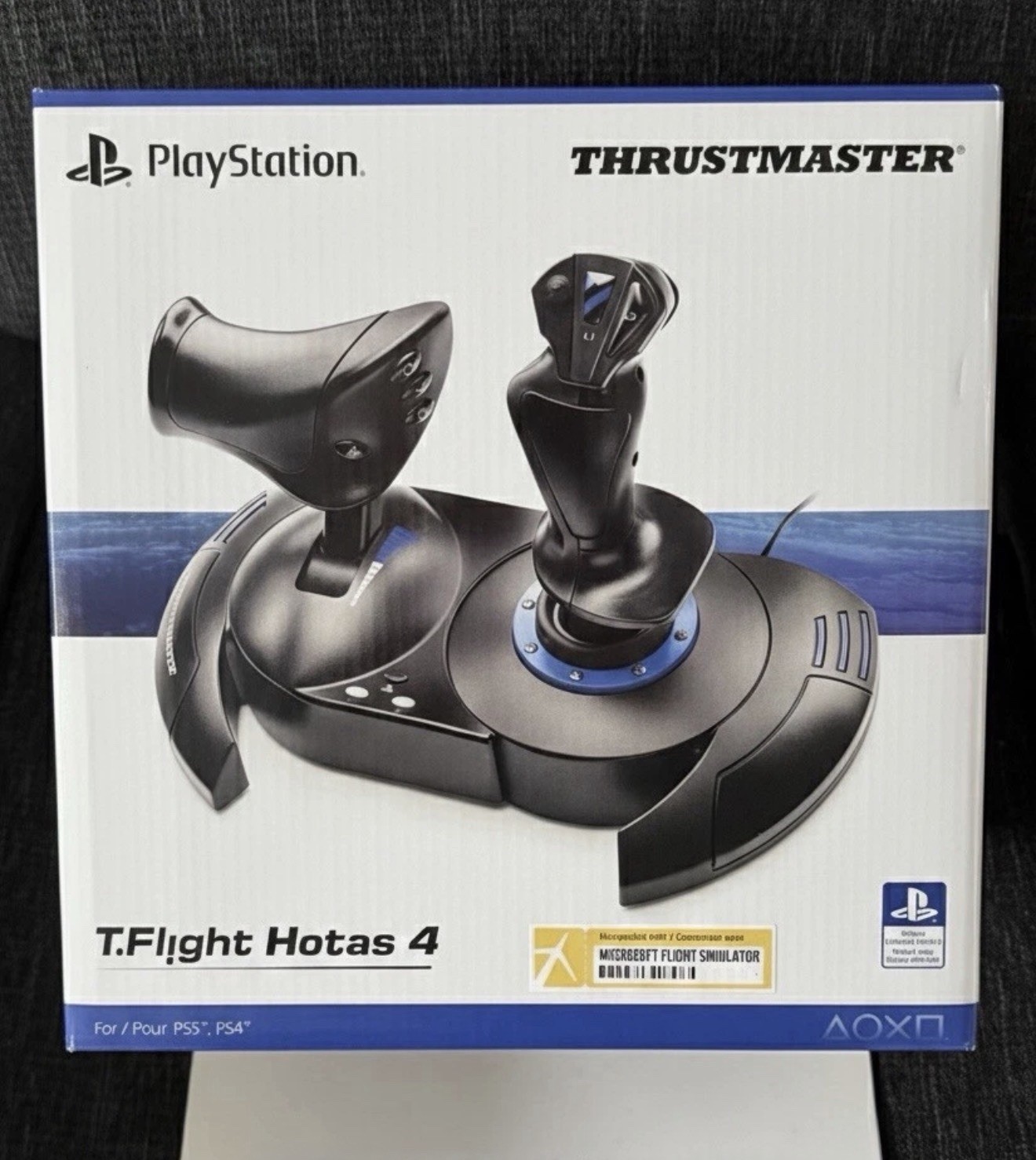

Photos from current listings. Actual item, color, and included accessories may vary.
PS5 Flight Stick Buying Guide
A PS5 flight stick is a console-compatible joystick or HOTAS that relies on Sony's official licensed chipset or legacy PS4/PS5 backward-compatibility to deliver flight controls in games like War Thunder, Star Wars Squadrons, and Microsoft Flight Simulator. The core trade-off is between officially licensed PS5-native hardware and older PS4-era sticks that still work via backward compatibility but may lack PS5-specific button prompts or future firmware support. Buy licensed or verified-compatible PS4/PS5 sticks with dual-spring or Hall-effect sensors for durability; skip unlicensed generic USB sticks that lack PlayStation security chips.
Key takeaways
- Official PS5 compatibility requires a Sony-licensed security chip or verified PS4 backward-compatibility; unlicensed USB sticks typically fail to register on PS5.
- Hall-effect or contactless magnetic sensors eliminate potentiometer drift and dead zones, while budget potentiometer sticks degrade after heavy use.
- HOTAS separates throttle and stick for twin-engine and space-sim control; standalone flight sticks suit arcade and single-engine play.
At a glance
- Category
- Flight Sim Joysticks & HOTAS
- Last updated
- Nov 27, 2026
Current offers
Highlights
- Official PS5 compatibility requires a Sony-licensed security chip or verified PS4 backward-compatibility; unlicensed USB sticks typically fail to register on PS5.
- Hall-effect or contactless magnetic sensors eliminate potentiometer drift and dead zones, while budget potentiometer sticks degrade after heavy use.
- HOTAS separates throttle and stick for twin-engine and space-sim control; standalone flight sticks suit arcade and single-engine play.
- Thrustmaster T.Flight Hotas 4 is a licensed PS4/PS5/PC unit with adjustable resistance and a detachable throttle, representing the entry licensed tier.
Best use cases
- Best fit: War Thunder or Squadrons players on PS5 who want a licensed PS4/PS5 stick — pick a Thrustmaster T.Flight Hotas 4 or Hori HOTAS to guarantee console recognition.
- Wrong fit: Buyers wanting full PS5-native button mapping and future firmware — skip PS4-era sticks and wait for licensed PS5-specific models or use a licensed adapter.
- Best fit: PC-and-console dual users — choose a stick with a physical PS4/PS5/PC mode switch rather than a console-only or PC-only model.
- Wrong fit: Buyers on a strict budget who grab unlicensed generic USB sticks — skip them; they usually lack the PlayStation security chip and won't register.
Buying tips
- Confirm the stick lists PS5 or PS4 backward-compatibility explicitly; unlicensed USB joysticks without a PlayStation chip will not register on PS5.
- Prefer Hall-effect or contactless magnetic sensors over standard potentiometers; potentiometer sticks develop drift and dead zones under heavy use.
- Check for a detachable throttle and adjustable stick resistance if you fly twin-engine or space sims; standalone sticks suit arcade and single-engine play.
- Match the connection: licensed sticks use USB-A, so plan for the PS5 front USB-A port or a powered hub if you also use external storage.
Specs
| Compatibility | PS5 licensed / PS4 backward-compatible |
|---|---|
| Sensor Type | Hall-effect vs potentiometer |
| Control Layout | Standalone stick vs HOTAS throttle |
| Connection | USB-A wired |
Related searches
What to check before buying
- Measure your desk or lap space: a HOTAS with separated throttle needs roughly 60–80 cm of width, while a standalone stick needs about 30 cm.
- Confirm the stick is explicitly PS5 or PS4 backward-compatible; the PS5 has USB-A ports but no legacy controller port, so USB is mandatory.
- Check game compatibility: War Thunder and Squadrons support HOTAS on PS5, but many PS5 titles only accept the DualSense, so verify your sim's peripheral support.
- Plan for stick mounting or a weighted base; lightweight sticks tip during hard pulls unless clamped or set on a non-slip surface.
FAQ
Data sources: eBay / Amazon listings and product attribute feeds. Updated Nov 27, 2026.
Some links on this page are affiliate links. If you buy after clicking one, we may earn a commission at no extra cost to you. This does not change which products appear here or their order. Affiliate disclosure.