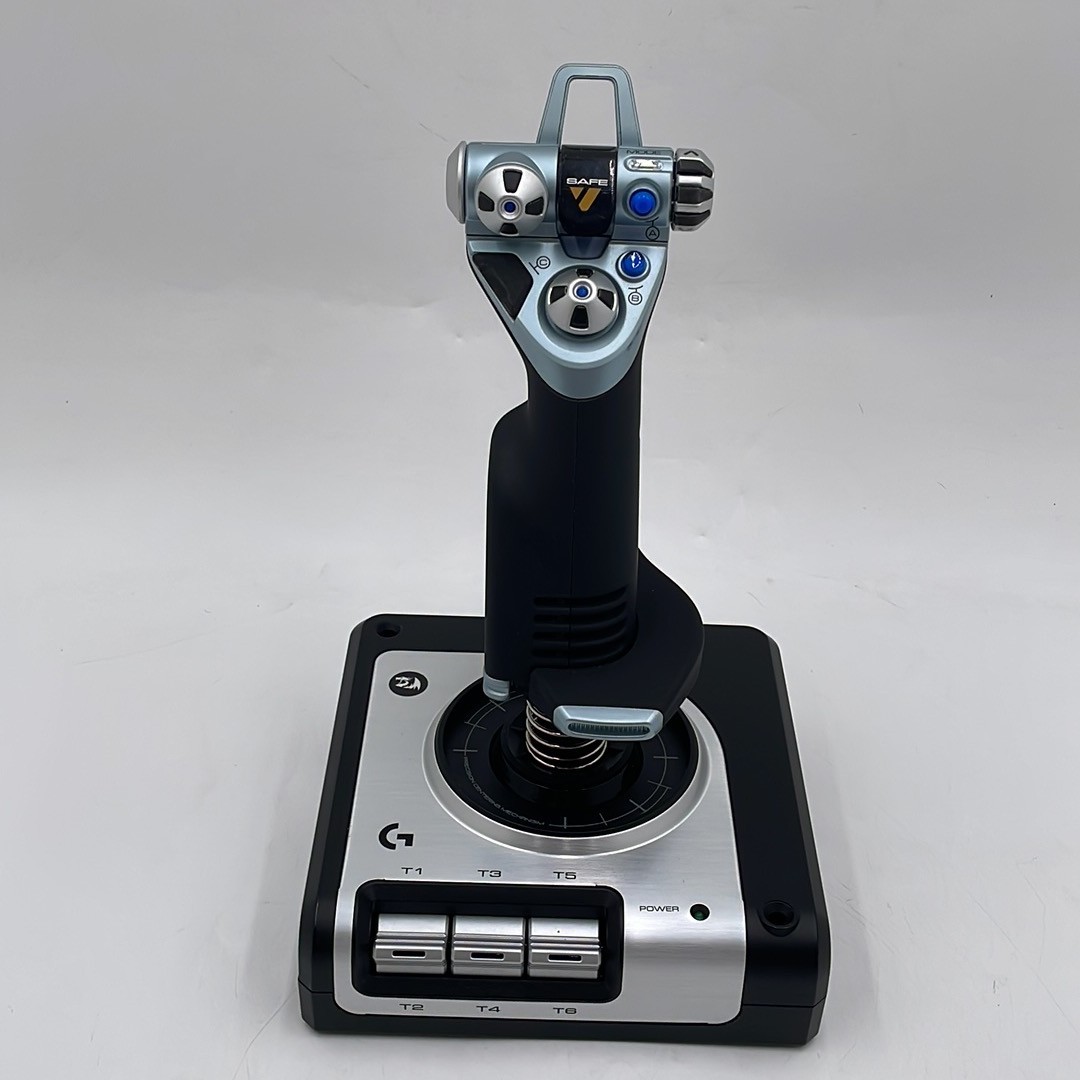

Photos from current listings. Actual item, color, and included accessories may vary.
Logitech Flight Stick Buying Guide
A Logitech flight stick spans three distinct architectures: the entry-level wired Extreme 3D Pro, the mid-tier X52/X52 Pro HOTAS, and the high-end G X56. The primary trade-off is sensor resolution and axis count versus potentiometer drift and spring centering; buy a Hall-effect or force-sensing design for longevity, and treat budget potentiometer sticks as consumables.
Key takeaways
- The Extreme 3D Pro uses 10-bit potentiometers with 256-step resolution per axis; the X52 and X56 use contactless Hall-effect sensors with 16-bit resolution (65,536 steps) for zero wear drift.
- The X52 throttle base and stick are a single non-separable unit with a 5-pin DIN interconnect; the X56 separates into two USB devices for independent mounting and game binding.
- The G X56 includes dual rotary dials and 6-degree-of-freedom twist (yaw) on the stick, while the X52 relies on a single rotary and separate rudder pedals for yaw in most sims.
At a glance
- Category
- Flight Sim Joysticks & HOTAS
- Last updated
- Nov 27, 2026
Current offers
Highlights
- The Extreme 3D Pro uses 10-bit potentiometers with 256-step resolution per axis; the X52 and X56 use contactless Hall-effect sensors with 16-bit resolution (65,536 steps) for zero wear drift.
- The X52 throttle base and stick are a single non-separable unit with a 5-pin DIN interconnect; the X56 separates into two USB devices for independent mounting and game binding.
- The G X56 includes dual rotary dials and 6-degree-of-freedom twist (yaw) on the stick, while the X52 relies on a single rotary and separate rudder pedals for yaw in most sims.
- All current Logitech flight sticks are USB 2.0 class devices drawing under 500 mA; the X56's dual USB connectors are for power stability on unpowered hubs, not extra data bandwidth.
Best use cases
- Choose the X52 or X52 Pro for Elite Dangerous or Star Citizen players who want a combined throttle-and-stick desktop footprint, programmable mode switch, and a lit-up button layout without a separate rudder pedal purchase.
- Choose the G X56 for DCS World or IL-2 Sturmovik players flying modern combat jets who need split-throttle twin-engine control, 6-DoF twist, and enough hats and rotaries to bind radar and weapon systems without a keyboard.
- Skip all Logitech sticks if you require force feedback (no current model offers it) or a metal gimbal (all three use reinforced plastic internals; step up to a cam-and-bearing metal base for that).
Buying tips
- Measure your desk depth first: the X52 combined unit is roughly 16 inches wide and 11 inches deep with the stick mounted; a 24-inch-deep desk leaves too little room for a keyboard unless the stick is side-mounted.
- The X56's dual USB plugs need two free ports on the same USB controller; connecting one to a front-panel header and one to a rear hub can cause Windows to drop the throttle mid-session.
- For Microsoft Flight Simulator 2020/2024, the X52's mode switch and slider are natively recognized, but the X56 requires Logitech's G HUB software to map the 6-DoF twist to rudder — plan a software install.
- If you fly helicopters or warbirds, budget for separate rudder pedals regardless of model; the X52's twist is on the stick only in the Pro variant's calibration, and the base X52 ships with no twist axis enabled by default in some firmware revisions.
Specs
| Sensor Type | Potentiometer (3D Pro) vs Hall-effect (X52/X56) |
|---|---|
| Axis Resolution | 256 steps vs 16-bit (65,536 steps) |
| Throttle Integration | Combined unit (X52) vs split dual-USB (X56) |
| Twist Rudder | Yes on 3D Pro and X56; X52 Pro only |
Related searches
What to check before buying
- Confirm you have two adjacent USB-A ports free (or a powered hub) if buying the X56, since its throttle and stick each enumerate as separate HID devices.
- Check your sim's control-binding depth: Elite Dangerous and Star Citizen accept the X52's 23 buttons natively, but DCS requires manual .lua edits for the X56's 4-way rotaries to register as button pairs.
- Verify desk or mount clearance for the X52's non-detachable 5-pin DIN cable — it exits the throttle base and limits how far the stick can be positioned from the throttle.
- If you use a laptop, confirm it supplies at least 500 mA per USB port; the X56's backlighting can brown out on bus-powered unpowered hubs, causing axis dropouts.
FAQ
Data sources: eBay / Amazon listings and product attribute feeds. Updated Nov 27, 2026.
Some links on this page are affiliate links. If you buy after clicking one, we may earn a commission at no extra cost to you. This does not change which products appear here or their order. Affiliate disclosure.