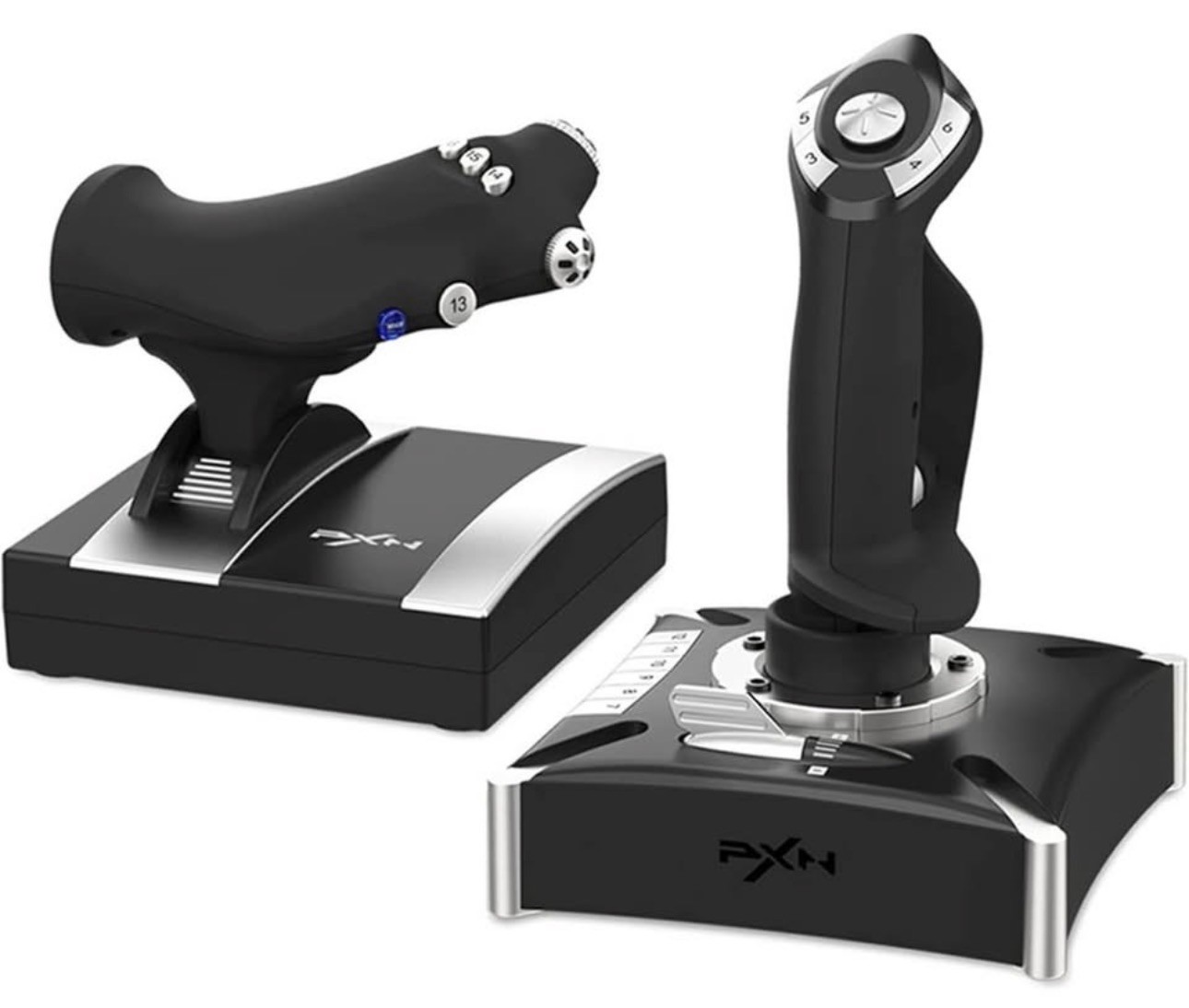

Photos from current listings. Actual item, color, and included accessories may vary.
Flight Simulator With Xbox Controller Buying Guide
A flight simulator setup driven by an Xbox controller is the lowest-cost entry into virtual aviation, but the controller's twin analog sticks and lack of dedicated rudder axis create precision and ergonomic limits that separate casual sightseeing from serious procedure training. The core trade-off is stick resolution and axis count versus the zero-cost convenience of hardware you already own. The decision rule: use a standard Xbox controller only for arcade or light GA flying in sims with native gamepad presets, and step up to a dedicated HOTAS the moment you need rudder authority, trim, or fine approach control.
Key takeaways
- Twin-stick mapping gives left stick pitch/roll and right stick yaw or throttle, but most sims assign rudder to triggers or bumpers, costing analog precision.
- Hall-effect and potentiometer sticks in dedicated HOTAS units deliver far finer resolution than Xbox controller thumbsticks, which are tuned for shooters, not approach stability.
- Native Xbox controller presets exist in Microsoft Flight Simulator, X-Plane 12, and War Thunder, but complex airliners need dozens of bindings a gamepad cannot hold without shift layers.
At a glance
- Category
- Flight Sim Joysticks & HOTAS
- Last updated
- Nov 27, 2026
Current offers
Highlights
- Twin-stick mapping gives left stick pitch/roll and right stick yaw or throttle, but most sims assign rudder to triggers or bumpers, costing analog precision.
- Hall-effect and potentiometer sticks in dedicated HOTAS units deliver far finer resolution than Xbox controller thumbsticks, which are tuned for shooters, not approach stability.
- Native Xbox controller presets exist in Microsoft Flight Simulator, X-Plane 12, and War Thunder, but complex airliners need dozens of bindings a gamepad cannot hold without shift layers.
- The PXN-2119PRO class of budget HOTAS adds a dedicated throttle and twist-rudder stick, bridging the gap between gamepad convenience and full sim hardware.
Best use cases
- Best fit: casual VFR sightseeing and bush flying in Microsoft Flight Simulator with an Xbox controller — native presets work out of the box and no extra desk space is needed.
- Wrong fit: IFR airliner procedure training, where precise rudder, trim, and autopilot panel interaction demand a HOTAS or yoke plus rudder pedals.
- Best fit: combat sim arcade modes in War Thunder with a gamepad, since the simplified flight model tolerates thumbstick precision limits.
- Wrong fit: competitive multiplayer formation flying or carrier landings — thumbstick dead zones and short throw make fine corrections imprecise; choose a hall-effect HOTAS instead.
Buying tips
- Confirm the sim has a native Xbox controller preset before relying on a gamepad; otherwise you will spend hours building shift-layer bindings for basic axes.
- Choose a controller with textured thumbstick caps and adjustable tension if available; stock Xbox sticks are light and drift-prone for fine pitch inputs.
- Budget HOTAS units like the PXN-2119PRO add a twist-rudder axis and separate throttle, which covers the three biggest gamepad gaps for under the cost of a premium controller.
- For airliner sims, plan on a HOTAS with at least 12 assignable buttons plus a mode shift, because a standard Xbox controller provides only about 14 usable inputs after menu bindings.
Specs
| Controller Axis Count | 4 analog (2 sticks, 2 triggers) |
|---|---|
| Rudder Input Method | Triggers/bumpers vs twist axis |
| Native Sim Presets | MSFS, X-Plane 12, War Thunder |
| Connection Standard | USB-A wired / Bluetooth wireless |
Related searches
What to check before buying
- Measure desk or lap space: a HOTAS base needs roughly 10 by 8 inches per unit, while an Xbox controller needs none — pick the tier that fits your physical setup.
- Verify your sim platform supports gamepad input natively (Microsoft Flight Simulator, X-Plane 12, War Thunder do; some study-level add-ons do not).
- Check USB port availability and cable reach: wired Xbox controllers and budget HOTAS units are USB-A, so a front-panel port or hub is required for desktop setups.
- Confirm you have a stable surface or lap board for a HOTAS; twisting a stick while it sits on a soft lap surface ruins rudder precision.
FAQ
Data sources: eBay / Amazon listings and product attribute feeds. Updated Nov 27, 2026.
Some links on this page are affiliate links. If you buy after clicking one, we may earn a commission at no extra cost to you. This does not change which products appear here or their order. Affiliate disclosure.