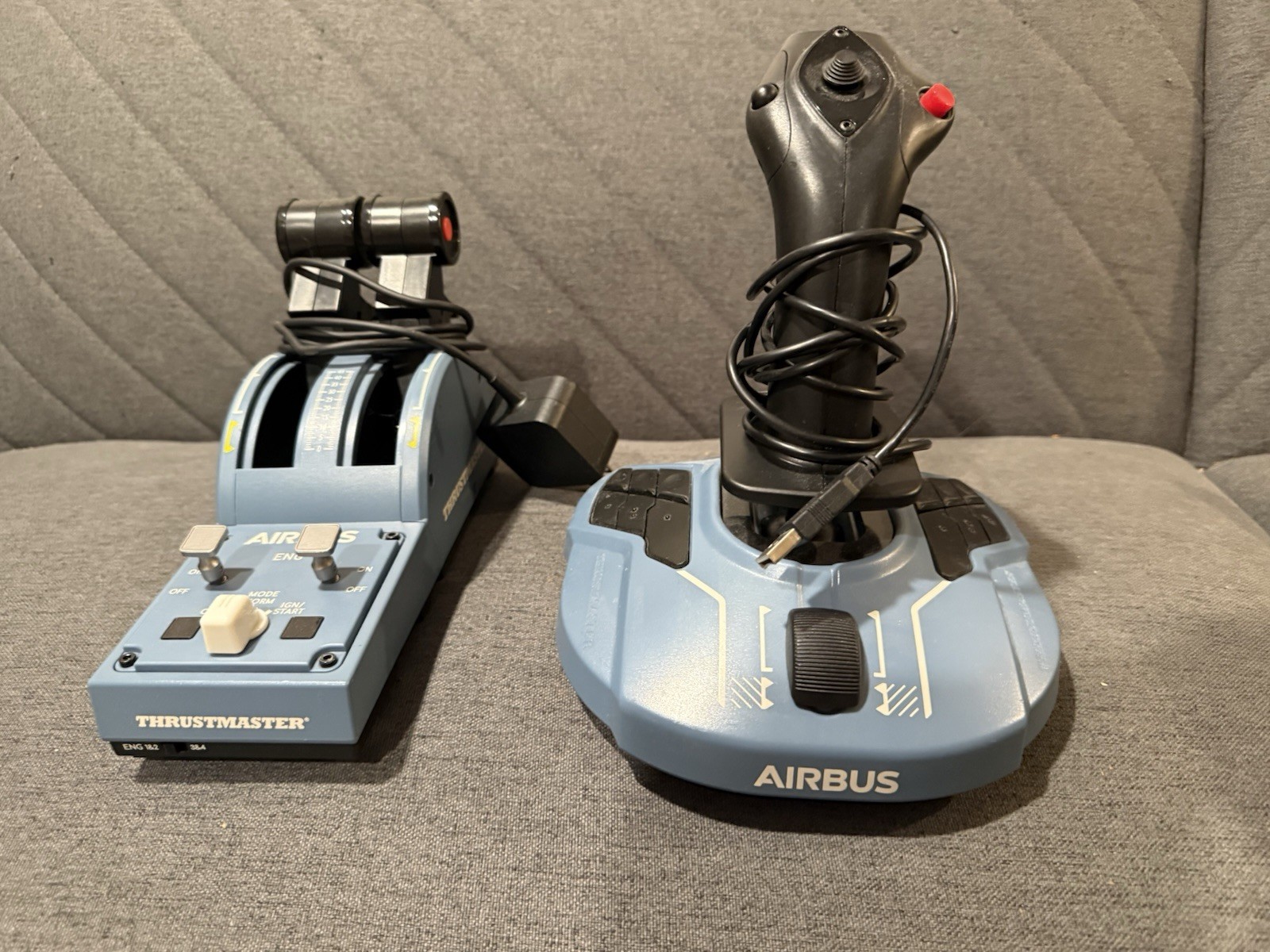

Photos from current listings. Actual item, color, and included accessories may vary.
Flight Sim Throttle Quadrant Buying Guide
A flight sim throttle quadrant is a dedicated multi-lever input device that controls engine power, propeller pitch, and mixture separately, rather than mapping those axes to buttons or a single slider. The core trade-off is between potentiometer-based levers (cheap, prone to spiking) and Hall-effect or contactless sensors (smooth, drift-free), while build rigidity and lever detents decide whether the unit survives years of use. The decision rule: buy any quadrant with contactless sensors and a metal or reinforced-plastic chassis; skip entry-level pots and single-lever throttles if you fly multi-engine or helis.
Key takeaways
- Sensor type is the durability divider: Hall-effect/contactless levers resist wear and spiking, while carbon-film potentiometers degrade and jitter after heavy use.
- Lever count and detents matter: 3-lever units (throttle, prop, mixture) cover piston twins; 2-lever or 4-lever setups suit jets and multi-engine turboprops with reverser/idle detents.
- Chassis rigidity separates tiers: metal or glass-filled nylon bases resist lever flex and desk lift, whereas thin ABS shells creak and develop dead zones under tension.
At a glance
- Category
- Flight Sim Joysticks & HOTAS
- Last updated
- Nov 27, 2026
Current offers
Highlights
- Sensor type is the durability divider: Hall-effect/contactless levers resist wear and spiking, while carbon-film potentiometers degrade and jitter after heavy use.
- Lever count and detents matter: 3-lever units (throttle, prop, mixture) cover piston twins; 2-lever or 4-lever setups suit jets and multi-engine turboprops with reverser/idle detents.
- Chassis rigidity separates tiers: metal or glass-filled nylon bases resist lever flex and desk lift, whereas thin ABS shells creak and develop dead zones under tension.
- Connectivity and companion parts: USB HID plug-and-play works standalone, but many quadrants are designed to pair with a specific yoke or joystick base, so check the connector standard.
Best use cases
- Best fit: piston twin or turboprop fliers needing separate throttle, prop, and mixture — pick a 3-lever quadrant with friction adjustment and reverser detents.
- Best fit: jet airliner simmers who need flap and speedbrake axes — choose a quadrant with extra assignable levers or a combo unit, and skip 2-lever prop-only designs.
- Wrong fit: helicopter-only pilots — a standard quadrant lacks collective and twist-throttle ergonomics; use a dedicated collective or a joystick with an analog throttle wheel instead.
- Wrong fit: desk-space-constrained setups or casual single-engine VFR — a full quadrant adds clutter; a single throttle lever on the joystick base is sufficient and cheaper.
Buying tips
- Match lever count to your aircraft: 3 levers for piston twins (throttle/prop/mixture), 2 levers for jets (throttle/reverser), and 4+ levers only if you fly complex multi-engine turboprops.
- Demand contactless sensing: Hall-effect or optical levers eliminate the pot spiking that causes uncommanded power changes; potentiometer units are false economy for frequent fliers.
- Check the lever travel and detent system: reversible detents or adjustable friction let you feel idle/cutoff and reverser gates; fixed-detent units limit aircraft compatibility.
- Confirm mounting and footprint: measure desk depth and clamp clearance; a quadrant with a wide base needs 10–12 inches of depth and a stable, non-flexing surface.
Specs
| Sensor Type | Hall-effect vs potentiometer |
|---|---|
| Lever Count | 2 / 3 / 4+ levers |
| Detents | Adjustable friction / reverser gates |
| Connection | USB HID standalone or proprietary |
Related searches
What to check before buying
- Measure your desk or rig: allow at least 10 inches of depth and 6 inches of width per quadrant, plus clearance for lever throw and cable routing.
- Confirm USB connection and HID compliance: standalone quadrants should enumerate as a generic game controller without proprietary drivers.
- Check companion compatibility: if pairing with a yoke or joystick, verify the same brand's connector or that the quadrant works independently over USB.
- Verify lever friction and detent adjustment: physically test or read spec for adjustable friction; fixed, stiff levers cause fatigue and poor fine control.
FAQ
Data sources: eBay / Amazon listings and product attribute feeds. Updated Nov 27, 2026.
Some links on this page are affiliate links. If you buy after clicking one, we may earn a commission at no extra cost to you. This does not change which products appear here or their order. Affiliate disclosure.