
Photos from current listings. Actual item, color, and included accessories may vary.
Server Buying Guide
A server for homelab or small-business use is defined by its CPU platform, memory architecture (ECC vs non-ECC), and storage backplane—not by its color or form factor. The core trade-off is rackmount density and remote management (IPMI/iDRAC/iLO) versus tower/mini-PC silence, low power draw, and desktop-part compatibility. The decision rule: choose a rackmount platform only if you have a rack or closet with forced airflow and need ECC memory plus out-of-band management; otherwise a mini-PC or tower server delivers better efficiency and lower noise for the same workload.
Median $580.00
Key takeaways
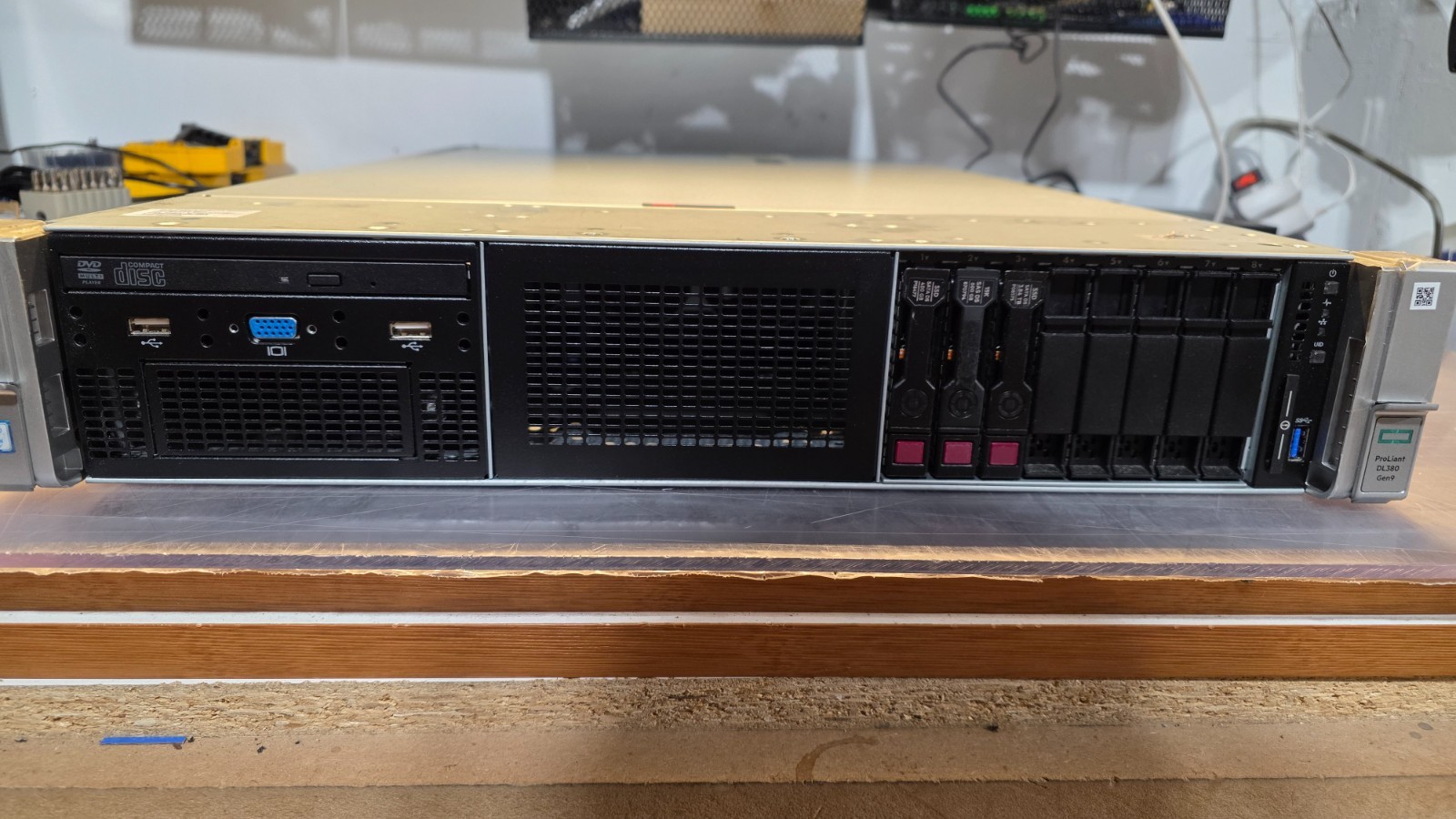
- Rackmount enterprise servers (Dell PowerEdge, HP ProLiant) use ECC DDR4/DDR5 registered memory and ship with IPMI/iDRAC/iLO out-of-band management, which mini-PCs and most towers lack.
- CPU generations dictate platform value: Xeon E5 v3/v4 (DDR4) and Scalable Silver/Gold (DDR4) are cheap but power-hungry; EPYC 7002/7003 and Xeon Scalable Gen 3+ bring PCIe 4.0 and far better perf-per-watt.
- Drive bays and backplanes are the real cost driver: SFF 2.5-inch 24-bay chassis favor NVMe/SAS SSD arrays, while LFF 3.5-inch 4–12 bay chassis suit high-capacity HDD bulk storage.
At a glance
- Category
- Servers & Mini PCs
- Last updated
- Nov 28, 2026
Current offers
Highlights
- Rackmount enterprise servers (Dell PowerEdge, HP ProLiant) use ECC DDR4/DDR5 registered memory and ship with IPMI/iDRAC/iLO out-of-band management, which mini-PCs and most towers lack.
- CPU generations dictate platform value: Xeon E5 v3/v4 (DDR4) and Scalable Silver/Gold (DDR4) are cheap but power-hungry; EPYC 7002/7003 and Xeon Scalable Gen 3+ bring PCIe 4.0 and far better perf-per-watt.
- Drive bays and backplanes are the real cost driver: SFF 2.5-inch 24-bay chassis favor NVMe/SAS SSD arrays, while LFF 3.5-inch 4–12 bay chassis suit high-capacity HDD bulk storage.
- Mini-PC NAS boxes (2–4 bay, Intel N95/N100 class) cap at 8–16 GB non-ECC RAM and lack IPMI; they are appliances, not expandable virtualization hosts.
Best use cases
- Virtualization and lab clusters: pick a dual-socket rackmount with ECC RDIMM and IPMI so you can run Proxmox/ESXi headless—skip 2-bay mini-PCs, which cap out at low core counts and non-ECC memory.
- Bulk media and backup storage: choose a 4–12 bay 3.5-inch LFF chassis with a hardware RAID/HBA; skip 24-bay SFF units unless your dataset is all-flash.
- Quiet home office or apartment: pick a tower or N95/N100 mini-PC NAS; skip 1U/2U rackmounts, whose 40 mm fans are intolerable in living spaces.
- Private cloud/self-hosted apps: a 4-bay mini-PC or small tower with mirrored SSDs is sufficient; only step up to enterprise Xeon/EPYC when you need ECC and >64 GB RAM.
Buying tips
- Match RAM to platform: ECC RDIMM for Xeon/EPYC rackmounts, ECC UDIMM for Xeon E3/entry towers, non-ECC SO-DIMM for N95/N100 mini-PCs—mixing types will not boot.
- Count PCIe lanes before buying: EPYC 7002/7003 and Xeon Scalable offer 64–128 lanes for NVMe HBAs and 25 GbE; consumer mini-PCs typically expose one M.2 and one SATA controller.
- Size the PSU for spin-up: budget 25–30 W per 3.5-inch HDD at startup; a 12-bay HDD chassis needs 600 W+ with staggered spin-up or a proper HBA.
- Buy generation-aware: Xeon E5 v3/v4 DDR4 platforms are cheapest but idle at 80–120 W; EPYC 7002+ or Xeon Silver 4310-class systems cost more upfront but halve idle power.
Specs
| Form Factor | Rackmount 1U/2U vs Tower vs Mini-PC |
|---|---|
| Memory Type | ECC RDIMM / ECC UDIMM / Non-ECC SO-DIMM |
| Drive Bays | 2–4 bay mini / 4–12 LFF / 24 SFF |
| Management | IPMI/iDRAC/iLO vs none |
Related searches
What to check before buying
- Measure your rack or shelf: 1U is 1.75 in, 2U is 3.5 in tall, and rack depth must exceed chassis depth by 4 in for cabling—confirm 19-inch rail width.
- Confirm power: most rackmounts need 100–240 V AC via C13/C14; check that your circuit can supply the startup wattage of all drives plus CPUs.
- Verify network: enterprise servers use 1/10/25 GbE SFP+ or RJ45; ensure your switch has matching ports or plan a DAC/fiber purchase.
- Check RAM population rules: dual-socket boards often require DIMMs in specific slots per CPU; buy matched kits and confirm max RDIMM capacity per board.
FAQ
Data sources: eBay / Amazon listings and product attribute feeds. Updated Nov 28, 2026.
Some links on this page are affiliate links. If you buy after clicking one, we may earn a commission at no extra cost to you. This does not change which products appear here or their order. Affiliate disclosure.