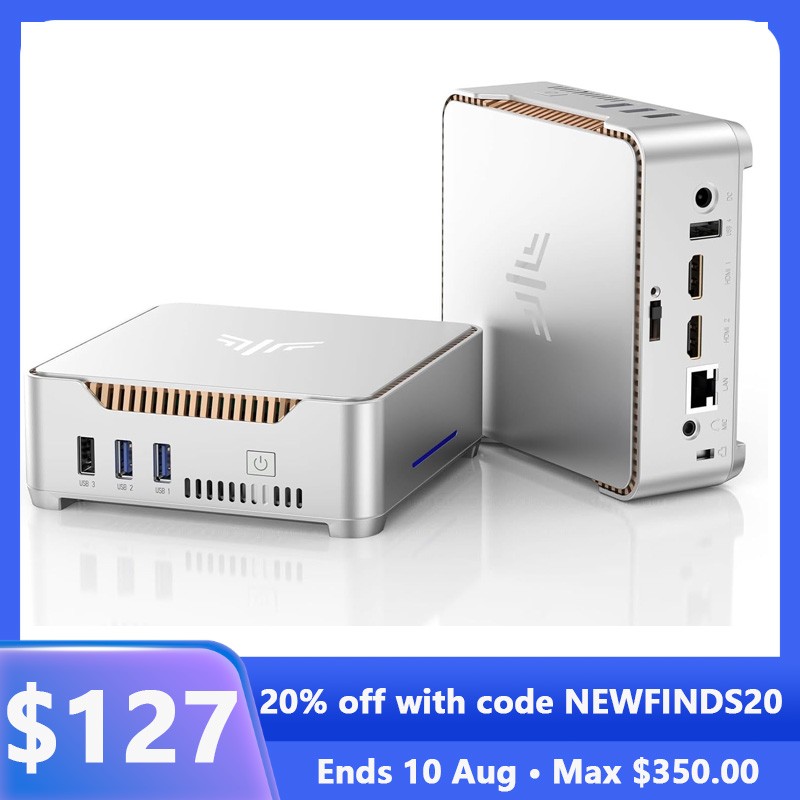

Photos from current listings. Actual item, color, and included accessories may vary.
Intel Mini PC Buying Guide
An Intel Mini PC is a compact desktop built around an Intel CPU—from low-power Atom/Celeron/Pentium to modern N-series and Core i3/i5/i7—trading upgradeability and raw CPU grunt for small footprint and low power draw. The primary trade-off is CPU generation and memory/storage architecture: older Atom or 4GB-soldered models bottleneck basic browsing, while N100/N305 or Core-based units with replaceable SO-DIMM/M.2 storage stay usable for years. The clear decision rule: buy an Intel N100/N305 or 8th-gen-or-newer Core model with at least 8GB RAM and an M.2 SSD; skip any Atom x5-Z8350 or 4GB-soldered unit unless it is a dedicated single-task appliance.
Median $434.00
Key takeaways
- CPU tier decides longevity: Intel N100/N305 (Alder Lake-N, 6W–15W) roughly doubles single-thread performance of Gemini Lake N5030 and quadruples Atom x5-Z8350; 8th-gen+ Core i3/i5 adds full desktop responsiveness.
- Memory architecture: LPDDR4/LPDDR5 soldered RAM caps the machine at purchase; SO-DIMM slots allow 16–32GB upgrades and are the single biggest durability lever in mini PCs.
- Storage path: M.2 2280/2242 NVMe or SATA SSD scores 500–3,500 MB/s vs 30–80 MB/s on eMMC; eMMC-only units wear out and cannot be practically replaced on many boards.
At a glance
- Category
- Servers & Mini PCs
- Last updated
- Nov 28, 2026
Current offers
Highlights
- CPU tier decides longevity: Intel N100/N305 (Alder Lake-N, 6W–15W) roughly doubles single-thread performance of Gemini Lake N5030 and quadruples Atom x5-Z8350; 8th-gen+ Core i3/i5 adds full desktop responsiveness.
- Memory architecture: LPDDR4/LPDDR5 soldered RAM caps the machine at purchase; SO-DIMM slots allow 16–32GB upgrades and are the single biggest durability lever in mini PCs.
- Storage path: M.2 2280/2242 NVMe or SATA SSD scores 500–3,500 MB/s vs 30–80 MB/s on eMMC; eMMC-only units wear out and cannot be practically replaced on many boards.
- Display/IO budget: 4K 60Hz over HDMI 2.0 or DisplayPort 1.4 requires at least Intel UHD 600-class graphics; dual 4K output needs two video ports and sufficient shared memory (8GB+).
Best use cases
- Best fit for always-on home server, Pi-hole, Home Assistant, or lightweight Docker host: pick an Intel N100/N305 with 8–16GB RAM and M.2 SSD—fanless or low-RPM designs are ideal for 24/7 duty.
- Best fit for office/web/4K streaming: N100 or Core i3 with 8GB+ and NVMe; skip Atom x5-Z8350 or 2–4GB units, which stutter on modern browsers and 4K video.
- Wrong fit for gaming, CAD, or video editing: integrated Intel UHD on N-series cannot handle discrete-GPU workloads—choose a Core i5/i7 mini PC with Thunderbolt/eGPU support or a full desktop.
- Wrong fit for silent bedroom HTPC if the unit has a small high-RPM fan: select a fanless N100/N305 chassis or a larger low-RPM Core model; avoid older 15W Atom boxes with whiny blowers.
Buying tips
- Match CPU to workload: N100/N305 for 24/7 low-power servers and 4K media; Core i3/i5 8th-gen or newer for multitasking, VMs, and heavier office suites.
- Enforce a RAM floor: 8GB minimum for Windows 11, 16GB for VMs/containers; prefer SO-DIMM slots over soldered LPDDR4 to allow future upgrades.
- Require an M.2 SSD (NVMe preferred) and avoid eMMC-only models; check for a second M.2 or 2.5-inch SATA bay if you need bulk storage.
- Verify port standards: HDMI 2.0/DisplayPort 1.4 for 4K 60Hz, USB 3.2 Gen 2 for fast external drives, and 2.5GbE if used as a router/firewall or NAS head.
Specs
| CPU Class | Intel N100/N305 vs Core i3/i5/i7 |
|---|---|
| Memory Type | SO-DIMM (upgradeable) vs soldered LPDDR |
| Storage Interface | M.2 NVMe/SATA vs eMMC |
| Video Output | HDMI 2.0 / DP 1.4, dual 4K 60Hz |
Related searches
What to check before buying
- Measure your desk/VESA mount space and confirm the mini PC’s dimensions and included VESA plate; many 0.6–1.0L chassis mount behind a monitor.
- Confirm your monitor input (HDMI vs DisplayPort) and cable—4K 60Hz needs HDMI 2.0 or DP 1.2+ certified cables, not legacy HDMI 1.4.
- Check power supply: most Intel mini PCs use an external 12V/19V DC brick; ensure the plug type and voltage match your region (100–240V adapter preferred).
- Plan companion parts: keyboard/mouse, a second SO-DIMM if upgrading RAM, and an M.2 screw/standoff kit for adding storage.
FAQ
Data sources: eBay / Amazon listings and product attribute feeds. Updated Nov 28, 2026.
Some links on this page are affiliate links. If you buy after clicking one, we may earn a commission at no extra cost to you. This does not change which products appear here or their order. Affiliate disclosure.