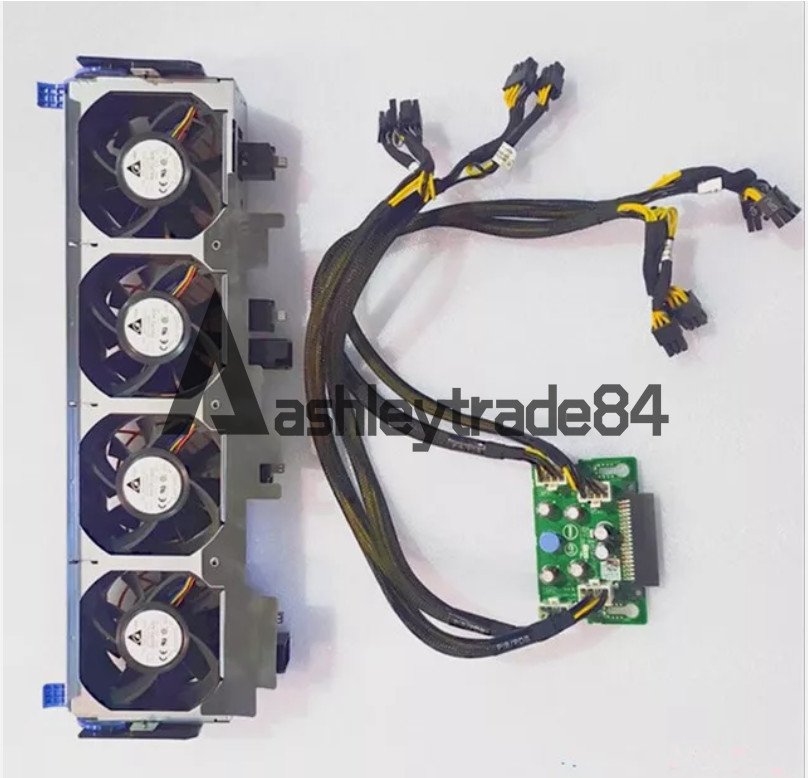

Photos from current listings. Actual item, color, and included accessories may vary.
GPU Graphics Card Buying Guide
Choosing a GPU means balancing resolution, frame rate, and power headroom against your case and PSU—not chasing peak specs. The biggest mistakes are buying a card that physically won’t fit, underestimating PSU requirements, or mixing server/workstation parts with consumer motherboards. Match the card’s power connectors, slot width, and output standard to your existing build before comparing tiers.
Key takeaways
- PCIe generation matters less than lane count: x16 Gen4 or Gen3 delivers full bandwidth for gaming, while x8 cards lose 1–3% on Gen3 boards.
- Power delivery is the hidden gate: entry cards draw 75W from the slot, mid-range needs one 6- or 8-pin, and high-end cards require two or three 8-pin feeds.
- Cooler depth ranges from 2-slot blower designs to 3.5-slot open-air cards; measure clearance from the PCIe slot to the case side panel and front fans.
At a glance
- Category
- PC Graphics Cards
- Last updated
- Nov 23, 2026
Current offers
Highlights
- PCIe generation matters less than lane count: x16 Gen4 or Gen3 delivers full bandwidth for gaming, while x8 cards lose 1–3% on Gen3 boards.
- Power delivery is the hidden gate: entry cards draw 75W from the slot, mid-range needs one 6- or 8-pin, and high-end cards require two or three 8-pin feeds.
- Cooler depth ranges from 2-slot blower designs to 3.5-slot open-air cards; measure clearance from the PCIe slot to the case side panel and front fans.
- Server GPU kits like the Dell T630 bundle use proprietary power cabling and passive heatsinks—they fit only specific server chassis, not standard ATX cases.
Best use cases
- Best fit: 1080p esports at 144+ fps—pick a 2-slot, single 8-pin card under 250mm long with DisplayPort 1.4; skip 3-fan behemoths that choke in small cases.
- Best fit: 1440p high-refresh gaming—choose a 3-fan card with two 8-pin connectors and 300W+ board power, paired with a 750W 80+ Gold PSU.
- Wrong fit: dropping a passive server GPU into a desktop—Dell T630 kits need the server’s dedicated power board and airflow shroud; they will overheat or fail to post in ATX builds.
Buying tips
- Check case clearance first: measure from the PCIe slot to the front fan and side panel; cards over 300mm need a mid-tower or larger.
- Prioritize PSU wattage and connectors: a 650W unit handles most 2-fan cards, but high-end cards need 850W and three separate 8-pin cables—never daisy-chain.
- Inspect the slot width: 2.5-slot cards block the adjacent PCIe slot, so plan for Wi-Fi or capture cards before buying a thick cooler.
- Avoid server pull kits unless you own the exact chassis; standard retail cards include brackets, fans, and consumer display outputs.
Specs
| Bus Interface | PCIe 4.0 x16 (backward compatible) |
|---|---|
| Power Connectors | None / 1x8-pin / 2x8-pin / 3x8-pin |
| Slot Width | 2-slot / 2.5-slot / 3-slot |
| Display Outputs | HDMI 2.1 + DisplayPort 1.4 |
Related searches
What to check before buying
- Measure case interior: GPU length limit, slot width, and clearance from the PCIe slot to the side panel.
- Confirm PSU wattage and count available 8-pin (6+2) PCIe cables—not just total wattage.
- Check motherboard PCIe generation and lane allocation (x16 vs x8) for older platforms.
- Verify monitor inputs: HDMI 2.1 for 4K120, DisplayPort 1.4 for 1440p high refresh; match card outputs.
FAQ
Data sources: eBay / Amazon listings and product attribute feeds. Updated Nov 23, 2026.
Some links on this page are affiliate links. If you buy after clicking one, we may earn a commission at no extra cost to you. This does not change which products appear here or their order. Affiliate disclosure.