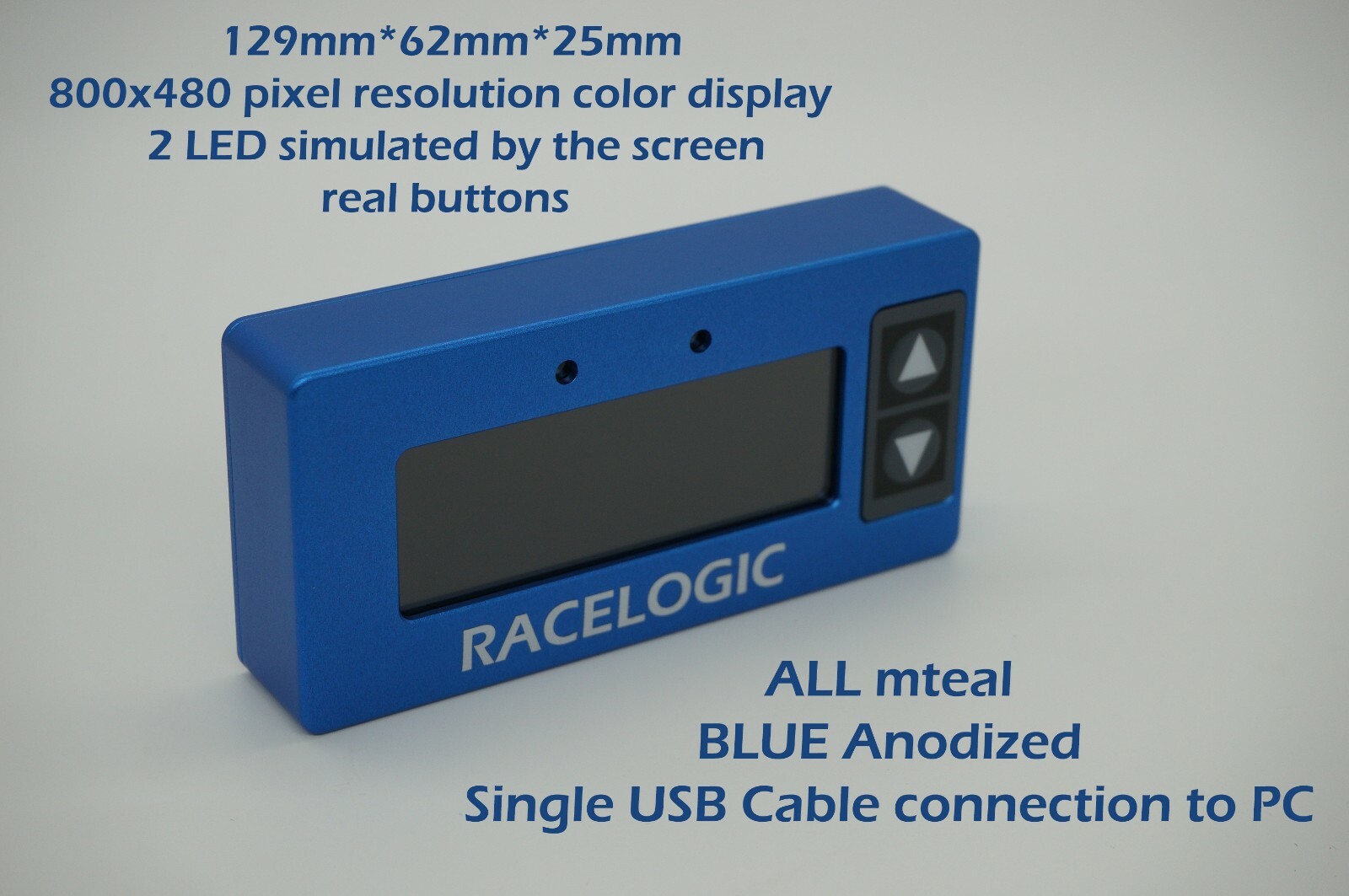

Photos from current listings. Actual item, color, and included accessories may vary.
Sim Racing Display Buying Guide
Sim racing displays are secondary dash screens that show telemetry, gear, speed, and lap data, and the key trade-off is between a generic HDMI/USB monitor with a plastic bracket and a purpose-built dash unit with an aluminum enclosure and native SimHub support. The decision rule: pick a display whose mounting interface and telemetry software compatibility match your rig and sim, and skip any unit that locks you into a proprietary mount or undocumented protocol.
Key takeaways
- Native SimHub compatibility determines whether a dash works across Assetto Corsa, iRacing, rFactor 2, and F1 without custom scripting; generic HDMI screens need a separate telemetry bridge app.
- Enclosure material separates durable units from disposable ones: full aluminum bodies dissipate heat and resist vibration, while carbon-fiber-look plastic shells crack at the mounting threads.
- Mount interface is the hidden spec: articulated bracket arms with 75x75mm or 100x100mm VESA patterns fit standard rig plates, while proprietary ball mounts limit placement.
At a glance
- Category
- Sim Racing Displays & Mods
- Last updated
- Nov 23, 2026
Current offers
Highlights
- Native SimHub compatibility determines whether a dash works across Assetto Corsa, iRacing, rFactor 2, and F1 without custom scripting; generic HDMI screens need a separate telemetry bridge app.
- Enclosure material separates durable units from disposable ones: full aluminum bodies dissipate heat and resist vibration, while carbon-fiber-look plastic shells crack at the mounting threads.
- Mount interface is the hidden spec: articulated bracket arms with 75x75mm or 100x100mm VESA patterns fit standard rig plates, while proprietary ball mounts limit placement.
- Screen size and resolution drive readability at rig distance: 4- to 5-inch panels at 800x480 are legible at 40-60cm, while 7-inch 1024x600 panels suit GT-style dash replication.
Best use cases
- Best fit: a purpose-built SimHub dash (e.g., aluminum-enclosure DV-8 class) for iRacing or Assetto Corsa drivers who want plug-and-play telemetry without configuring a second PC monitor.
- Best fit: an articulated VESA bracket plus a small HDMI monitor for budget rigs where the display doubles as a secondary desktop screen when not racing.
- Wrong fit: buying a large 1080p monitor for dash duty—it wastes GPU output and rarely fits between wheel base and screen without blocking the main view.
- Skip: any dash with a proprietary mount and no SimHub or documented API support; it becomes e-waste the moment your sim updates its telemetry format.
Buying tips
- Match the VESA pattern: measure your rig's dash plate hole spacing; 75x75mm covers most compact dash displays, 100x100mm is needed for 7-inch panels.
- Confirm telemetry path: native SimHub USB support is plug-and-play; HDMI-only screens require a Windows duplicate-display setup and a separate dashboard app.
- Size for distance: a 4-inch 800x480 screen is readable at 40cm; beyond 60cm move to a 7-inch 1024x600 panel or the numbers blur at speed.
- Check power and data cabling: USB-powered dashes need one cable to the PC; HDMI panels need both HDMI and USB power, adding cable clutter at the rig.
Specs
| Telemetry Interface | Native SimHub USB vs HDMI duplicate |
|---|---|
| Screen Size | 4-5 in (800x480) vs 7 in (1024x600) |
| Mount Standard | VESA 75x75 / 100x100 vs proprietary |
| Enclosure Build | Full aluminum vs plastic/carbon-look |
Related searches
What to check before buying
- Measure the gap between your wheel base and main monitor; dash displays typically need 15-25cm of depth including the mount arm.
- Verify your rig's dash plate or wheel-deck hole pattern against the display's VESA standard before ordering.
- Confirm your PC has a free USB-A port and, for HDMI panels, a free HDMI output not already used by the main monitor.
- Check that your sim title is supported by SimHub or the dash's native app; iRacing and Assetto Corsa are near-universal, console titles are not.
FAQ
Data sources: eBay / Amazon listings and product attribute feeds. Updated Nov 23, 2026.
Some links on this page are affiliate links. If you buy after clicking one, we may earn a commission at no extra cost to you. This does not change which products appear here or their order. Affiliate disclosure.