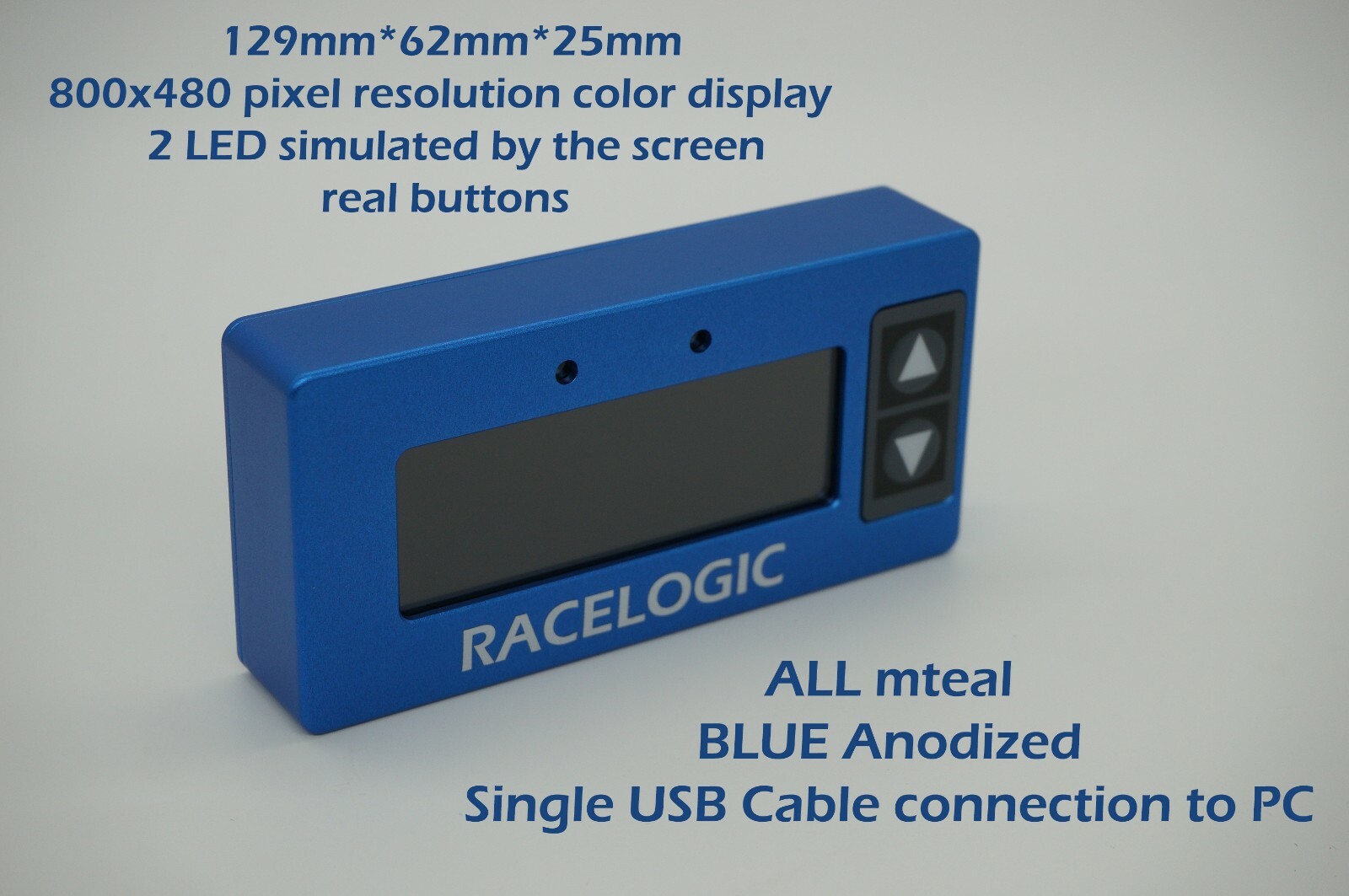

Photos from current listings. Actual item, color, and included accessories may vary.
Sim Racing Dashboard Buying Guide
A sim racing dashboard is a dedicated secondary display that shows telemetry—speed, RPM, gear, lap times, tire temps—via software like SimHub, mounted between your wheel base and monitor to eliminate HUD clutter. The core trade-off is panel quality and enclosure rigidity versus software compatibility: cheap kits use low-brightness panels in plastic shells, while durable units use high-nits IPS or VA panels in aluminum or carbon-fiber housings with native SimHub support. The decision rule is simple—buy a dashboard that lists an exact panel resolution, brightness rating, and confirmed SimHub/SimDisplay protocol support; skip any listing that only promises 'works with racing games' without naming the software stack.
Key takeaways
- Panel brightness separates usable from washed-out: dashboards need 400-600 nits to stay legible behind a wheel in a dim rig, while generic 250-nit panels ghost badly under direct monitor glow.
- Enclosure material dictates rig longevity: full aluminum or carbon-fiber shells resist wheel-base vibration and heat, whereas ABS plastic mounts develop rattle and flex after months of force feedback.
- Resolution and size tiers matter for glanceability: 3.5-5 inch 480x320 or 800x480 panels cover core telemetry, while 7-inch 1024x600 units fit full dashboards with shift lights and fuel maps.
At a glance
- Category
- Sim Racing Displays & Mods
- Last updated
- Nov 23, 2026
Current offers
Highlights
- Panel brightness separates usable from washed-out: dashboards need 400-600 nits to stay legible behind a wheel in a dim rig, while generic 250-nit panels ghost badly under direct monitor glow.
- Enclosure material dictates rig longevity: full aluminum or carbon-fiber shells resist wheel-base vibration and heat, whereas ABS plastic mounts develop rattle and flex after months of force feedback.
- Resolution and size tiers matter for glanceability: 3.5-5 inch 480x320 or 800x480 panels cover core telemetry, while 7-inch 1024x600 units fit full dashboards with shift lights and fuel maps.
- Connection standard splits the market: USB-C or micro-USB displays run as secondary monitors through SimHub, while serial/UART Arduino-based dashes need firmware flashing and pin mapping.
Best use cases
- Best fit: a 5-inch 800x480 USB-C IPS dash in an aluminum case for a direct-drive rig—vibration-proof, bright enough for a dim room, and SimHub-native. Skip plastic-shell 3.5-inch kits if you run high-torque FFB.
- Best fit: a 7-inch 1024x600 display if you want a full dashboard plus shift-light bar and fuel/tyre widgets at a glance. Skip it on a compact desk rig where the wheel base blocks the lower screen edge.
- Best fit: an Arduino/serial DIY dash only if you enjoy flashing firmware and mapping pins. Skip it if you want plug-and-play—buy a USB secondary-monitor dash instead.
- Wrong fit: buying a dashboard before confirming your sim (Assetto Corsa, iRacing, ACC, rFactor 2) exports telemetry through SimHub—console titles and some arcade racers do not, leaving the screen blank.
Buying tips
- Measure the gap between wheel base and monitor: you need at least the dash height plus 20-30 mm clearance, so a 7-inch unit (~100 mm tall) often will not fit a low-mounted direct-drive base.
- Match connection to your PC: USB-C or micro-USB secondary-monitor dashes need no drivers beyond SimHub; serial/UART dashes need a COM port and firmware, so pick USB if you want zero setup.
- Check panel type and nits, not just size: IPS or VA at 400+ nits beats a larger TN panel at 250 nits for legibility and viewing angles behind a wheel.
- Confirm the enclosure is metal or carbon fiber for any rig running 8 Nm or more of force feedback—plastic shells transmit vibration and loosen mounting screws over time.
Specs
| Panel Size | 3.5-7 in (480x320 to 1024x600) |
|---|---|
| Brightness | 250-600 nits (400+ for dim rigs) |
| Connection | USB-C / micro-USB vs Serial/UART |
| Enclosure | Aluminum / carbon fiber vs ABS plastic |
Related searches
What to check before buying
- Measure wheel-base-to-monitor clearance and confirm the dash height plus mount fits without blocking the lower screen edge.
- Confirm your PC has a free USB-A or USB-C port and that your sim exports telemetry to SimHub (iRacing, Assetto Corsa, ACC, rFactor 2 do).
- Check the dash's mounting pattern (VESA or bracket) matches your rig's wheel-deck or button-box plate.
- Verify power: USB-powered dashes draw from the PC port, while some larger panels need a separate 5V or 12V supply—confirm your rig has an outlet or powered hub.
FAQ
Data sources: eBay / Amazon listings and product attribute feeds. Updated Nov 23, 2026.
Some links on this page are affiliate links. If you buy after clicking one, we may earn a commission at no extra cost to you. This does not change which products appear here or their order. Affiliate disclosure.