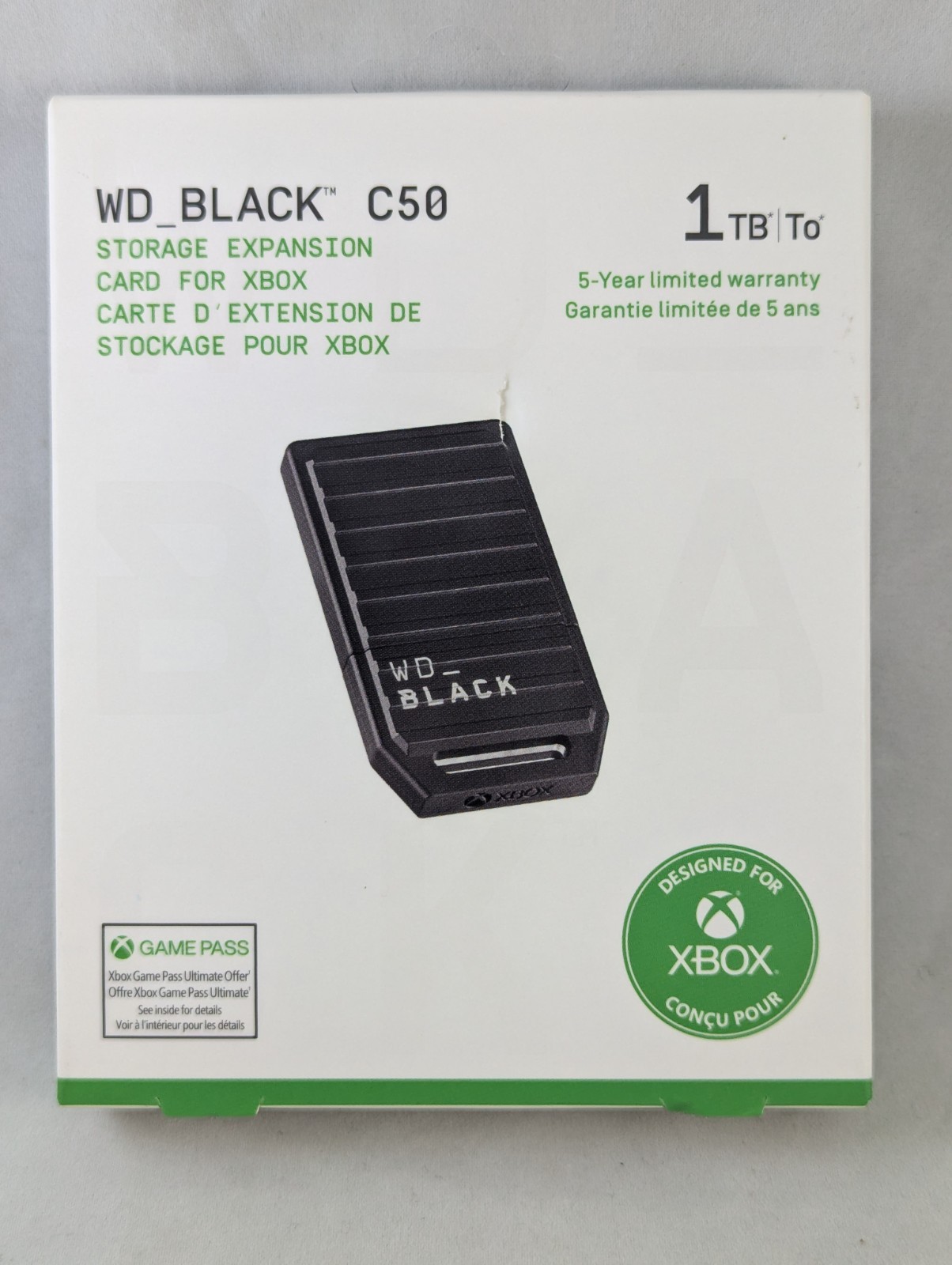

Photos from current listings. Actual item, color, and included accessories may vary.
Xbox Series S Buying Guide
The Xbox Series S is Microsoft's all-digital, 1440p-targeted current-gen console, distinguished by its compact white or carbon black chassis, lack of a disc drive, and a fixed 512GB or 1TB NVMe SSD. The core trade-off is price versus storage and optical media: the Series S costs less than the Series X but forces digital-only purchases and fills its base drive fast with modern titles. The decision rule is simple: buy the Series S if you want the cheapest entry into current-gen Xbox exclusives and Game Pass at 1080p–1440p, but step up to the Series X or the 1TB Series S if you need 4K output, a disc drive, or more than a handful of installed games.
Key takeaways
- All-digital architecture with no disc drive—every game must be downloaded or streamed, so a fast broadband connection or Game Pass subscription is effectively mandatory.
- GPU compute is roughly one-third of the Series X (4 TFLOPS vs 12 TFLOPS), targeting 1440p at up to 120fps rather than native 4K, with many titles running at 1080p or below.
- Storage is a custom 512GB or 1TB NVMe SSD; only the Seagate or Western Digital expansion cards add capacity, and USB drives can only store (not play) optimized Series S/X titles.
At a glance
- Category
- Console & Handheld Hardware
- Last updated
- Nov 29, 2026
Current offers
Highlights
- All-digital architecture with no disc drive—every game must be downloaded or streamed, so a fast broadband connection or Game Pass subscription is effectively mandatory.
- GPU compute is roughly one-third of the Series X (4 TFLOPS vs 12 TFLOPS), targeting 1440p at up to 120fps rather than native 4K, with many titles running at 1080p or below.
- Storage is a custom 512GB or 1TB NVMe SSD; only the Seagate or Western Digital expansion cards add capacity, and USB drives can only store (not play) optimized Series S/X titles.
- The 512GB model leaves roughly 350–380GB usable after the OS, which holds only a handful of 100GB+ AAA games—the 1TB carbon black model doubles usable space and is the practical choice for Game Pass heavy users.
Best use cases
- Best fit: a secondary bedroom or 1080p/1440p monitor setup where you want current-gen Xbox titles and Game Pass without paying for 4K hardware—choose the 512GB white model if you keep 2–3 games installed.
- Best fit: a Game Pass-centric household that downloads many titles—pick the 1TB carbon black Series S, or budget for a 1TB expansion card, because the base 512GB fills after two or three large installs.
- Wrong fit: a living-room 4K TV owner who also wants Blu-ray or used disc games—skip the Series S entirely and buy the Series X, which adds the disc drive, 4K output, and 1TB storage.
- Wrong fit: a buyer with slow or metered internet—the all-digital Series S makes every game a large download, so a disc-based console or a different platform is the rational choice.
Buying tips
- Buy the 1TB carbon black Series S over the 512GB white model if you plan to keep more than three AAA titles installed; the extra capacity costs far less than a separate expansion card.
- Match the console to the display: the Series S targets 1440p and often renders at 1080p, so pair it with a 1080p or 1440p monitor—a 4K TV wastes the Series S's ceiling and the Series X is the better match there.
- Factor in the expansion-card standard: only the proprietary Seagate/WD NVMe card plays optimized Series S/X titles, while any USB 3.0 drive can store and transfer them—budget for the card if you refuse to redownload.
- For bundles, prioritize a bundle that includes a second controller or a Game Pass Ultimate code over one with a headset or cosmetic skin; the controller and subscription deliver immediate, universal value.
Specs
| Storage Tier | 512GB or 1TB NVMe SSD |
|---|---|
| Disc Drive | None (all-digital) |
| Target Output | 1440p up to 120fps |
| GPU Compute | ~4 TFLOPS RDNA 2 |
Related searches
What to check before buying
- Measure your TV or monitor: confirm a 1080p or 1440p panel with HDMI 2.0 for 120Hz on supported titles; a 4K panel is better served by the Series X.
- Confirm you have broadband fast enough to download 50–100GB games and, ideally, unlimited data—there is no disc drive to fall back on.
- Check your controller stock: the Series S includes one wireless controller; add a second for local co-op and a rechargeable battery pack, since AA batteries are the default.
- Verify shelf or wall clearance for the compact chassis and ensure rear ventilation; the Series S vents primarily from the top and runs warm under load.
FAQ
Data sources: eBay / Amazon listings and product attribute feeds. Updated Nov 29, 2026.
Some links on this page are affiliate links. If you buy after clicking one, we may earn a commission at no extra cost to you. This does not change which products appear here or their order. Affiliate disclosure.