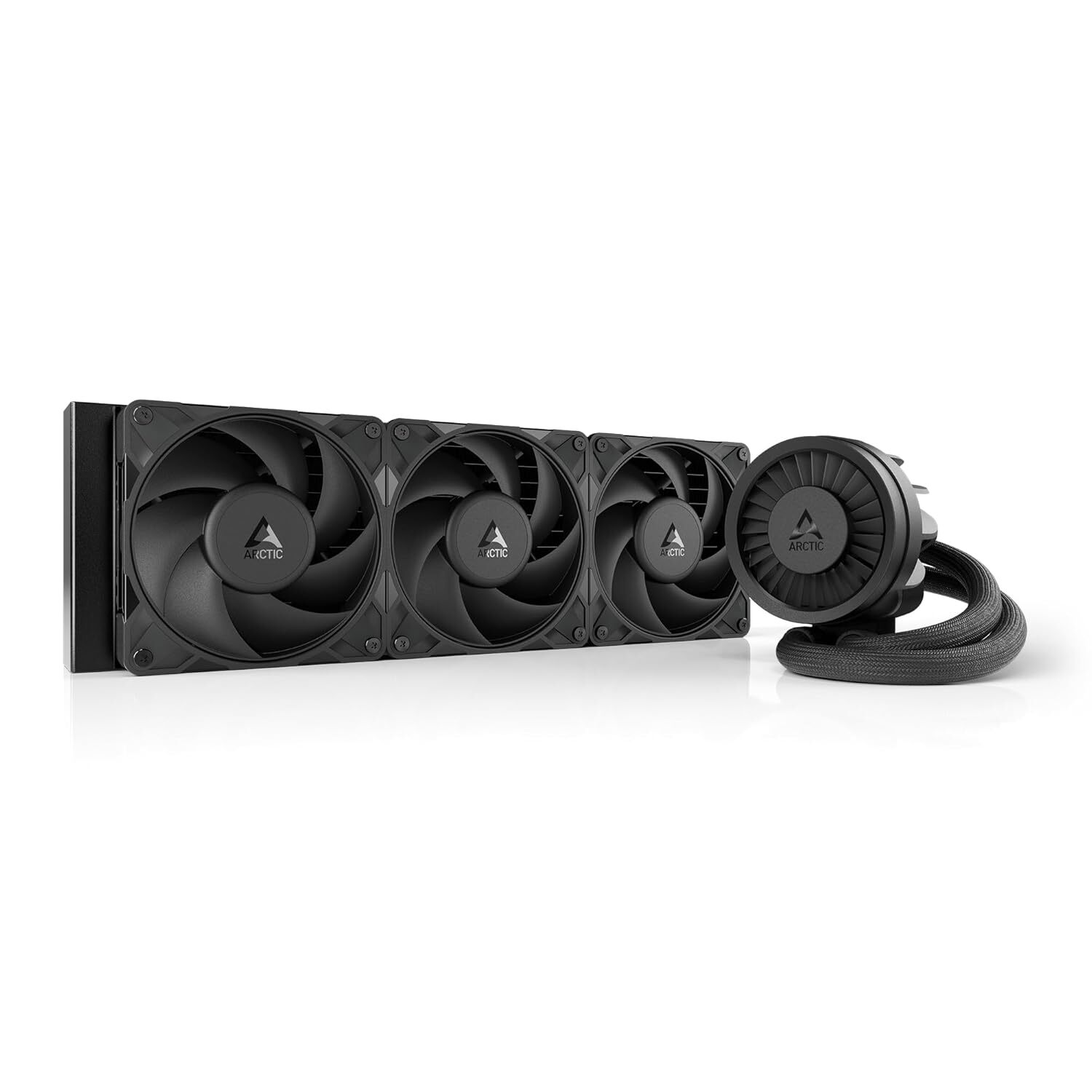

Photos from current listings. Actual item, color, and included accessories may vary.
Arctic Liquid Freezer Buying Guide
Arctic Liquid Freezer is a line of all-in-one CPU liquid coolers known for thick radiators, high-static-pressure P-series fans, and a integrated VRM fan on the pump block. The primary trade-off is case clearance versus thermal headroom: larger 280/360/420mm radiators deliver lower noise at high wattage but demand generous mounting space and correct fan/radiator thickness budgeting. The clear decision rule is to buy by socket generation and case radiator support first, then choose the largest radiator your chassis tolerates—skip any configuration that forces thinner fans or blocks RAM/VRM clearance.
Key takeaways
- Liquid Freezer II and III families use full-copper cold plates and thicker-than-standard radiators (roughly 38mm core depth), which increases heat dissipation area versus typical 27–30mm AIO radiators.
- The pump block integrates a small VRM fan (40–60mm class, ~1000–3000 RPM range) that directly cools motherboard voltage-regulator heatsinks, a feature largely unique to Arctic in this segment.
- Radiator sizes scale in 120mm and 140mm fan increments (120/240/280/360/420mm), with 280mm and 420mm units using 140mm fans for higher airflow per RPM and lower noise floors.
At a glance
- Category
- PC Cases & Cooling
- Last updated
- Nov 23, 2026
Current offers
Highlights
- Liquid Freezer II and III families use full-copper cold plates and thicker-than-standard radiators (roughly 38mm core depth), which increases heat dissipation area versus typical 27–30mm AIO radiators.
- The pump block integrates a small VRM fan (40–60mm class, ~1000–3000 RPM range) that directly cools motherboard voltage-regulator heatsinks, a feature largely unique to Arctic in this segment.
- Radiator sizes scale in 120mm and 140mm fan increments (120/240/280/360/420mm), with 280mm and 420mm units using 140mm fans for higher airflow per RPM and lower noise floors.
- Liquid Freezer III improves the mounting system with a revised multi-socket bracket and offset cold-plate positioning for Intel LGA1700 and AM5, addressing contact-pressure and hotspot alignment versus earlier II revisions.
Best use cases
- Best fit: high-wattage gaming or workstation builds (Intel Core i7/i9 K-series, Ryzen 7/9 X3D) in a mid-tower or larger case with top or front 360mm/420mm radiator support — pick the largest size the case lists.
- Best fit: noise-sensitive builds where fan RPM matters — choose 280mm or 420mm variants with 140mm fans to hit the same thermal target at lower RPM than 120mm-fan 240mm/360mm units.
- Wrong fit: small-form-factor or compact mATX cases with only 240mm or 120mm radiator clearance — the thick radiator plus fan stack often exceeds depth budgets; use a low-profile air cooler or a slim 240mm AIO instead.
- Wrong fit: buyers expecting RGB lighting or software-controlled pump curves — Arctic Liquid Freezer favors performance over lighting; choose a different AIO line if addressable RGB synchronization is a priority.
Buying tips
- Budget radiator thickness as 38mm core plus 25mm fans (about 63mm total stack) and confirm case clearance from motherboard tray to top/front panel before choosing size.
- Match socket bracket at purchase: Liquid Freezer III includes revised LGA1700/AM5 offset mounting; older II units may need a separate bracket kit for AM5 or LGA1700 contact frames.
- For 140mm-fan models (280mm/420mm), verify case fan-mount spacing accepts 140mm fan hole patterns — many cases list 120mm-only top mounts even when the radiator length fits.
- Prioritize the 360mm or 420mm tier for CPUs rated above roughly 200W sustained; 240mm/280mm units are appropriate for 120–180W-class CPUs where case space is limited.
Specs
| Radiator Sizes | 120 / 240 / 280 / 360 / 420mm |
|---|---|
| Radiator Thickness | ~38mm core (thick AIO class) |
| Fan Type | P12/P14 high-static-pressure PWM |
| VRM Cooling | Integrated pump-block fan |
Related searches
What to check before buying
- Measure case radiator clearance: top and front mounting depth (accounting for 63mm radiator-plus-fan stack) and confirm no conflict with motherboard VRM heatsinks or tall RAM.
- Confirm your CPU socket (LGA1700, LGA1851, AM4, AM5, or Threadripper) and that the included bracket revision matches — Liquid Freezer III covers current mainstream sockets out of the box.
- Verify motherboard fan headers: the pump and fans may need a single CPU_FAN plus optional SYS_FAN connection; check whether you need a splitter or hub for 3-fan configurations.
- Check case airflow direction and dust filtering for the chosen mount — front-mounted radiators should pull cool intake air, while top-mounted units exhaust heated air and can raise VRM temperatures without the pump-block VRM fan.
FAQ
Data sources: eBay / Amazon listings and product attribute feeds. Updated Nov 23, 2026.
Some links on this page are affiliate links. If you buy after clicking one, we may earn a commission at no extra cost to you. This does not change which products appear here or their order. Affiliate disclosure.