Choosing among keyboard PCBs, cases & plates is less about finding a universal winner than matching a board to the build in front of you. Pikatea KP69 and DROP × TADA68 serve different briefs: one is framed as a custom replacement board, while the other is a programmable DIY PCB. The useful decision is whether your project needs a specific replacement role or a defined layout, switch format, and firmware path.
Quick verdict
Choose DROP × TADA68 Mechanical Keyboard PCB when QMK firmware, MX-compatible switches, and a compact 65% layout fit the build. Choose Pikatea KP69 Mechanical Keyboard PCB when a compatible custom project is centered on the KP69 replacement role. The comparison is about board fit rather than a finished keyboard, so the right choice depends on how closely each PCB matches the rest of your parts.
At a glance
| Product | Listed price | Condition |
|---|---|---|
| Pikatea KP69 Mechanical Keyboard PCB | USD 30.00 | Used |
| DROP × TADA68 Mechanical Keyboard PCB | USD 14.99 | New |
Where each product wins
Pikatea wins when: your compatible custom mechanical keyboard project is organized around a 69-key KP69 format or needs the repair, upgrade, or completion role described for it. The model name and replacement-board wording make it a targeted pick for that brief.
DROP wins when: you want a 68-key 65% layout with QMK firmware, MX mounting, and USB Mini-B connection. Its stated support for Cherry MX and clones gives switch selection a defined boundary, while standard plate support and solder-required assembly spell out the build method. This is a specification-led route for a hands-on custom keyboard project.
Product notes
Pikatea KP69 Mechanical Keyboard PCB
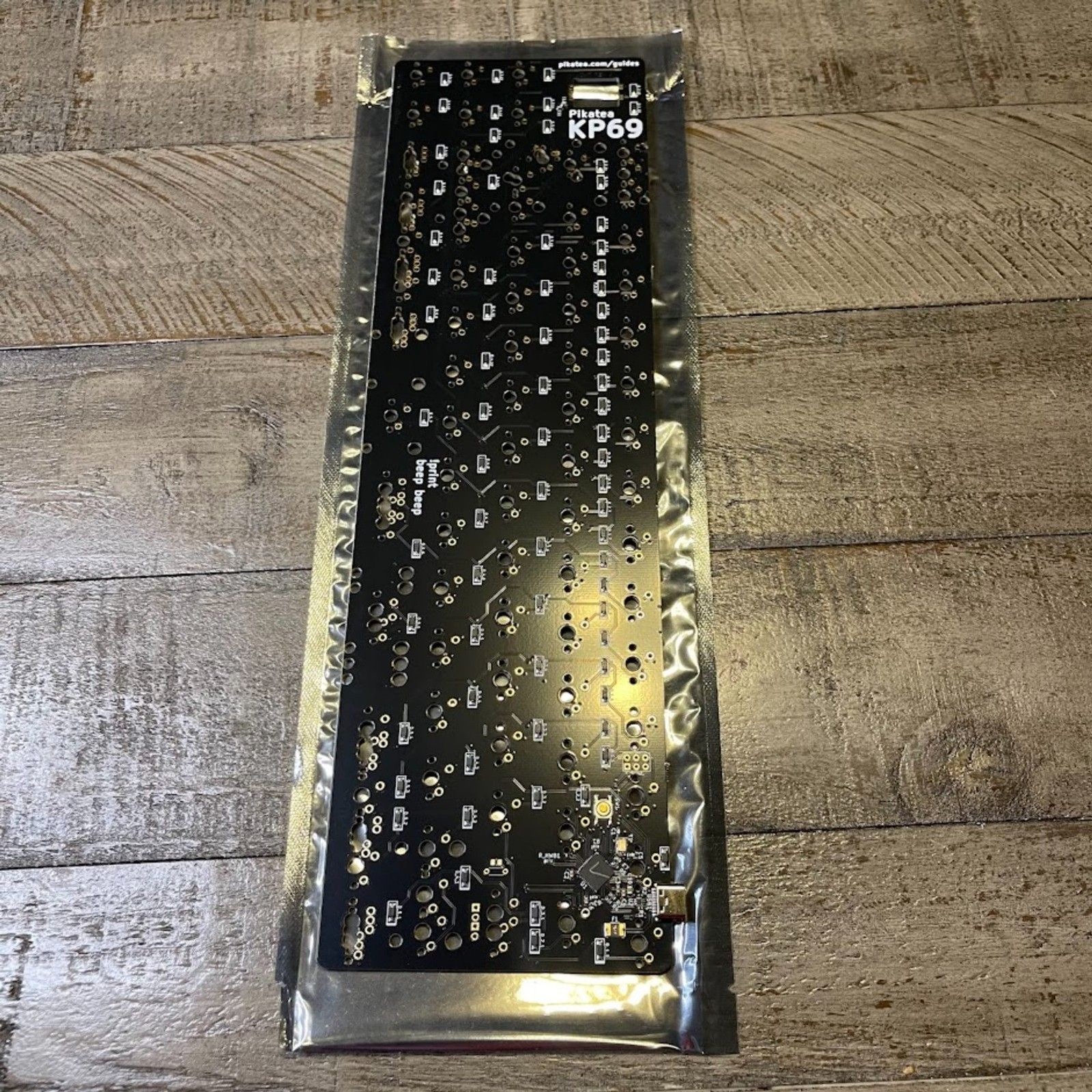
Pikatea KP69 Mechanical Keyboard PCB is a focused match for a custom project built around the KP69 format. Its description names repair, upgrade, and completion as intended uses, giving the board a clear role in a compatible mechanical keyboard build. That is the concrete reason to choose it: the board is positioned for a particular project rather than a general keyboard assembly. The limitation is condition. It is pre-owned and described with light wear consistent with age and normal use, so it is not the right pick when a new part is central to the brief. The black color and gaming type are listed, but compatibility with the intended build remains the deciding detail.
DROP × TADA68 Mechanical Keyboard PCB
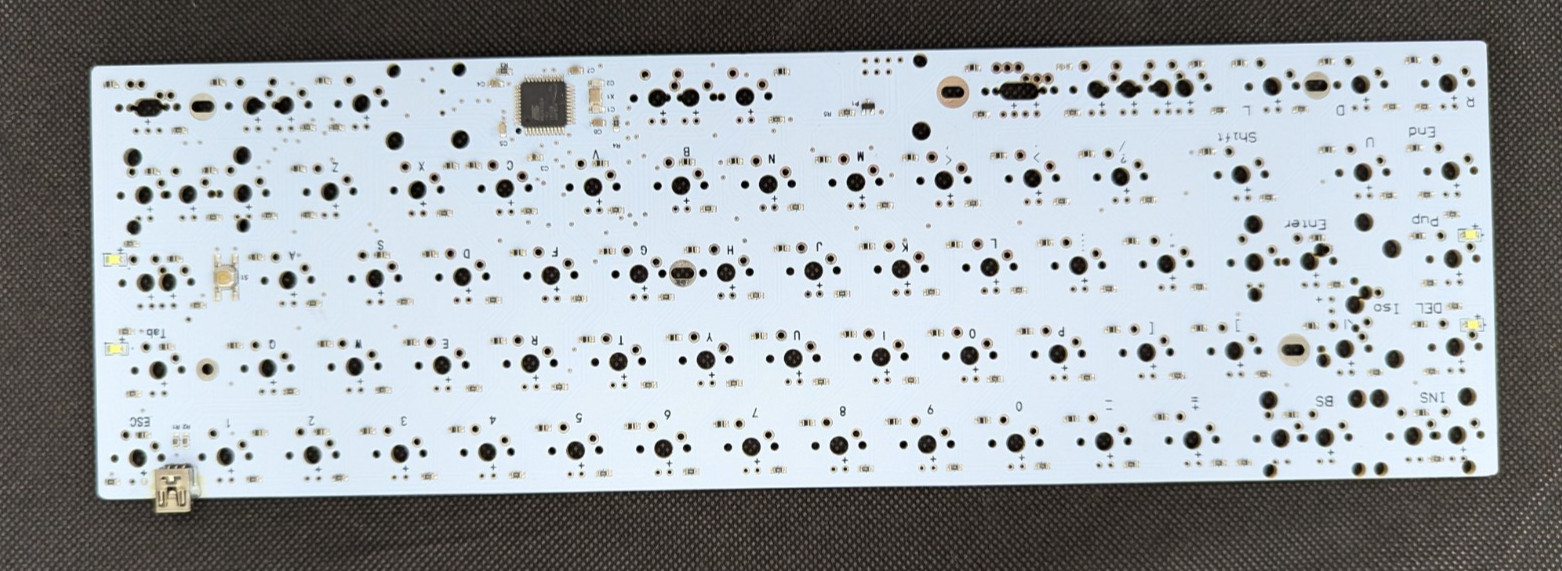
DROP × TADA68 Mechanical Keyboard PCB is a defined starting point for a hands-on build because it is described as new, never soldered, or mounted. QMK programmability and support for Cherry MX and named clones further establish the project's direction. The limitation is that assembly remains part of the job: soldering is required, and the PCB-only package excludes the case, plate, switches, keycaps, and stabilizers. The USB Mini-B port is specified for connection, but the board does not become a complete keyboard by itself. Choose DROP when separate parts and soldered assembly fit your plan; its TADA68 format suits a builder who wants to start from the PCB.
Final choice by use case
- Choose Pikatea KP69 for: an existing compatible repair, upgrade, or replacement brief where the KP69 project is already defined. The custom replacement-board wording is the concrete match.
- Choose DROP × TADA68 for: a new DIY assembly where programmable firmware and MX-family switch support matter. The QMK and switch details give that choice a clear technical direction.
- Choose DROP × TADA68 on price: its listed price is USD 14.99 versus USD 30.00 for Pikatea, but the lower figure should not outweigh a mismatch with your layout or assembly plan.