When shopping for keyboard pcbs, cases & plates, the first decision is whether you need hardware that forms the keyboard-or an accessory that changes how you use it. The External Apple Touch ID Case is the latter: a standalone casing for a Touch ID sensor, not a PCB, switch plate, or keyboard enclosure. That distinction is the useful takeaway before spending $34.99.
Quick verdict
External Apple Touch ID Case
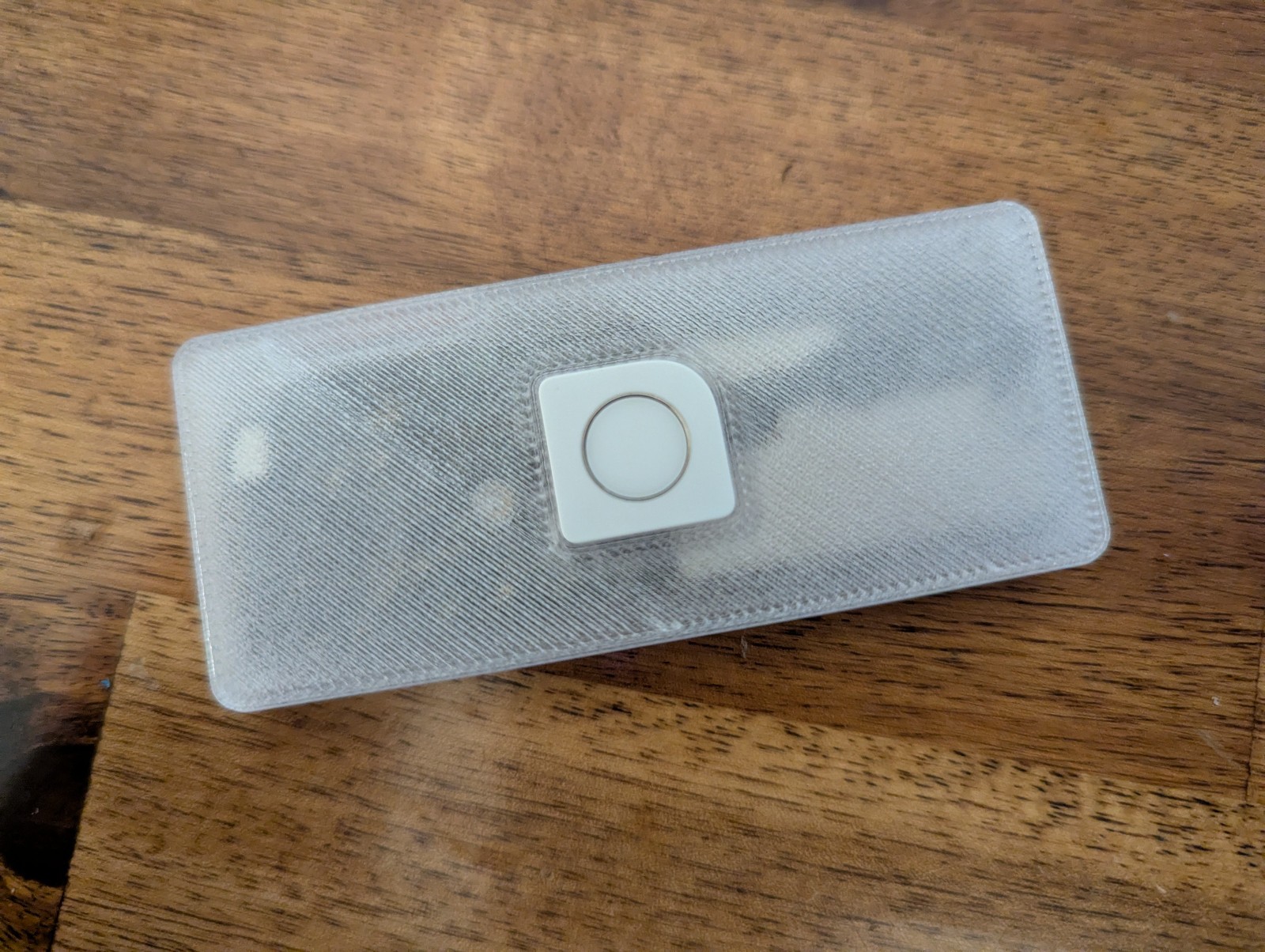
At $34.99, the External Apple Touch ID Case is a focused add-on for a custom desk setup. It includes the casing and assembly screws, while the Touch ID sensor must be extracted from an approved Apple Keyboard. The clearest reason to choose it is the ability to place Apple Touch ID beside a mechanical keyboard or another keyboard instead of relying on the keyboard itself.
The important limitation is equally clear: no sensor is included. A Lightning cable is also required for operation and is not part of the package, so this is not a ready-to-use biometric accessory straight out of the box.
Who it suits
This casing makes sense for someone building a custom keyboard setup around a Mac and who already has a suitable Apple Touch ID sensor to install. It is also aimed at clamshell-mode users who want Touch ID positioned separately from the laptop. The description says the sensor can be moved between Mac computers by reconnecting the Lightning cable, which adds flexibility for a multi-Mac desk.
It is a poor match for a shopper expecting a complete sensor-equipped accessory, a replacement keyboard enclosure, or a component for a conventional PCB-and-plate build. Its role is specifically to house an extracted sensor.
What stands out from the listed details
The casing is made from plastic and measures 3.25 inches long, 1.4 inches wide, and 0.4 inches high. Those dimensions describe a dedicated desktop accessory rather than a keyboard-sized case. The design is intended to work with a custom keyboard or any keyboard, and the wired Lightning connection keeps the use case centered on a Mac desk.
Color choice is also part of the purchase conversation: black is the default, with white or translucent requested separately. The casing is identified with Apple Touch ID hardware, but the sensor itself still has to come from an approved Apple Keyboard.
Meaningful trade-offs
The biggest trade-off is completeness. The casing and screws solve the housing problem, but the buyer must supply the sensor and handle its extraction. That makes the setup more involved than buying a finished Touch ID accessory.
The second consideration is the connection requirement. The accessory must be plugged in through Lightning to function, and the cable is not included. For a permanent desk arrangement, that means planning for a wired connection near the keyboard and computer.
Bottom line
Choose the External Apple Touch ID Case if the goal is a separate Touch ID station for a custom keyboard or clamshell-mode Mac setup, and the required Apple sensor is already available. Skip it for a standard keyboard case, PCB, or plate purchase: this casing addresses biometric access placement, not keyboard construction.