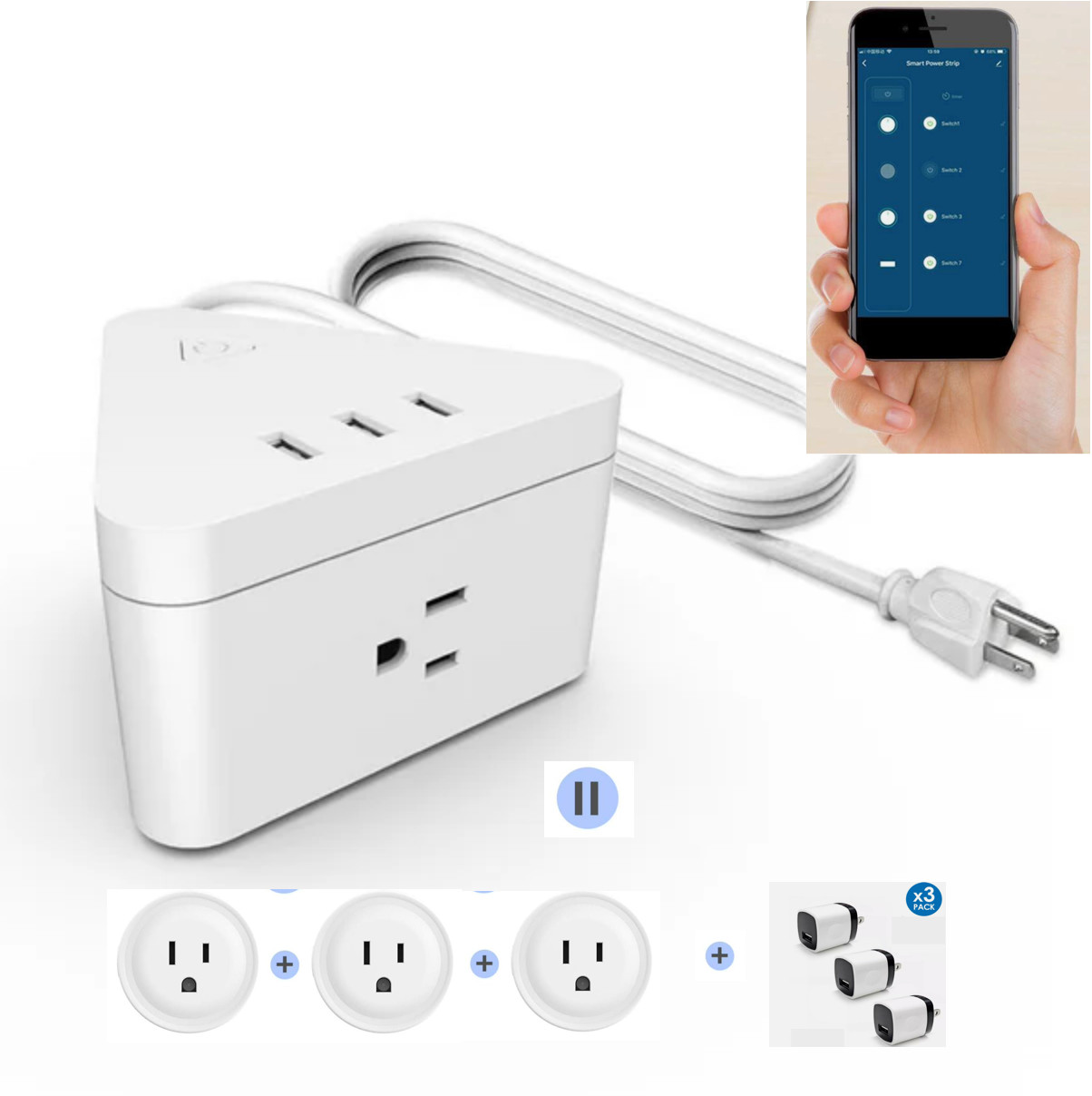

Photos from current listings. Actual item, color, and included accessories may vary.
Smart Power Strip Buying Guide
A smart power strip adds app, voice, and schedule control to multiple outlets, but the core trade-off is relay quality and Wi-Fi protocol support versus per-outlet metering and surge protection. Durable options use 15A/16A rated relays with UL/ETL listing and 2.4GHz Wi-Fi (or Matter/Thread), while compromises skimp on joule ratings and omit independent outlet control.
Key takeaways
- Per-outlet control requires individually switched relays; strips with only a master switch cannot automate devices separately.
- UL 1363 or ETL listing confirms the strip meets North American 15A/125V safety and surge ratings; unlisted strips often use undersized relays.
- Wi-Fi 2.4GHz is mandatory for Alexa/Google setup; 5GHz-only networks will fail pairing on most budget strips.
At a glance
- Category
- Smart Home Electronics
- Last updated
- Nov 28, 2026
Current offers
Highlights
- Per-outlet control requires individually switched relays; strips with only a master switch cannot automate devices separately.
- UL 1363 or ETL listing confirms the strip meets North American 15A/125V safety and surge ratings; unlisted strips often use undersized relays.
- Wi-Fi 2.4GHz is mandatory for Alexa/Google setup; 5GHz-only networks will fail pairing on most budget strips.
- Matter-over-Wi-Fi or Thread support future-proofs cross-ecosystem control; proprietary Wi-Fi apps may lose cloud support after a few years.
Best use cases
- Best for desk/office: pick a 3-outlet + 3-USB strip with per-outlet app control and 2.4GHz Wi-Fi for lamps, chargers, and monitors.
- Best for kitchen/appliance scheduling: choose a 15A-rated strip with surge protection (600+ joules) and independent relays for coffee makers or slow cookers.
- Wrong fit: avoid 10A/125V strips for space heaters, microwaves, or high-draw appliances—they overheat relays and void certification.
- Skip USB-only strips for computer setups needing grounded three-prong outlets; combine a 3-prong strip with separate USB chargers instead.
Buying tips
- Match total load: add device wattages and stay under 80% of the strip's 15A/1875W rating; 10A strips cap at 1250W.
- Choose per-outlet relays if you need independent schedules; master-switch-only strips control everything at once.
- Confirm 2.4GHz Wi-Fi compatibility before purchase—most budget smart strips do not support 5GHz networks.
- Prefer strips with UL/ETL listing and a resettable circuit breaker; unlisted strips lack verified surge and relay ratings.
Specs
| Outlet Control | Per-outlet relay vs master switch |
|---|---|
| Electrical Rating | 15A/125V (1875W) vs 10A/1250W |
| Wireless Protocol | Wi-Fi 2.4GHz / Zigbee / Matter |
| Surge Protection | 600–1000+ joules, UL/ETL listed |
Related searches
What to check before buying
- Measure outlet spacing: wider adapters need 1.5–2 inch (38–50mm) center-to-center spacing to avoid blocking adjacent outlets.
- Verify wall plug type and voltage: North American strips are NEMA 5-15P/125V; EU/UK buyers need region-specific plugs.
- Check Wi-Fi band and router placement: 2.4GHz reaches farther but suffers interference; keep strip within 30–40 feet of router.
- Confirm hub requirements: Matter/Thread strips may need a border router; Zigbee strips require a compatible hub.
FAQ
Data sources: eBay / Amazon listings and product attribute feeds. Updated Nov 28, 2026.
Some links on this page are affiliate links. If you buy after clicking one, we may earn a commission at no extra cost to you. This does not change which products appear here or their order. Affiliate disclosure.