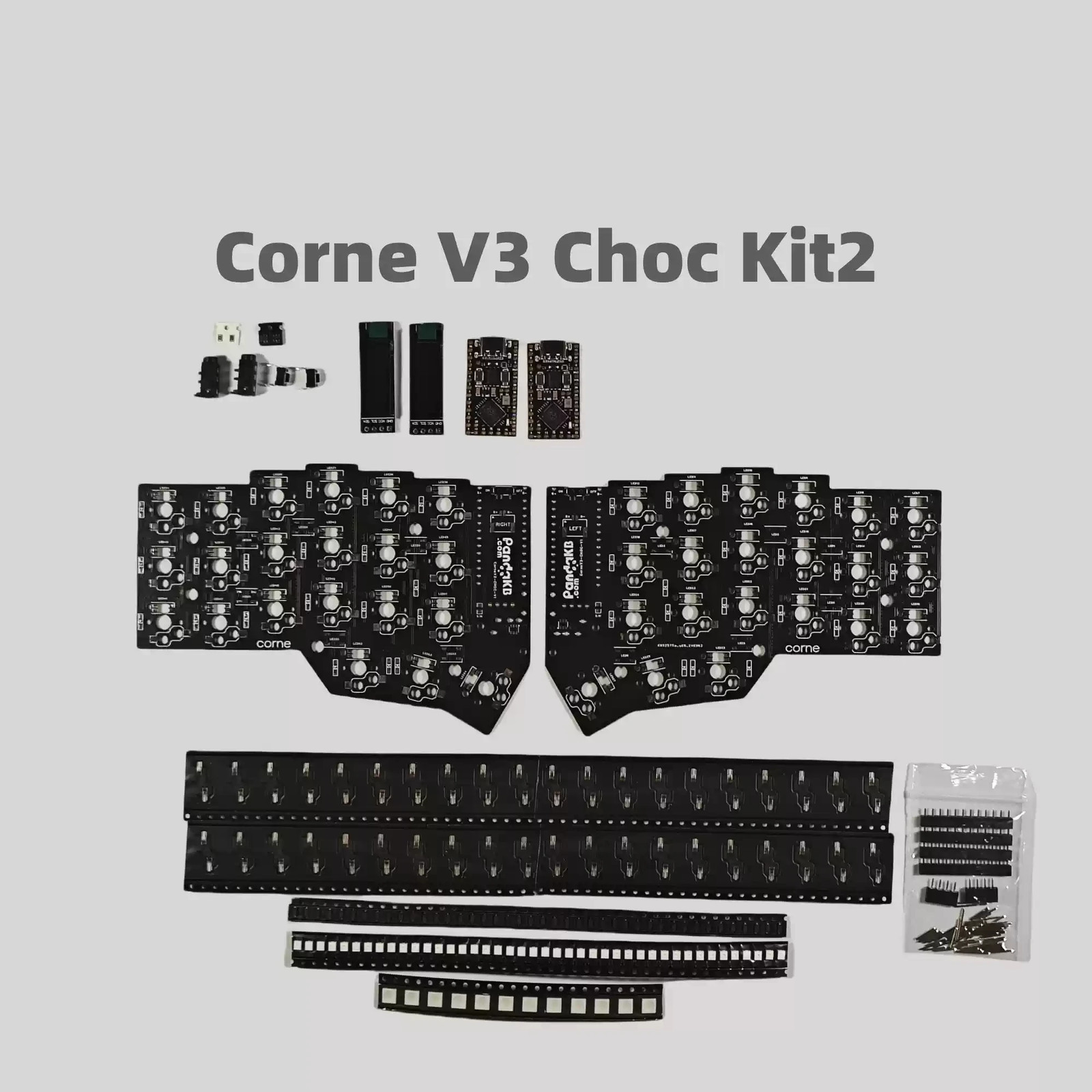

Photos from current listings. Actual item, color, and included accessories may vary.
Mechanical Keyboard Kit Buying Guide
A mechanical keyboard kit determines the entire build experience and final sound signature—more than any single switch or keycap set. Most first-time buyers misjudge PCB layout compatibility, plate material, and case tolerances, ending up with parts that don't fit or a board that feels hollow. Focus on the kit's architecture and mounting system first, then pick switches and caps that match its electrical and physical standards.
Key takeaways
- PCB layout dictates everything: 60%, 65%, 75%, TKL, and split ergo boards each need specific plate and case cutouts—no universal fit exists.
- Hot-swap sockets (Kailh, Gateron, or Outemu) allow switch changes without soldering; soldered PCBs offer firmer feel and lower cost but lock your switch choice.
- Plate material changes typing feel: brass and aluminum are stiff and bright; FR4 and polycarbonate flex for a softer, deeper sound; POM is dense and muted.
At a glance
- Category
- Keyboard PCBs, Cases & Plates
- Last updated
- Nov 24, 2026
Current offers
Highlights
- PCB layout dictates everything: 60%, 65%, 75%, TKL, and split ergo boards each need specific plate and case cutouts—no universal fit exists.
- Hot-swap sockets (Kailh, Gateron, or Outemu) allow switch changes without soldering; soldered PCBs offer firmer feel and lower cost but lock your switch choice.
- Plate material changes typing feel: brass and aluminum are stiff and bright; FR4 and polycarbonate flex for a softer, deeper sound; POM is dense and muted.
- Gasket mounting decouples the plate from the case for a softer, more even typing feel; tray and top-mount designs are stiffer and often louder.
Best use cases
- Choose a hot-swap 65% or 75% kit if you want to experiment with switches without soldering—best for first-time builders and switch tinkerers.
- Pick a soldered TKL or 60% kit when you know your switch preference and want the stiffest, most consistent feel at the lowest parts cost.
- Go split ergo (Corne, Lily58) only if you are committed to relearning typing and need per-hand layout independence—skip if you rely on a standard number row.
- Avoid gasket-mounted polycarbonate kits for loud offices; choose a tray-mount aluminum case with foam and a brass plate for quieter, focused typing.
Buying tips
- Confirm the PCB's layout standard (e.g., 65% with 1.5u mods vs 1.75u right shift) before buying a plate or case—cutouts are not interchangeable.
- Prioritize hot-swap sockets rated for 5-pin switches if you plan to use PCB-mount stabilizers; 3-pin-only boards need plate-mount stabs.
- Check case interior height and standoff pattern: 60% cases use a 6u spacebar or 7u bottom row that changes which keycap sets fit.
- Inspect plate thickness—1.5 mm is standard for MX switches; 1.2 mm flexes more under gasket mounts and alters sound.
Specs
| Layout Standard | 60% / 65% / 75% / TKL / Split |
|---|---|
| Mount Type | Gasket / Tray / Top-mount |
| Switch Socket | Hot-swap 3/5-pin vs Soldered |
| Plate Material | Brass / Aluminum / FR4 / PC / POM |
Related searches
What to check before buying
- Verify your keycap set includes the exact bottom-row widths your PCB uses (1u, 1.25u, 1.5u, 1.75u, 2u, 2.25u) and the correct spacebar length.
- Check the PCB's USB connector type and placement (USB-C at top center vs daughterboard) against your case's cutout and cable routing.
- Confirm stabilizer standard: PCB-mount (screw-in) vs plate-mount—and whether the plate has 2u cutouts for left shift, backspace, and enter.
FAQ
Data sources: eBay / Amazon listings and product attribute feeds. Updated Nov 24, 2026.
Some links on this page are affiliate links. If you buy after clicking one, we may earn a commission at no extra cost to you. This does not change which products appear here or their order. Affiliate disclosure.