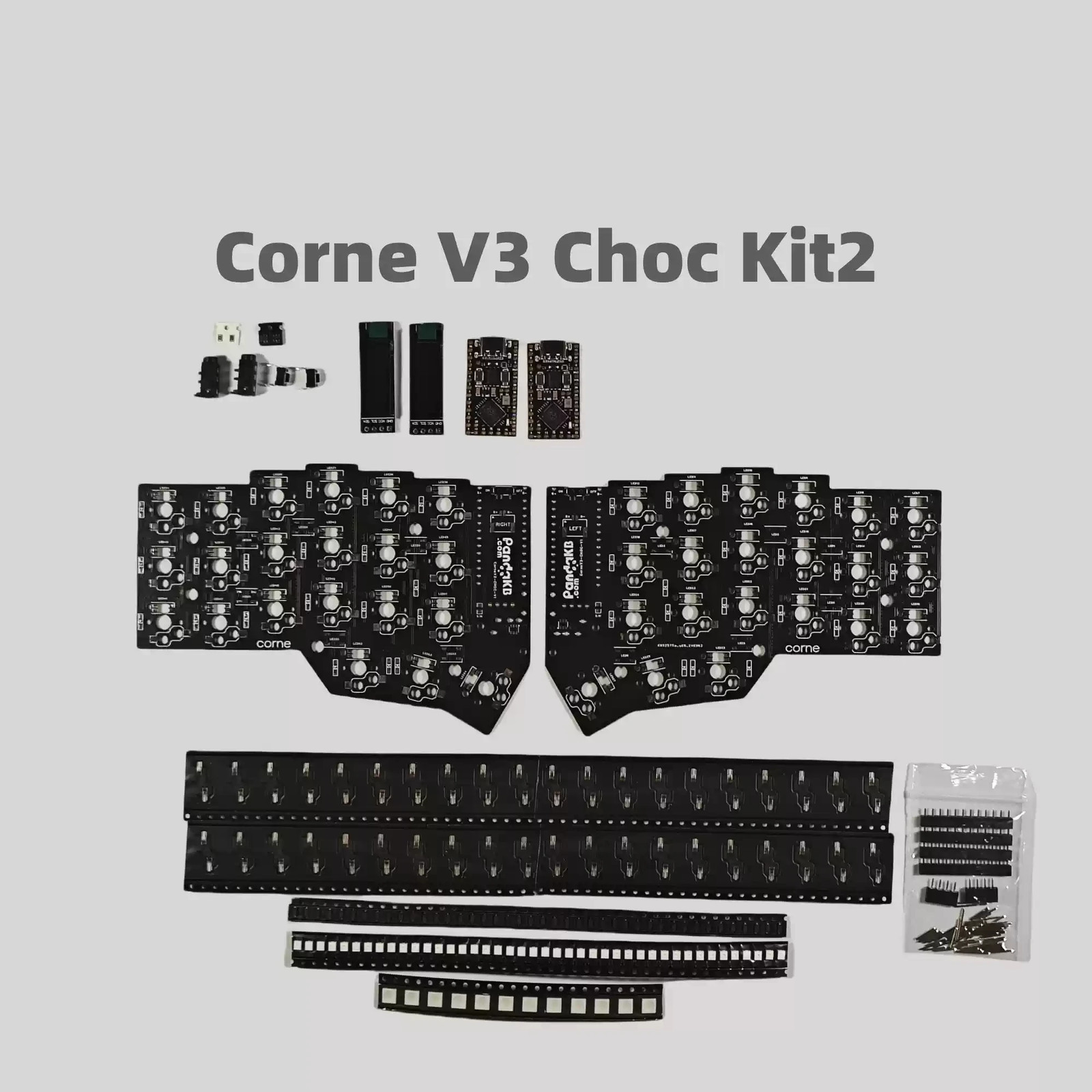

Photos from current listings. Actual item, color, and included accessories may vary.
Keyboard Pcb Buying Guide
A keyboard PCB is the bare circuit board that defines a build's layout, switch compatibility, and connection standard, separate from the case and plate that surround it. The core trade-off is solder-in vs hot-swap sockets and fixed vs split/ergonomic layouts: hot-swap boards demand less tooling but constrain plate and switch choices, while soldered boards demand more skill but unlock tighter tolerances and broader layouts. Buy a PCB whose layout footprint, socket type, and firmware support match your case and plate exactly; skip any board that lacks a documented layout or QMK/VIA support unless it is a deliberate proprietary build.
Key takeaways
- Hot-swap PCBs use Kailh or Gateron MX sockets rated for roughly 100 insertion cycles; soldered PCBs accept any MX-pin switch permanently with no socket wear.
- Split and ergonomic boards like the Corne V3 use two separate controllers (often Pro Micro or RP2040) and require per-half firmware flashing over USB-C or TRRS.
- Layout footprint is fixed by the PCB: a 65% board has 68 keys with a right column, while a 60% has 61 keys and no arrow cluster—cases are not interchangeable.
At a glance
- Category
- Keyboard PCBs, Cases & Plates
- Last updated
- Nov 24, 2026
Current offers
Highlights
- Hot-swap PCBs use Kailh or Gateron MX sockets rated for roughly 100 insertion cycles; soldered PCBs accept any MX-pin switch permanently with no socket wear.
- Split and ergonomic boards like the Corne V3 use two separate controllers (often Pro Micro or RP2040) and require per-half firmware flashing over USB-C or TRRS.
- Layout footprint is fixed by the PCB: a 65% board has 68 keys with a right column, while a 60% has 61 keys and no arrow cluster—cases are not interchangeable.
- Firmware support separates tiers: QMK/VIA-compatible boards allow full key remapping, while vendor-locked boards restrict macros and layers to the shipped layout.
Best use cases
- Pick a hot-swap MX PCB for a first custom build or a board you plan to re-switch often; skip it if you want Choc low-profile switches, which need a dedicated Choc footprint.
- Choose a split PCB kit such as the Corne V3 only if you will solder diodes and controllers and accept two-cable or TRRS connectivity; otherwise a standard 60–65% PCB is the simpler path.
- Buy a bundled dual-PCB kit like the Fox Lab Time80 RE only when the case, plate, and PCB are sold as a matched set—replacement PCBs alone rarely align screw and USB cutouts across brands.
Buying tips
- Match PCB key count to case cutouts exactly: 61 keys (60%), 68 keys (65%), and 87 keys (TKL) are not cross-compatible, and a 1–2 mm offset in screw posts will block the install.
- Confirm switch footprint before buying: MX sockets accept 3- or 5-pin MX switches, while Kailh Choc low-profile switches require a distinct Choc-only PCB footprint.
- Check controller architecture: Pro Micro-compatible boards flash over USB-C with QMK, while RP2040-based boards need a different firmware build and may not support VIA out of the box.
- For solder builds, prefer PCBs with ENIG or HASL finish and 1.6 mm thickness; thinner 1.2 mm boards flex under plate pressure and stress solder joints.
Specs
| Socket Type | Hot-swap MX vs Soldered MX |
|---|---|
| Layout Footprint | 60% / 65% / TKL / Split |
| Firmware Support | QMK/VIA vs Vendor-locked |
| Controller Standard | Pro Micro / RP2040 / USB-C |
Related searches
What to check before buying
- Measure your case's internal cavity and screw-post pattern; the PCB must match the case's mounting holes and USB-port cutout within 1 mm.
- Verify plate compatibility: a PCB-mounted stabilizer board needs a plate with matching stab cutouts, and a 1.5 mm plate vs 3 mm plate changes the switch clip depth.
- Confirm your controller and cable standard—USB-C versus micro-USB versus TRRS—and that your host device or hub supplies the required 5 V.
- Check that your switch pins and stabilizer style (PCB-mount vs plate-mount) physically fit the PCB before ordering, since returns on bare boards are limited.
FAQ
Data sources: eBay / Amazon listings and product attribute feeds. Updated Nov 24, 2026.
Some links on this page are affiliate links. If you buy after clicking one, we may earn a commission at no extra cost to you. This does not change which products appear here or their order. Affiliate disclosure.