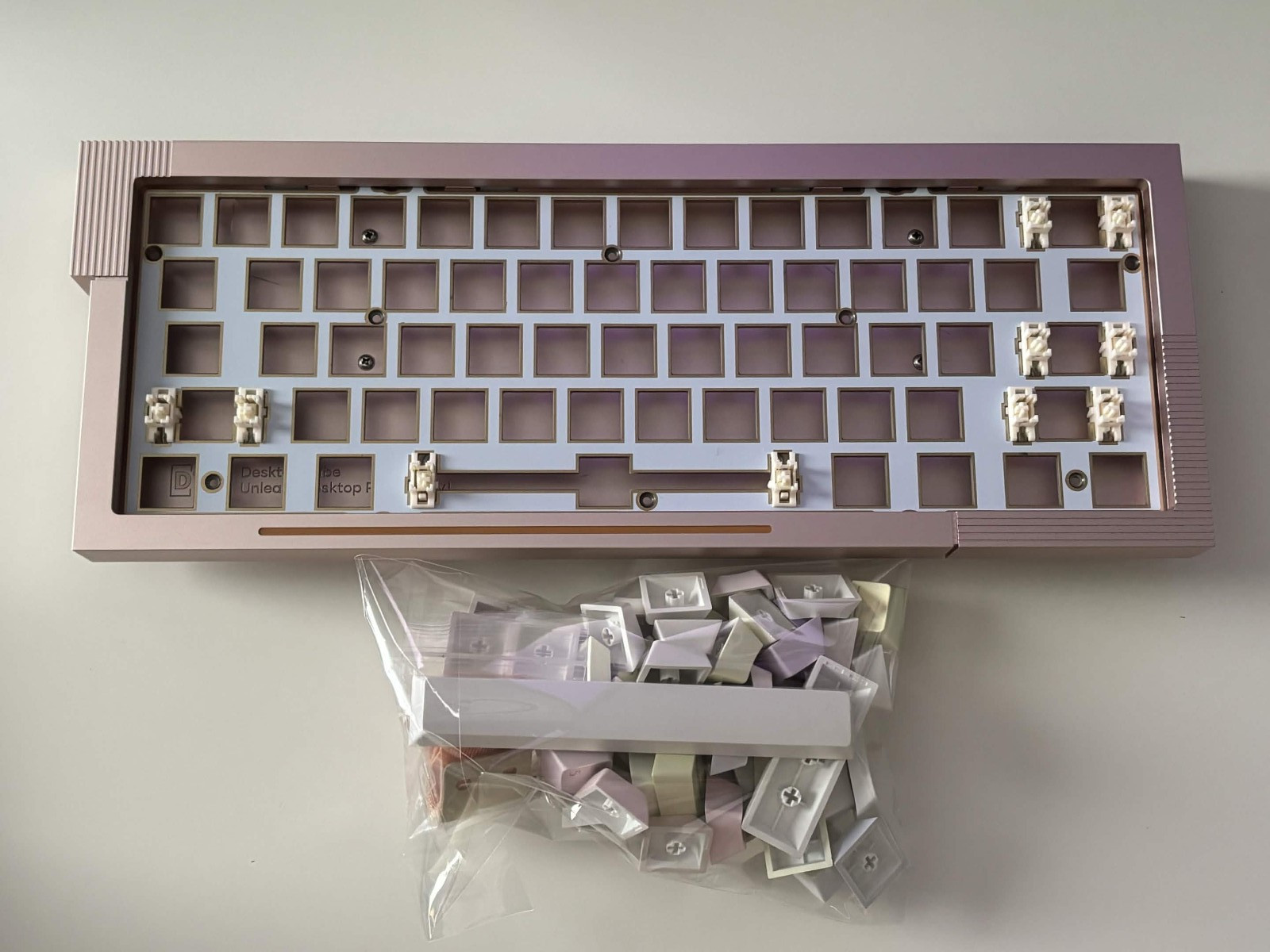

Photos from current listings. Actual item, color, and included accessories may vary.
Keyboard Case Buying Guide
A keyboard case is the chassis that houses the PCB, plate, and switches, and its material and mounting design determine sound, feel, and durability far more than the PCB itself. The core trade-off is machined aluminum for rigidity and acoustic density versus injection-molded plastic or folded acrylic for low weight and cost. Buy aluminum if you want a heavy, resonance-free daily driver; buy plastic or acrylic only for travel, beginners, or budget builds where weight and price matter more than acoustics.
Key takeaways
- 6061 or 7075 aluminum cases are CNC-milled and anodized, adding 1–2 kg of mass that kills case ping and flex compared with ABS or polycarbonate shells.
- Gasket-mount cases suspend the plate on silicone or PORON strips, giving a softer, deeper typing feel than tray-mount cases that screw the PCB directly to the bottom.
- 65% and 60% cases share a 61–68-key footprint but differ in arrow-key cutouts and right-column layout, so plate and PCB must match the case's exact internal standoff pattern.
At a glance
- Category
- Keyboard PCBs, Cases & Plates
- Last updated
- Nov 24, 2026
Current offers
Highlights
- 6061 or 7075 aluminum cases are CNC-milled and anodized, adding 1–2 kg of mass that kills case ping and flex compared with ABS or polycarbonate shells.
- Gasket-mount cases suspend the plate on silicone or PORON strips, giving a softer, deeper typing feel than tray-mount cases that screw the PCB directly to the bottom.
- 65% and 60% cases share a 61–68-key footprint but differ in arrow-key cutouts and right-column layout, so plate and PCB must match the case's exact internal standoff pattern.
- Low-profile aluminum cases like the DROP ALT use a shallower internal cavity and specific plate cutouts, and they do not accept standard-height switch plates or taller keycap profiles.
Best use cases
- Choose a CNC aluminum 60% or 65% case for a permanent desk build where you want a heavy, planted feel and minimal hollow resonance; skip plastic trays if you type hours daily.
- Choose a low-profile aluminum case only when pairing with low-profile switches and matching low-profile keycaps; standard MX switches and tall keycaps will not fit the reduced cavity.
- Choose an acrylic or polycarbonate case for travel or LAN use where weight matters, and skip it for daily heavy typing if you dislike a brighter, more resonant sound signature.
- Choose a case with an advertised gasket or leaf-spring mount for a soft, muted typing feel; choose a tray-mount case only if you prioritize a firm, direct bottom-out and simpler assembly.
Buying tips
- Match the case's stated layout exactly—60% (61 keys), 65% (68 keys), or 75%—because screw holes, USB cutouts, and plate tabs are layout-specific and not interchangeable.
- Confirm the case supports your PCB's USB daughterboard or JST cable routing; many aluminum cases require a specific daughterboard position that tray-mount PCBs do not provide.
- Check internal cavity depth against your switch and keycap stack: standard MX switches need roughly 6–8 mm of clearance above the plate, while low-profile cases are shallower.
- Weigh material and finish: anodized 6061 aluminum resists scratches and fingerprints better than painted or powder-coated shells, which chip at screw points over time.
Specs
| Case Material | CNC 6061/7075 aluminum vs ABS/PC |
|---|---|
| Mount Style | Gasket / tray / top-mount |
| Layout Fit | 60% / 65% / 75% specific |
| Profile Support | Standard MX vs low-profile |
Related searches
What to check before buying
- Measure your desk or tray footprint against the case's outer dimensions—60% cases run about 29–30 cm wide, 65% about 32 cm, and 75% about 33 cm.
- Verify your PCB and plate match the case's mounting pattern: tray-mount cases need PCB screw holes, gasket-mount cases need plate tabs and silicone strips.
- Confirm the case includes or accepts your stabilizer type (screw-in vs snap-in) and that the plate cutout clears your stabilizer housings.
- Check the case's USB port cutout aligns with your PCB's USB connector or daughterboard position before ordering, since misalignment requires drilling or a new PCB.
FAQ
Data sources: eBay / Amazon listings and product attribute feeds. Updated Nov 24, 2026.
Some links on this page are affiliate links. If you buy after clicking one, we may earn a commission at no extra cost to you. This does not change which products appear here or their order. Affiliate disclosure.