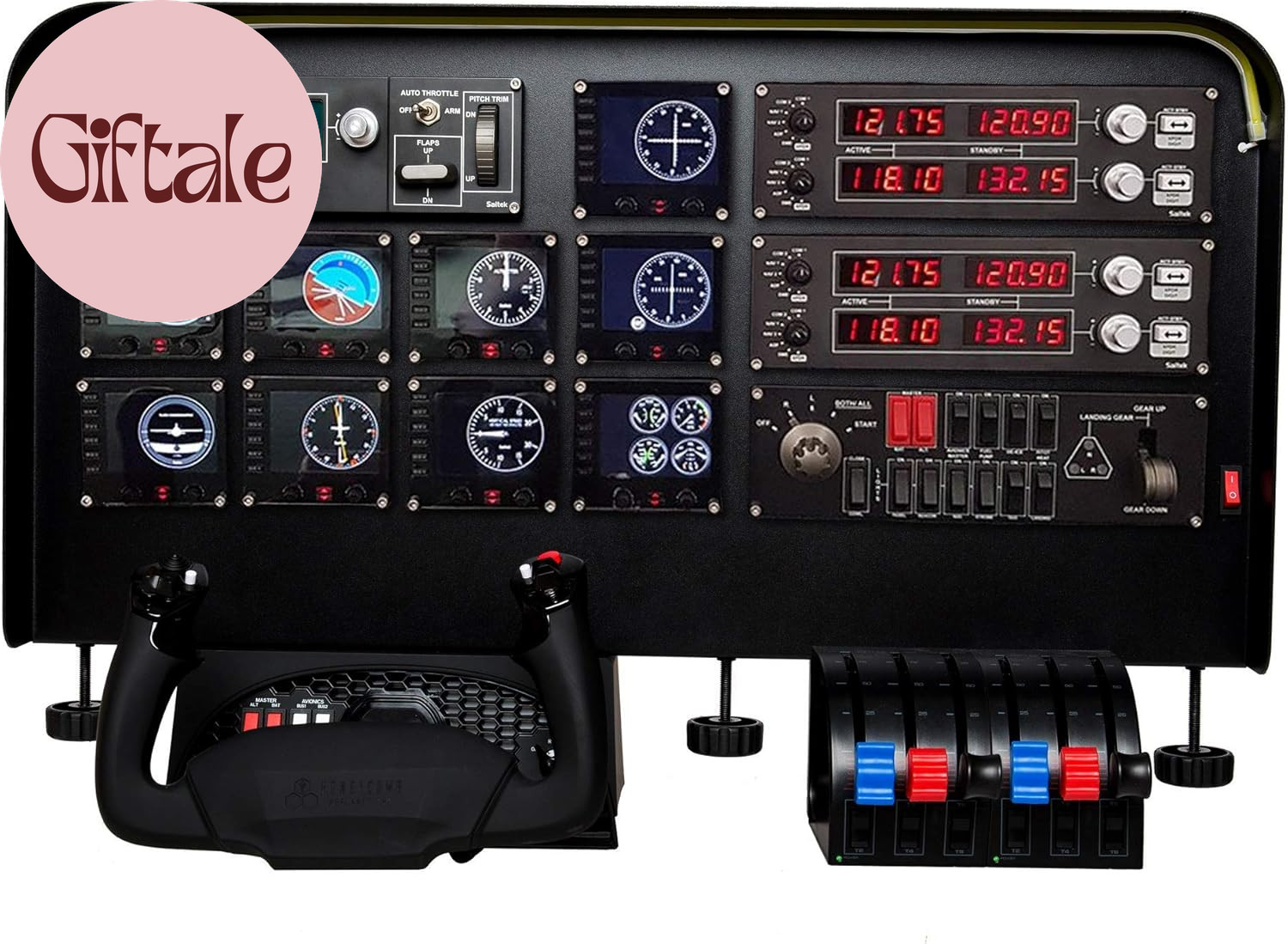

Photos from current listings. Actual item, color, and included accessories may vary.
Flight Simulator Panel Buying Guide
Flight simulator panels are dedicated hardware modules—autopilot, radio, switch, and instrument clusters—that replace keyboard/mouse cockpit interaction with tactile controls mapped through sim software. The core trade-off is between generic gamepad-style button boxes and avionics-accurate panels built to match specific aircraft systems and sim platforms. Buy avionics-specific panels if you fly study-level airliners or GA; buy generic button boxes only if you need auxiliary switch access.
Key takeaways
- Panel classes split into autopilot/MCP, COM/NAV radio, switch/annunciator, and instrument (HSI, altimeter, airspeed) modules; each maps to distinct sim datarefs.
- Logitech Flight Panel family uses USB HID with bundled Logitech drivers; third-party panels typically rely on native MSFS/X-Plane bindings or SPAD.neXt/Air Manager middleware.
- Panel-to-yoke compatibility is mechanical: Honeycomb Alpha/Charlie and Logitech yoke stacks use specific mounting holes and stack widths; mixed-brand stacks need adapter plates.
At a glance
- Category
- Flight Sim Panels & Instruments
- Last updated
- Nov 23, 2026
Current offers
Highlights
- Panel classes split into autopilot/MCP, COM/NAV radio, switch/annunciator, and instrument (HSI, altimeter, airspeed) modules; each maps to distinct sim datarefs.
- Logitech Flight Panel family uses USB HID with bundled Logitech drivers; third-party panels typically rely on native MSFS/X-Plane bindings or SPAD.neXt/Air Manager middleware.
- Panel-to-yoke compatibility is mechanical: Honeycomb Alpha/Charlie and Logitech yoke stacks use specific mounting holes and stack widths; mixed-brand stacks need adapter plates.
- Build quality tiers track encoder type and button feel: optical or ALPS encoders with metal shafts outlast plastic potentiometer knobs for frequent autopilot use.
Best use cases
- Best fit: airliner study-sim pilots flying MSFS or X-Plane 11/12—choose an MCP/autopilot panel with baro, heading, altitude, and VS knobs mapped to Fenix/PMDG/Zibo datarefs.
- Best fit: general aviation simmers—choose a GA-style radio/autopilot panel (e.g., GNS530/430 or KAP140 layout) that mirrors the aircraft you fly; skip airliner MCPs.
- Wrong fit: casual gamers or VR-only pilots—panels add desk footprint and cost without benefit if you fly with a headset; stick to a HOTAS or gamepad.
- Best fit: mixed-cockpit builders—buy a stackable kit (e.g., Meza panel kit) sized for Logitech/Honeycomb yokes rather than individual modules to guarantee mounting alignment.
Buying tips
- Measure your yoke's mounting width and hole pattern first; Logitech and Honeycomb stacks differ, and a panel kit must match the yoke base or it will not seat.
- Match panel type to aircraft: airliner MCPs need altitude/heading/VS/speed knobs; GA panels need COM/NAV flip-flop and autopilot mode buttons; do not cross-buy.
- Check encoder and button grade: metal-shaft rotary encoders and tactile dome buttons survive years of autopilot twisting; plastic pots wear and drift.
- Confirm sim compatibility: MSFS and X-Plane support native HID panels, but complex airliners need middleware (SPAD.neXt, Air Manager, MobiFlight) for full dataref mapping.
Specs
| Panel Class | Autopilot/MCP, Radio, Switch, Instrument |
|---|---|
| Connection | USB HID (USB-A) |
| Sim Compatibility | MSFS, X-Plane 11/12, Prepar3D |
| Mounting | Yoke-specific hole pattern; adapter kits |
Related searches
What to check before buying
- Desk space: measure the footprint of your yoke plus panel stack depth—MCPs and radio stacks add 20-30 cm of forward desk depth.
- Mounting interface: verify the panel base hole pattern matches your yoke (Honeycomb Alpha/Charlie vs Logitech G Saitek) or plan an adapter plate.
- USB port budget: each panel module typically consumes one USB-A port; a powered hub is required for three or more modules.
- Sim platform: confirm the panel's native support for MSFS 2020/2024, X-Plane 11/12, or Prepar3D, and whether middleware is needed for your aircraft.
FAQ
Data sources: eBay / Amazon listings and product attribute feeds. Updated Nov 23, 2026.
Some links on this page are affiliate links. If you buy after clicking one, we may earn a commission at no extra cost to you. This does not change which products appear here or their order. Affiliate disclosure.