
Photos from current listings. Actual item, color, and included accessories may vary.
Flight Instrument Buying Guide
Flight instrument panels are secondary cockpit displays that add physical gauges, annunciators, and radio stacks to a home simulator. The core trade-off is between plug-and-play USB panels with fixed layouts and open-source or 3D-printed instruments that demand wiring, firmware, and sim integration work. Buy a commercial USB panel if you want immediate compatibility with MSFS, X-Plane, or Prepar3D; choose a DIY or 3D-printed kit only if you will invest in Arduino/SimVim-class electronics and configuration.
Median $225.00
Key takeaways
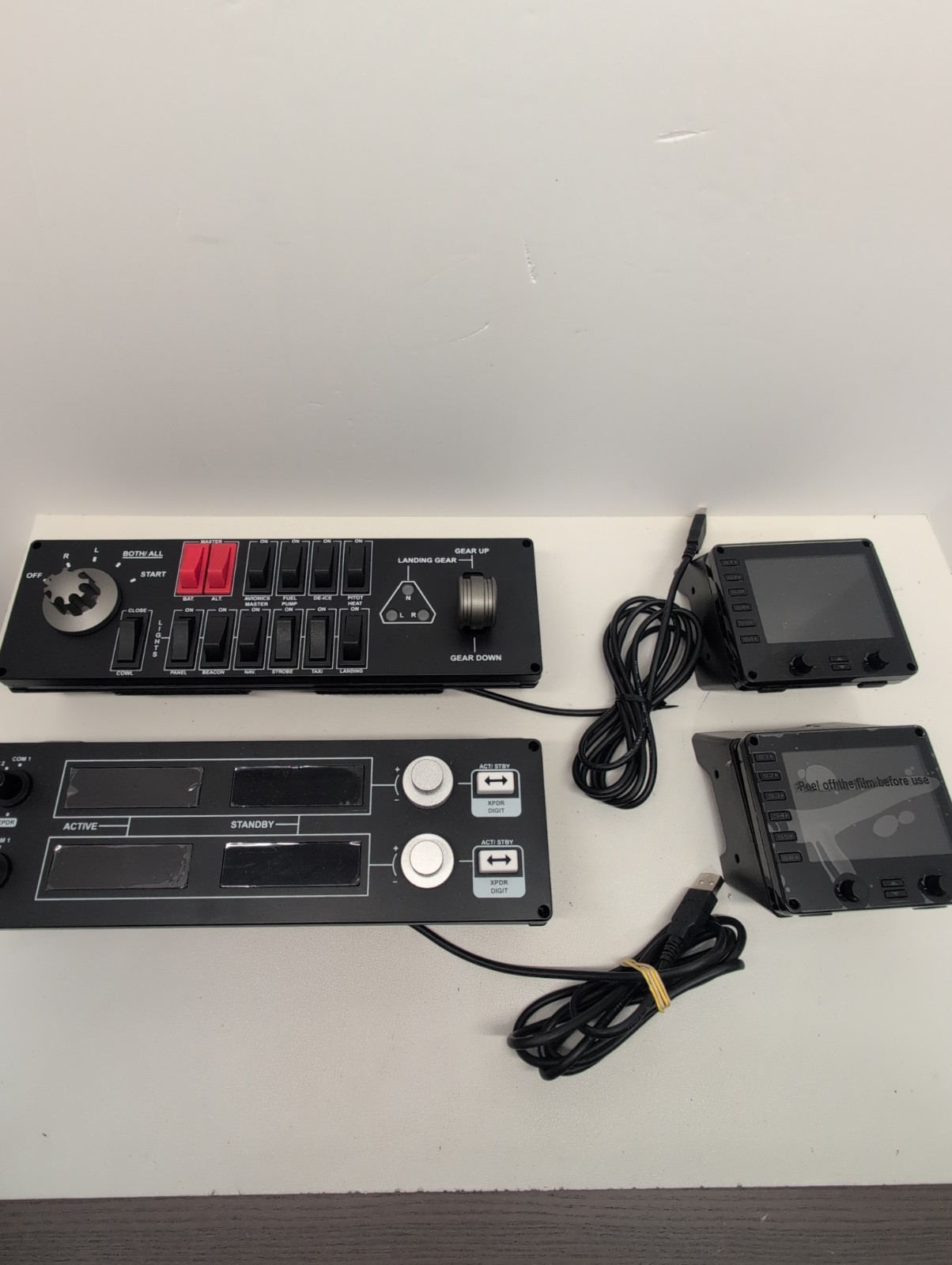
- Logitech G Saitek Pro Flight Instrument Panel uses a color LCD with six soft-key buttons and a dual rotary dial, driven by a single USB 2.0 connection and Logitech's plugin for MSFS and X-Plane.
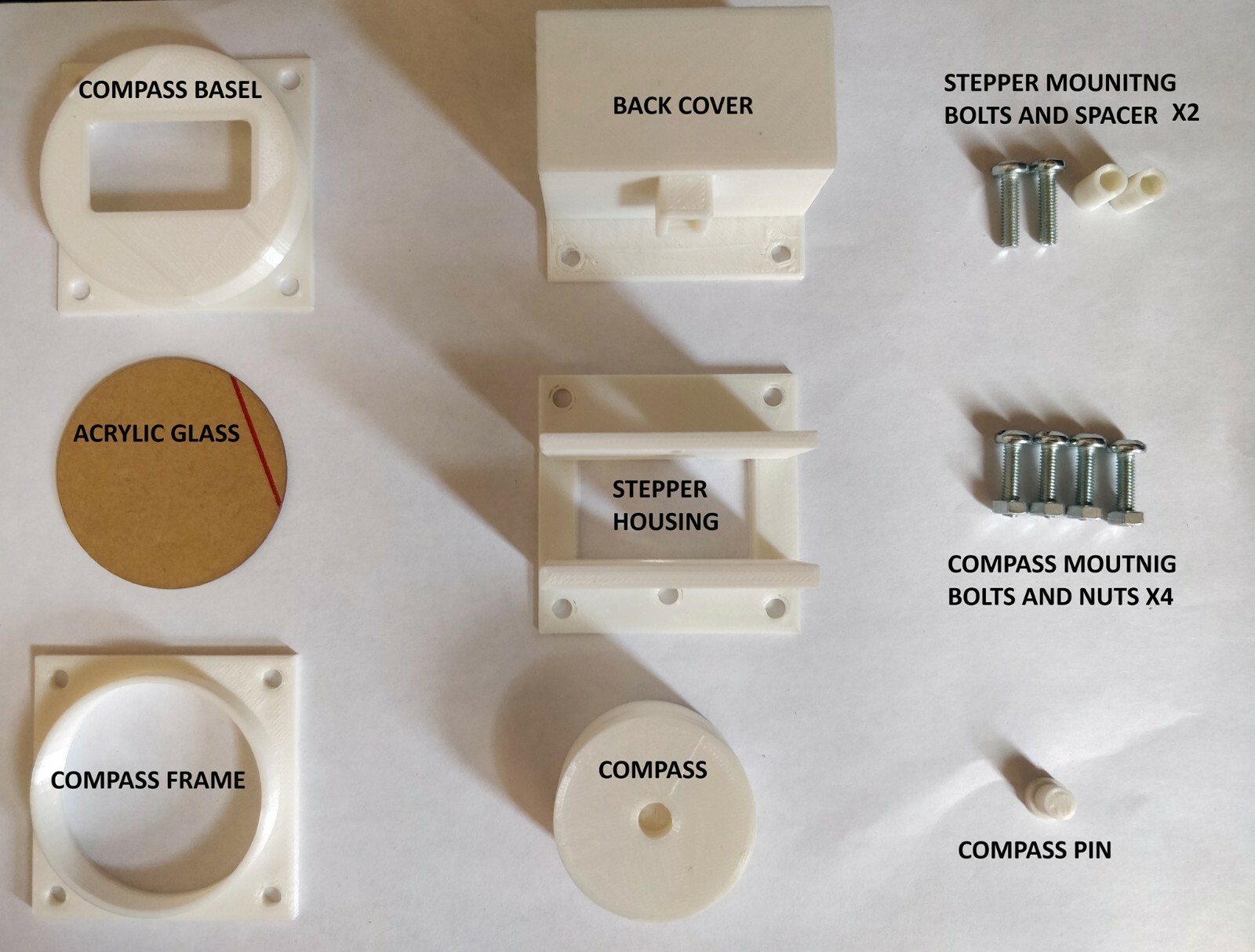
- 3D-printed instrument sets (e.g., Aquila A210-style) typically ship as empty bezels and housings; servos, stepper motors, LEDs, and controller boards are sourced separately and wired to a PC.
- Commercial panels run on 5 V USB bus power and enumerate as HID game controllers, so no external power supply or driver is needed on Windows 10/11.
At a glance
- Category
- Flight Sim Panels & Instruments
- Last updated
- Nov 23, 2026
Current offers
Highlights
- Logitech G Saitek Pro Flight Instrument Panel uses a color LCD with six soft-key buttons and a dual rotary dial, driven by a single USB 2.0 connection and Logitech's plugin for MSFS and X-Plane.
- 3D-printed instrument sets (e.g., Aquila A210-style) typically ship as empty bezels and housings; servos, stepper motors, LEDs, and controller boards are sourced separately and wired to a PC.
- Commercial panels run on 5 V USB bus power and enumerate as HID game controllers, so no external power supply or driver is needed on Windows 10/11.
- DIY gauge clusters rely on open-source firmware (Mobiflight, SimVim, Air Manager) and require per-gauge calibration for needle sweep and zero position.
Best use cases
- Pick a Logitech/Saitek USB instrument panel if you fly MSFS or X-Plane on one PC and want gauges working within minutes of plugging in—skip it if you need a specific aircraft layout.
- Choose a 3D-printed or DIY instrument kit if you are building a fixed-base cockpit around one airframe and accept days of wiring, firmware flashing, and calibration.
- Buy a multi-panel set (radio plus instruments) only when your sim PC has enough free USB ports and you have desk or panel-rail space; a single panel is the right first step for most new builders.
- Avoid DIY kits if you do not own a soldering iron, multimeter, and a Windows PC with accessible USB headers—commercial HID panels are the only realistic plug-and-play path.
Buying tips
- Count free USB-A ports first: each commercial instrument panel occupies one port, and a radio plus two instruments needs three; add a powered USB 3.0 hub if you are below two free ports.
- For DIY builds, budget one controller board (Arduino Mega or RP2040) per 6-8 gauges and one servo or stepper per needle; plan 5 V power at 1-2 A per 10 servos.
- Match panel width to your monitor or rail: Logitech instrument panels are roughly 3.5 in wide, so three panels plus a radio stack span about 14 in—measure before committing.
- Confirm sim compatibility tier: Logitech panels support MSFS, X-Plane 11/12, and Prepar3D via official plugins; DIY firmware support varies by sim and may need community plugins.
Specs
| Connection | USB 2.0 HID (5 V bus power) |
|---|---|
| Panel Type | LCD gauge vs analog servo/stepper |
| Sim Compatibility | MSFS / X-Plane 11-12 / P3D |
| Build Format | Plug-and-play USB vs DIY kit |
Related searches
What to check before buying
- Measure available desk depth and panel-rail width; instrument panels need roughly 5-6 in of depth and a flat, stable mounting surface.
- Verify your PC has at least two free USB-A ports and runs Windows 10/11 (macOS support for commercial panels is limited or absent).
- For DIY kits, confirm you have a soldering iron, multimeter, and 5 V power source rated for the number of servos in the build.
- Check that your simulator version is listed by the panel vendor or firmware project—MSFS and X-Plane 12 are the common supported targets.
FAQ
Data sources: eBay / Amazon listings and product attribute feeds. Updated Nov 23, 2026.
Some links on this page are affiliate links. If you buy after clicking one, we may earn a commission at no extra cost to you. This does not change which products appear here or their order. Affiliate disclosure.