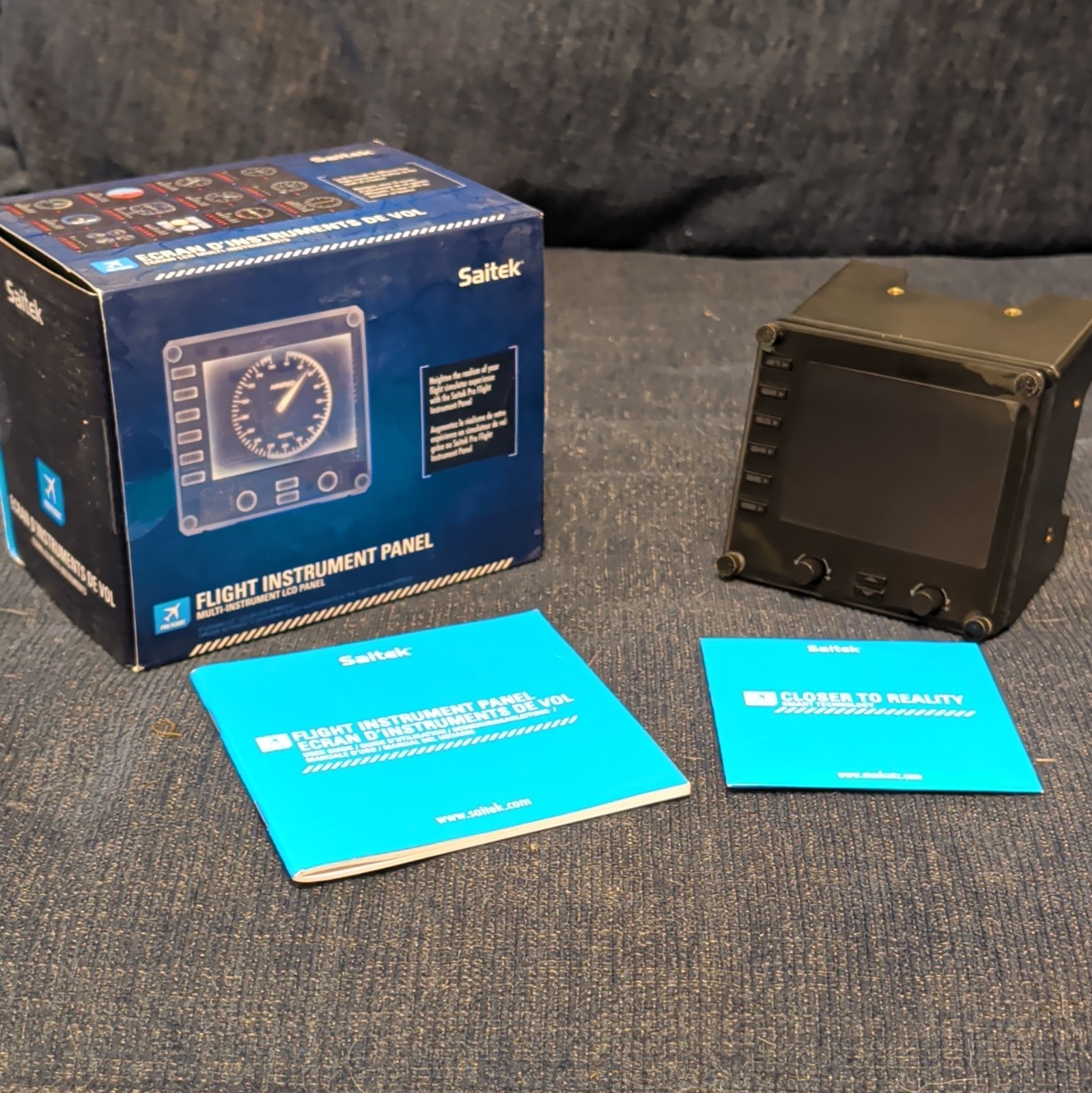

Photos from current listings. Actual item, color, and included accessories may vary.
Flight Sim Instrument Panel Buying Guide
A flight sim instrument panel is a hardware module that replicates aircraft cockpit gauges (altimeter, airspeed, vertical speed, heading, turn coordinator) as physical, backlit dials with needle movement driven by flight-sim software. The key trade-off is between fully integrated, plug-and-play ecosystems (Logitech/Saitek) that work out of the box and modular multi-panel setups that require USB hubs, software bindings, and physical mounting space. Buy the integrated ecosystem if you want instant compatibility; buy modular only if you have desk depth, USB ports, and patience for binding each gauge.
Key takeaways
- Logitech G Saitek Pro Flight Instrument Panel uses a single USB 2.0 connection and includes six selectable gauge faces (altimeter, airspeed, vertical speed, heading, turn coordinator, attitude) on one 3.5-inch backlit LCD dial.
- The panel is natively supported by Microsoft Flight Simulator (2020), FSX, X-Plane 10/11/12, and Prepar3D via Logitech's driver, with no third-party plugin required for basic gauge display.
- Each additional panel requires its own USB port; a 3-panel stack needs three free USB-A ports or a powered hub because the panels are bus-powered and do not have internal batteries.
At a glance
- Category
- Flight Sim Panels & Instruments
- Last updated
- Nov 23, 2026
Current offers
Highlights
- Logitech G Saitek Pro Flight Instrument Panel uses a single USB 2.0 connection and includes six selectable gauge faces (altimeter, airspeed, vertical speed, heading, turn coordinator, attitude) on one 3.5-inch backlit LCD dial.
- The panel is natively supported by Microsoft Flight Simulator (2020), FSX, X-Plane 10/11/12, and Prepar3D via Logitech's driver, with no third-party plugin required for basic gauge display.
- Each additional panel requires its own USB port; a 3-panel stack needs three free USB-A ports or a powered hub because the panels are bus-powered and do not have internal batteries.
- Physical footprint per panel is roughly 6.3 x 3.5 x 3.5 inches with a weighted base and two mounting screw holes, so a multi-panel row consumes about 19 inches of desk width for three units.
Best use cases
- Best fit: a single Logitech G Saitek Pro Flight Instrument Panel for Cessna/GA piston simmers who want real needles for airspeed, altitude, and vertical speed without building a full cockpit.
- Best fit: the Logitech Radio, Flight, and 2 Instrument Panel bundle for buyers starting a modular stack—it gives you a radio panel, a multi-panel switch panel, and two instrument dials with shared software bindings.
- Wrong fit: airliner simmers who need EFIS/MCP-style glass displays—skip the analog needle panel and look for an FMC or EFIS panel instead, because the Saitek dial only emulates six analog gauges.
- Wrong fit: VR-only flyers—skip physical panels entirely, since you cannot see the dials inside a headset and the USB desk footprint is wasted.
Buying tips
- Count your free USB-A ports first: each Logitech instrument panel is bus-powered and needs its own port; three panels plus a radio and switch panel means five ports, so budget a powered USB 3.0 hub.
- Buy the panel that matches your sim's native driver support: Logitech/Saitek works plug-and-play in MSFS 2020 and X-Plane 12; generic white-label panels often need Spad.neXt or Mobiflight to map datarefs.
- Measure desk depth before stacking: the Logitech panel base is about 3.5 inches deep and tilts back, so a three-panel row needs at least 4 inches of clear depth in front of your monitor.
- If you plan to add a radio or switch panel later, stay in the Logitech G/Saitek family—those modules share the same Logitech driver and bind together in one profile, while mixing brands forces separate binding software.
Specs
| Panel Type | Analog gauge dial / radio / switch |
|---|---|
| Gauge Count | 1 LCD dial, 6 selectable faces |
| Connection | USB 2.0 bus-powered, 1 port/panel |
| Sim Compatibility | MSFS, FSX, X-Plane 10-12, P3D |
Related searches
What to check before buying
- Measure the flat desk or cockpit-rail area where the panel will sit: each Logitech instrument panel is roughly 6.3 inches wide, so leave at least 7 inches per panel plus 1 inch between units.
- Confirm your PC has one free USB-A 2.0/3.0 port per panel, or add a powered hub; bus-powered panels can brown out on unpowered splitters.
- Check your sim title supports the Logitech driver natively—MSFS 2020, FSX, X-Plane 10/11/12, and Prepar3D do; older or indie sims may need Spad.neXt.
- Verify your monitor stand or desk clamp does not block the panel's rear USB cable exit, which points straight back and needs about 2 inches of clearance.
FAQ
Data sources: eBay / Amazon listings and product attribute feeds. Updated Nov 23, 2026.
Some links on this page are affiliate links. If you buy after clicking one, we may earn a commission at no extra cost to you. This does not change which products appear here or their order. Affiliate disclosure.