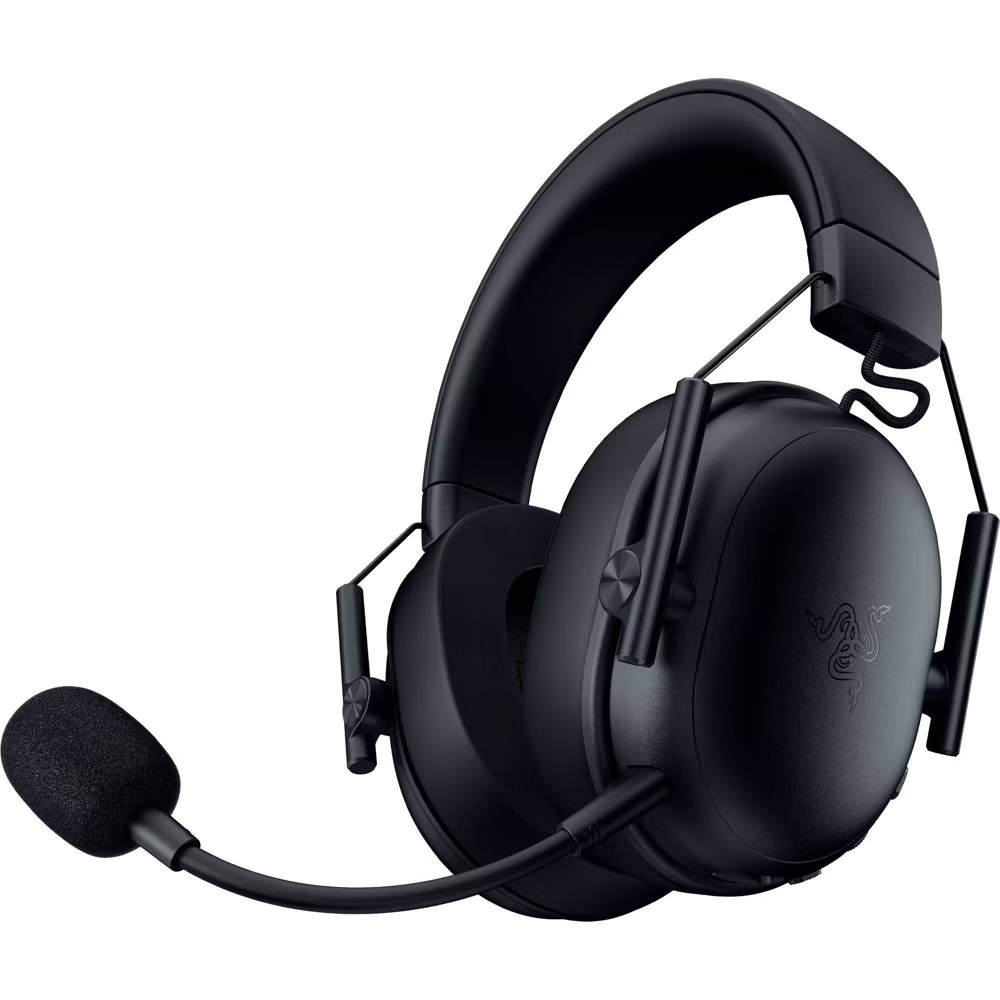

Photos from current listings. Actual item, color, and included accessories may vary.
Gaming Headsets Buying Guide
Gaming headsets are over-ear headphones tuned for positional audio and voice chat, where the core trade-off is wireless convenience versus wired latency and power longevity. The decisive rule: buy a model with a platform-matched wireless protocol (Xbox Wireless, 2.4 GHz dongle, or Bluetooth) and a boom mic with sidetone, and skip any headset that relies on Bluetooth alone for competitive play.
Median $43.47
Key takeaways
- Connection type dictates latency: 2.4 GHz USB dongle and Xbox Wireless deliver sub-40 ms audio, while Bluetooth adds 100-200 ms lip-sync delay unsuitable for shooters.
- Razer BlackShark V3 X HyperSpeed uses Razer HyperSpeed 2.4 GHz wireless plus Bluetooth, with a detachable boom mic rated for discord-certified voice clarity.
- Xbox Wireless Stereo Headset connects natively to Xbox One, Series X|S, and PC via Xbox Wireless radio—no dongle needed—and supports Windows Sonic spatial audio.
At a glance
- Category
- Over-Ear Headphones
- Last updated
- Nov 28, 2026
Current offers
Highlights
- Connection type dictates latency: 2.4 GHz USB dongle and Xbox Wireless deliver sub-40 ms audio, while Bluetooth adds 100-200 ms lip-sync delay unsuitable for shooters.
- Razer BlackShark V3 X HyperSpeed uses Razer HyperSpeed 2.4 GHz wireless plus Bluetooth, with a detachable boom mic rated for discord-certified voice clarity.
- Xbox Wireless Stereo Headset connects natively to Xbox One, Series X|S, and PC via Xbox Wireless radio—no dongle needed—and supports Windows Sonic spatial audio.
- Battery tiers separate tiers: budget wireless headsets run 20-30 hours per charge, mid-tier 40-50 hours, and premium 70+ hours with USB-C fast charging.
Best use cases
- Competitive FPS on PC or PlayStation: pick a 2.4 GHz dongle headset with a boom mic and 40 mm drivers; skip Bluetooth-only models due to latency.
- Xbox Series X|S console play: choose the Xbox Wireless Stereo Headset or any 'Xbox Wireless' certified headset; skip PC-only USB dongle headsets that lack Xbox radio.
- Cross-platform PC plus mobile/console hybrid use: pick a dual-mode 2.4 GHz + Bluetooth headset like the BlackShark V3 X HyperSpeed; skip single-protocol headsets if you switch devices daily.
- Open-back vs closed-back: choose closed-back for isolation in shared rooms and tournament LANs; skip open-back headsets if you need noise isolation or play near others.
Buying tips
- Match the wireless protocol to your platform: Xbox Wireless for Xbox consoles, 2.4 GHz USB dongle for PC/PS5, Bluetooth only for casual mobile and Switch handheld play.
- Driver size is not quality: 40 mm and 50 mm drivers both deliver full-range audio; prioritize frequency response (20 Hz-20 kHz) and mic directivity over driver diameter.
- Check earcup depth and clamp force: over-ear pads need at least 2.5 cm interior depth and memory-foam pads to avoid pressure during 3+ hour sessions.
- Verify mic type: a detachable boom mic with cardioid pickup and 100 Hz-10 kHz response beats an integrated beamforming mic for voice chat clarity.
Specs
| Wireless Protocol | 2.4 GHz dongle / Xbox Wireless / Bluetooth |
|---|---|
| Battery Life Tier | 20-30 hr budget / 40-50 hr mid / 70+ hr premium |
| Mic Type | Detachable boom cardioid vs integrated |
| Ear Cushion | Memory foam leatherette / fabric |
Related searches
What to check before buying
- Confirm your console or PC supports the headset's wireless standard—Xbox Wireless, 2.4 GHz USB-A/USB-C dongle, or Bluetooth 5.x.
- Measure headband clearance and earcup inner dimensions against your head width; most gaming headsets fit 55-62 cm head circumferences.
- Check charging port and cable: USB-C is standard on current models; micro-USB on older stock limits charging speed and cable replacement.
- Verify companion software availability (Razer Synapse, Xbox Accessories app) for EQ, mic monitoring, and firmware updates on your OS.
FAQ
Data sources: eBay / Amazon listings and product attribute feeds. Updated Nov 28, 2026.
Some links on this page are affiliate links. If you buy after clicking one, we may earn a commission at no extra cost to you. This does not change which products appear here or their order. Affiliate disclosure.