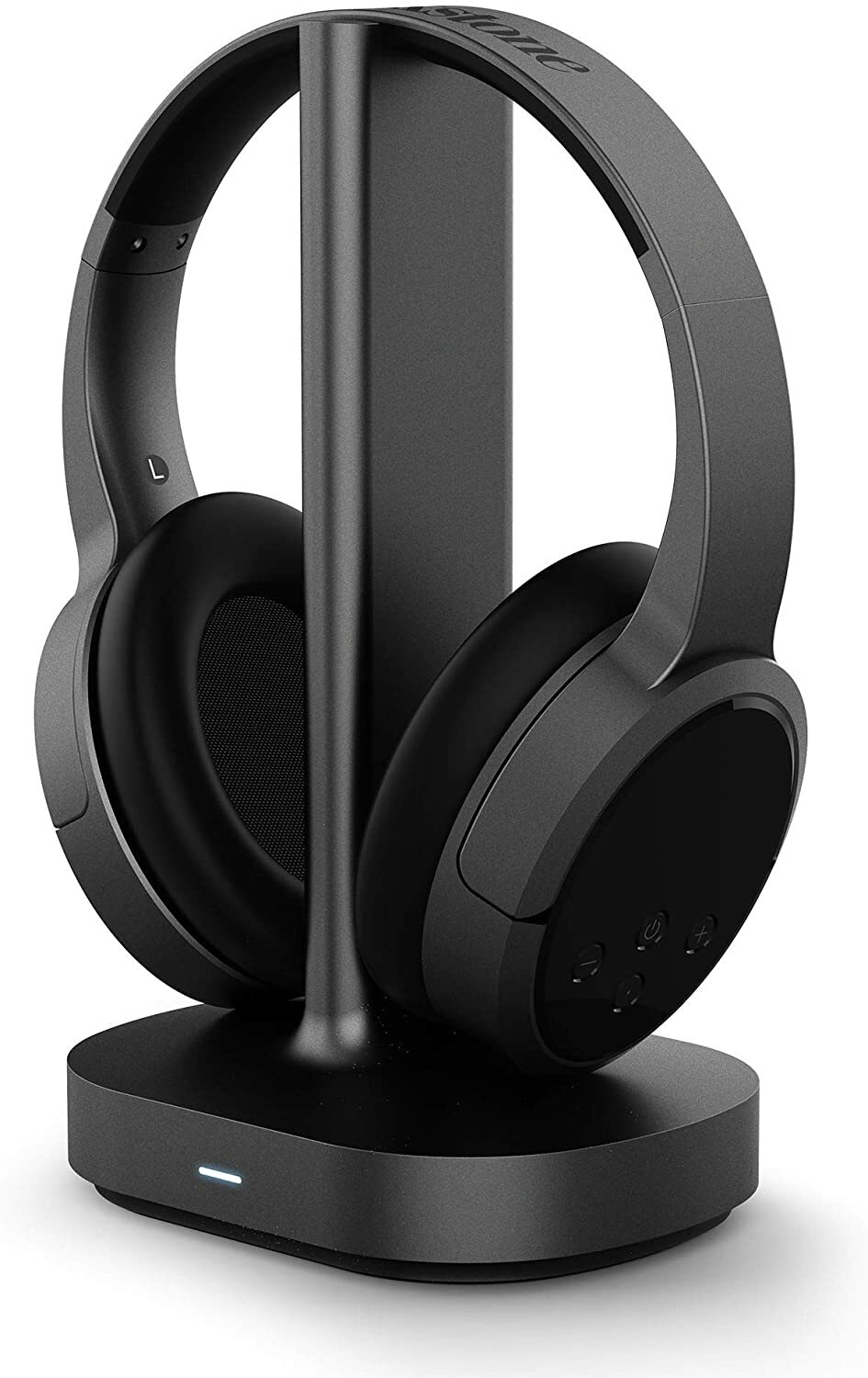

Photos from current listings. Actual item, color, and included accessories may vary.
Bluetooth Headphones TV Buying Guide
Bluetooth TV headphones are over-ear wireless headphones designed to deliver low-latency audio from a television without disturbing others. The critical trade-off is wireless protocol: standard Bluetooth introduces 100–200 ms of lag that ruins lip-sync, while RF or aptX Low Latency/LL transmitters cut delay to under 40 ms. Buy RF or a dedicated low-latency transmitter kit for watching; treat plain Bluetooth headphones as music-first devices that need a transmitter to be TV-ready.
Key takeaways
- Standard Bluetooth SBC codec adds 150–250 ms latency; aptX LL, aptX Adaptive, and RF 2.4 GHz systems reduce it to 20–40 ms for stable lip-sync.
- RF TV headphones use a dedicated base station dock that charges the headset and accepts optical or 3.5 mm output directly from the TV.
- Closed-back over-ear cups with 32-ohm drivers are the norm; higher impedance (80–300 ohm) demands more power and is not suited to TV headphone jacks.
At a glance
- Category
- Over-Ear Headphones
- Last updated
- Nov 28, 2026
Current offers
Highlights
- Standard Bluetooth SBC codec adds 150–250 ms latency; aptX LL, aptX Adaptive, and RF 2.4 GHz systems reduce it to 20–40 ms for stable lip-sync.
- RF TV headphones use a dedicated base station dock that charges the headset and accepts optical or 3.5 mm output directly from the TV.
- Closed-back over-ear cups with 32-ohm drivers are the norm; higher impedance (80–300 ohm) demands more power and is not suited to TV headphone jacks.
- Multi-point Bluetooth lets one headset hold a phone and a TV transmitter simultaneously; RF sets pair one-to-one with their dock.
Best use cases
- Best fit: late-night movie viewing with a partner sleeping — choose an RF 2.4 GHz system with an optical-input charging dock and closed-back cups for isolation.
- Best fit: mixed phone-and-TV use — pick Bluetooth 5.2+ headphones with multi-point and add a separate aptX LL transmitter for the TV.
- Wrong fit: competitive gaming — Bluetooth and RF TV sets lag behind 2.4 GHz gaming dongles; skip them and buy a low-latency gaming headset.
- Wrong fit: audiophile critical listening — TV-oriented sets tune for dialogue clarity, not imaging; skip and buy wired open-back headphones with a dedicated DAC/amp.
Buying tips
- Match impedance to source: 32-ohm closed-back sets run loud enough from TV headphone jacks; 80-ohm-plus models need an external amplifier.
- Insist on aptX LL or RF 2.4 GHz for video; plain SBC/AAC Bluetooth will show visible lip-sync error above roughly 100 ms.
- Check the transmitter's inputs: optical (TOSLINK) covers modern TVs, while 3.5 mm AUX covers older sets — pick a dock with both.
- For multi-headset listening, choose a system rated for two or more simultaneous headphones; single-pair RF docks cannot add a second set.
Specs
| Wireless Type | RF 2.4 GHz vs Bluetooth 5.x |
|---|---|
| Codec / Latency | aptX LL / Adaptive <40 ms; SBC 150–250 ms |
| Impedance | 32 ohm typical; 80–300 ohm needs amp |
| Ear Cup / Fit | Closed-back over-ear, adjustable headband |
Related searches
What to check before buying
- Measure your TV's audio outputs: confirm optical, 3.5 mm, or RCA availability before choosing a transmitter type.
- Check headband and cup clearance against your head size and glasses; closed-back clamping force matters for long viewing sessions.
- Confirm the transmitter's power supply matches your region's voltage and plug standard (USB-C or wall adapter).
- Verify the dock or transmitter supports the codec you need (aptX LL, aptX Adaptive, or RF) and not just standard Bluetooth.
FAQ
Data sources: eBay / Amazon listings and product attribute feeds. Updated Nov 28, 2026.
Some links on this page are affiliate links. If you buy after clicking one, we may earn a commission at no extra cost to you. This does not change which products appear here or their order. Affiliate disclosure.