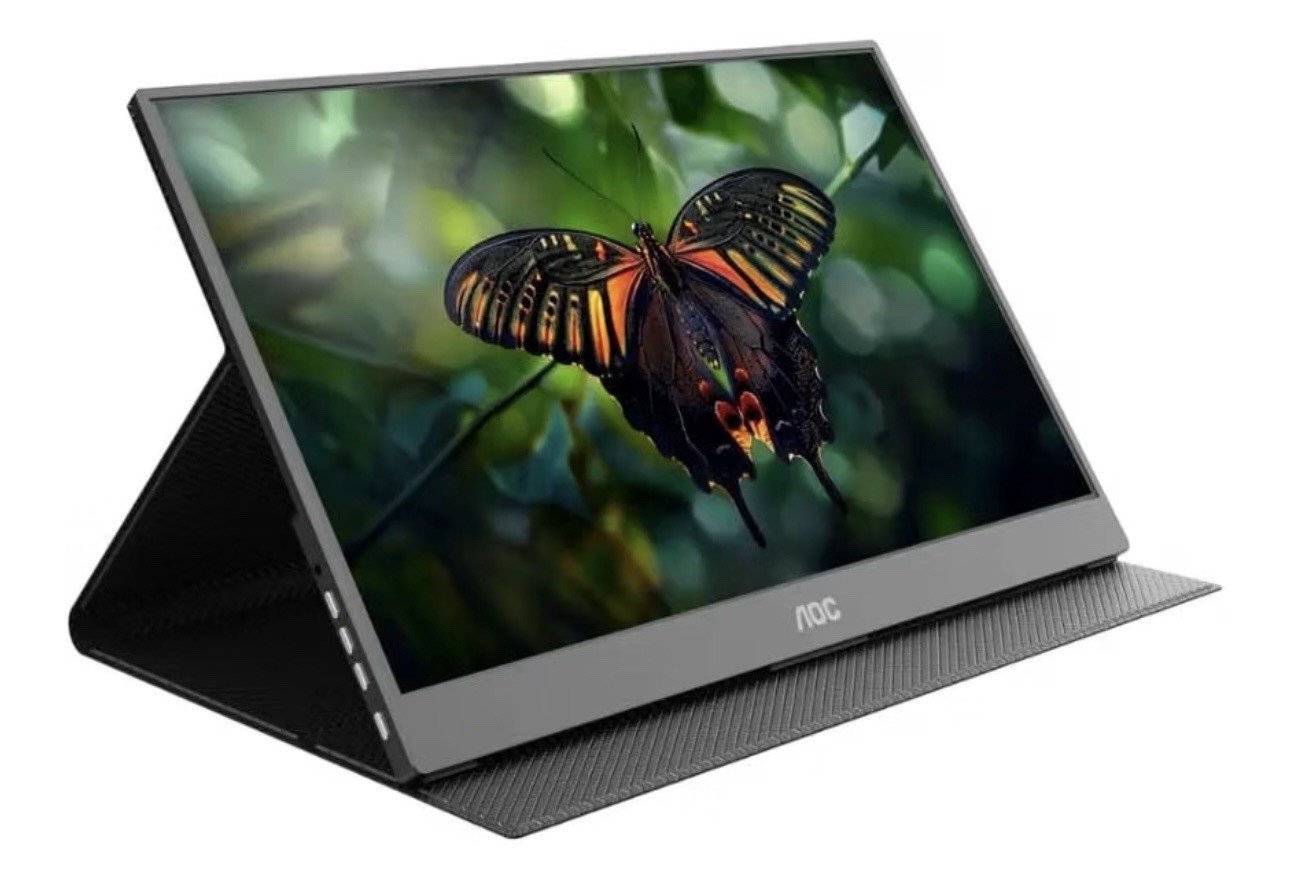

Photos from current listings. Actual item, color, and included accessories may vary.
AOC 16T15 Buying Guide
The AOC 16T15 is a 15.6-inch portable USB-C monitor designed as a secondary screen for laptops and small PCs, trading color gamut and ergonomic adjustment for extreme portability and single-cable operation. The core trade-off is between panel quality/stand features and travel weight/bus-power compatibility, so the decision rule is: buy it only if you need a sub-2-pound 1080p second display that runs from a laptop USB-C port without a power brick; skip it if you need wide-gamut color, height adjustment, or high refresh for gaming.
Key takeaways
- 15.6-inch 1920x1080 IPS panel with 60Hz refresh, 250-nit typical brightness, and 700:1 contrast — adequate for office and code, not for HDR or color-critical work.
- Single USB-C cable carries both video (DisplayPort Alt Mode) and power up to 7.5W, so the laptop must supply at least 10W over USB-C or the screen dims or drops signal.
- Slim chassis around 0.3 inch thick and roughly 1.7-1.8 pounds, with a fold-out kickstand instead of a VESA mount or height-adjustable stand.
At a glance
- Category
- Computer Monitors
- Status
- Listings available
- Last updated
- Nov 29, 2026
Current offers
Highlights
- 15.6-inch 1920x1080 IPS panel with 60Hz refresh, 250-nit typical brightness, and 700:1 contrast — adequate for office and code, not for HDR or color-critical work.
- Single USB-C cable carries both video (DisplayPort Alt Mode) and power up to 7.5W, so the laptop must supply at least 10W over USB-C or the screen dims or drops signal.
- Slim chassis around 0.3 inch thick and roughly 1.7-1.8 pounds, with a fold-out kickstand instead of a VESA mount or height-adjustable stand.
- Connectivity is typically one USB-C (DP Alt Mode + power) plus one mini-HDMI and a 3.5mm headphone jack; there is no built-in battery, so it is bus-powered only.
Best use cases
- Best fit: road-warrior laptop users who need a second 1080p screen for email, documents, and spreadsheets and will power it from a USB-C port that supports DisplayPort Alt Mode and at least 10W output.
- Best fit: desk users adding a lightweight side monitor for chat and reference windows, where the kickstand sits on a stable surface and the laptop stays plugged in.
- Wrong fit: photo/video editors or designers needing >99% sRGB or Delta-E under 2 — this class of portable panel typically covers only around 45-65% NTSC, so colors will look muted.
- Wrong fit: gamers needing 120Hz+ or adaptive sync, and anyone wanting to mount the screen on an arm — there is no VESA pattern and the panel is 60Hz.
Buying tips
- Confirm the laptop's USB-C port supports DisplayPort Alt Mode and can output at least 10W; plain USB 3.0 data ports or USB-C charge-only ports will not drive the display.
- For HDMI source devices (older laptops, consoles, Raspberry Pi), budget for a mini-HDMI to HDMI cable and a separate USB power source, since HDMI alone does not power the monitor.
- Check the panel size against your bag: 15.6-inch models need a 16-inch laptop sleeve or larger; a 13-inch sleeve will not fit the 14.2 x 8.9-inch chassis.
- If color accuracy matters, look for an IPS panel rated at 99% sRGB or higher; 15.6-inch 1080p portable panels at this tier are typically 45-65% NTSC and not color-critical.
Specs
| Panel Size & Resolution | 15.6 in / 1920x1080 IPS |
|---|---|
| Refresh & Brightness | 60Hz / 250 nits typical |
| Ports & Power | USB-C DP Alt Mode + mini-HDMI |
| Weight & Mount | ~1.7 lb / kickstand, no VESA |
Alternatives to compare
Related searches
What to check before buying
- Measure your laptop bag or sleeve interior: the monitor is roughly 14.2 x 8.9 inches and about 0.3 inch thick, so a 15-inch laptop compartment is the minimum.
- Verify your laptop's USB-C port spec: it must support DisplayPort Alt Mode and deliver at least 10W; check the manufacturer's port documentation, not just the port shape.
- Confirm your desk or tray surface is flat and at least 14 inches wide, because the fold-out kickstand needs stable footing and offers limited angle adjustment.
- For HDMI-only devices, have a mini-HDMI adapter and a USB wall charger ready, because the monitor has no internal battery and HDMI does not carry power.
FAQ
Data sources: eBay / Amazon listings and product attribute feeds. Updated Nov 29, 2026.
Some links on this page are affiliate links. If you buy after clicking one, we may earn a commission at no extra cost to you. This does not change which products appear here or their order. Affiliate disclosure.