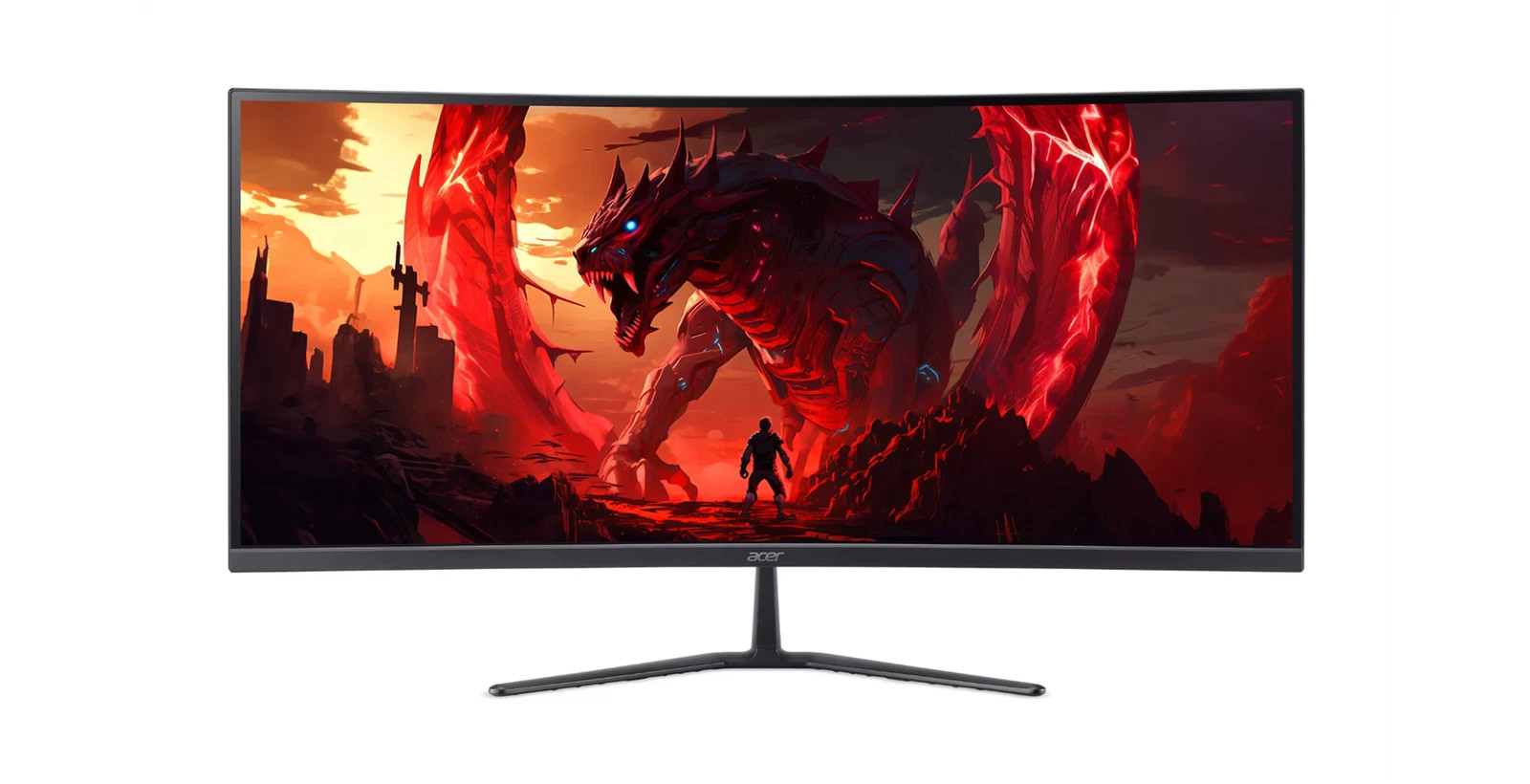

Photos from current listings. Actual item, color, and included accessories may vary.
Acer ED340CUR X0 Buying Guide
The Acer ED340CUR X0 is a 34-inch ultrawide curved gaming monitor with a 3440x1440 VA panel, 200Hz refresh, and 1ms response—built for immersive, high-frame-rate play. The core trade-off is VA contrast and curve immersion against weaker off-axis color and slower dark transitions than premium IPS. Buy it only if you prioritize frame rate and contrast at a mid-tier budget; skip it if color-critical work or wide viewing angles are essential.
Key takeaways
- 34-inch 3440x1440 VA panel at 200Hz delivers 109 PPI and ~1.5x the pixel count of 2560x1080 ultrawides
- 1ms MPRT response with 300-nit brightness suits indoor gaming; VA black uniformity beats IPS but shows dark smearing
- 75x75mm VESA mount is smaller than the common 100x100mm standard—confirm your arm or wall plate supports it
At a glance
- Category
- Computer Monitors
- Status
- Listings available
- Last updated
- Nov 29, 2026
Current offers
Highlights
- 34-inch 3440x1440 VA panel at 200Hz delivers 109 PPI and ~1.5x the pixel count of 2560x1080 ultrawides
- 1ms MPRT response with 300-nit brightness suits indoor gaming; VA black uniformity beats IPS but shows dark smearing
- 75x75mm VESA mount is smaller than the common 100x100mm standard—confirm your arm or wall plate supports it
- Curved 1500R radius wraps the edges into your peripheral vision, reducing eye travel versus flat 34-inch panels
Best use cases
- Best fit: high-refresh 1440p ultrawide gaming on a single PC—pick this for 200Hz VA contrast and immersive racing/sim titles.
- Wrong fit: color-critical photo or video editing—skip VA and choose an IPS 34-inch with factory sRGB calibration instead.
- Best fit: multi-window productivity with occasional gaming—3440x1440 fits three documents side by side without bezels.
- Wrong fit: bright-room, off-angle viewing or console 4K/120—VA gamma shifts and there is no HDMI 2.1 4K mode.
Buying tips
- Match GPU output: 3440x1440 at 200Hz needs DisplayPort 1.4 with DSC; HDMI 2.0 caps at 100Hz—use DP for full refresh.
- Check VESA pattern first: 75x75mm requires an adapter or compatible arm; most monitor arms ship 100x100mm plates.
- Budget for a certified DP 1.4 cable—the bundled cable may be DP 1.2 and limit 200Hz at this resolution.
- Refurbished units should include the stand, power brick, and DP cable; missing DP cable forces an extra purchase for full refresh.
Specs
| Panel Type | VA curved 1500R |
|---|---|
| Resolution | 3440x1440 (109 PPI) |
| Refresh & Response | 200Hz / 1ms MPRT |
| VESA Mount | 75x75mm |
Alternatives to compare
Related searches
What to check before buying
- Measure desk depth: the 1500R curve and stand footprint need at least 30 inches of viewing distance for comfortable focus.
- Confirm your GPU has DisplayPort 1.4 and DSC support—HDMI alone will cap refresh well below 200Hz.
- Verify your monitor arm or wall mount accepts 75x75mm VESA; buy a 75-to-100mm adapter if not.
- Check room lighting: 300 nits is fine for dim rooms; for sunlit spaces, plan bias lighting or curtains to offset VA reflections.
FAQ
Data sources: eBay / Amazon listings and product attribute feeds. Updated Nov 29, 2026.
Some links on this page are affiliate links. If you buy after clicking one, we may earn a commission at no extra cost to you. This does not change which products appear here or their order. Affiliate disclosure.