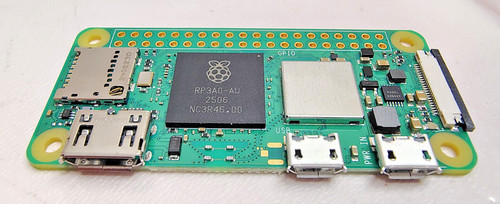

Photos from current listings. Actual item, color, and included accessories may vary.
Raspberry Pi Zero 2 Buying Guide
The Raspberry Pi Zero 2 W is a 65mm × 30mm drop-in upgrade to the original Zero, swapping the single-core BCM2835 for a quad-core 1GHz BCM2710A1 with 512MB SDRAM and integrated 2.4GHz 802.11b/g/n plus Bluetooth 4.2. Its primary trade-off is compute density against thermal headroom and I/O: the tiny board runs hot under sustained load and ships without a GPIO header, so buyers must choose between solderless header kits or plain solder joints. The decision rule is module clarity: buy the Zero 2 W when you need wireless connectivity and 4x the CPU performance of the original Zero; skip it for compute-heavy workloads, which belong on a Pi 4 or Pi 5.
Median $41.49
Key takeaways
- BCM2710A1 quad-core Cortex-A53 at 1GHz delivers roughly 4-5x the multi-threaded throughput of the original Zero's single-core BCM2835.
- 512MB LPDDR2 SDRAM is shared with the GPU and caps practical use to headless services, not desktop environments or browser workloads.
- Onboard 2.4GHz 802.11b/g/n Wi-Fi and Bluetooth 4.2 remove the need for a USB dongle, unlike the original Zero and Zero WH.
At a glance
- Category
- Microcontrollers & Dev Boards
- Last updated
- Nov 25, 2026
Current offers
Highlights
- BCM2710A1 quad-core Cortex-A53 at 1GHz delivers roughly 4-5x the multi-threaded throughput of the original Zero's single-core BCM2835.
- 512MB LPDDR2 SDRAM is shared with the GPU and caps practical use to headless services, not desktop environments or browser workloads.
- Onboard 2.4GHz 802.11b/g/n Wi-Fi and Bluetooth 4.2 remove the need for a USB dongle, unlike the original Zero and Zero WH.
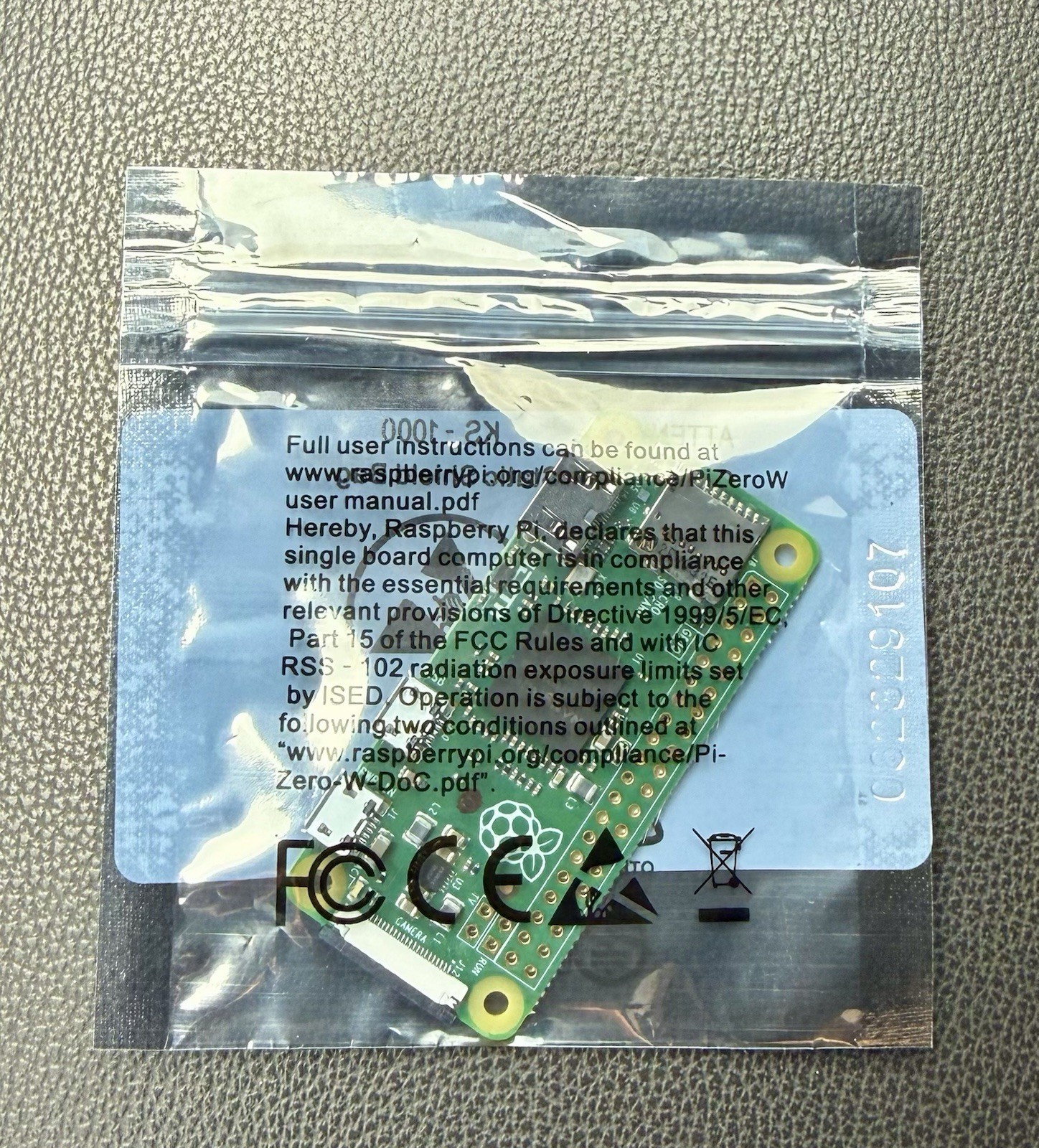
- The 40-pin GPIO is unpopulated by default; the Zero 2 WH variant ships with a pre-soldered header for solderless HAT stacking.
Best use cases
- Best fit: headless IoT nodes, Pi-hole DNS filters, Home Assistant bridges, and camera-streaming endpoints that need Wi-Fi and low power draw.
- Best fit: retro emulation up to 16-bit consoles and lightweight Linux services where a Pi 4's cost and size are overkill.
- Wrong fit: desktop Linux, web browsing, or 4K media playback — 512MB RAM and no hardware HEVC decode make these workloads unusable.
- Wrong fit: GPIO-heavy breadboard prototyping if you cannot solder — select the Zero 2 WH with the pre-soldered header instead of the plain W.
Buying tips
- Choose the Zero 2 WH (pre-soldered 40-pin header) for breadboards and HATs; choose the plain Zero 2 W only if you will solder or use pogo-pin fixtures.
- Budget a 5V/2.5A micro-USB supply: the board draws up to ~1.2A under load, and underpowered chargers cause throttling and Wi-Fi dropouts.
- Plan cooling for sustained loads: a small aluminum heatsink on the SoC prevents thermal throttling in enclosed cases during long encodes or builds.
- Use a quality microSD card (A1/A2 rated) because the single SDIO bus is the primary storage bottleneck; USB boot is not available without an adapter.
Specs
| SoC / CPU | BCM2710A1 quad-core Cortex-A53 1GHz |
|---|---|
| RAM | 512MB LPDDR2 |
| Wireless | 2.4GHz Wi-Fi b/g/n + BT 4.2 |
| GPIO Header | Unpopulated (WH = pre-soldered) |
Related searches
What to check before buying
- Confirm your carrier board or case accepts the 65mm × 30mm Zero form factor and micro-USB power plus mini-HDMI output ports.
- Verify your project needs only 2.4GHz Wi-Fi; there is no 5GHz radio, so crowded 2.4GHz environments may need an external adapter.
- Check that your power source delivers a stable 5V at 2.5A with a micro-USB connector, not USB-C.
- If stacking HATs, order the WH variant or a separate 40-pin header and 2.54mm pitch soldering tools.
FAQ
Data sources: eBay / Amazon listings and product attribute feeds. Updated Nov 25, 2026.
Some links on this page are affiliate links. If you buy after clicking one, we may earn a commission at no extra cost to you. This does not change which products appear here or their order. Affiliate disclosure.