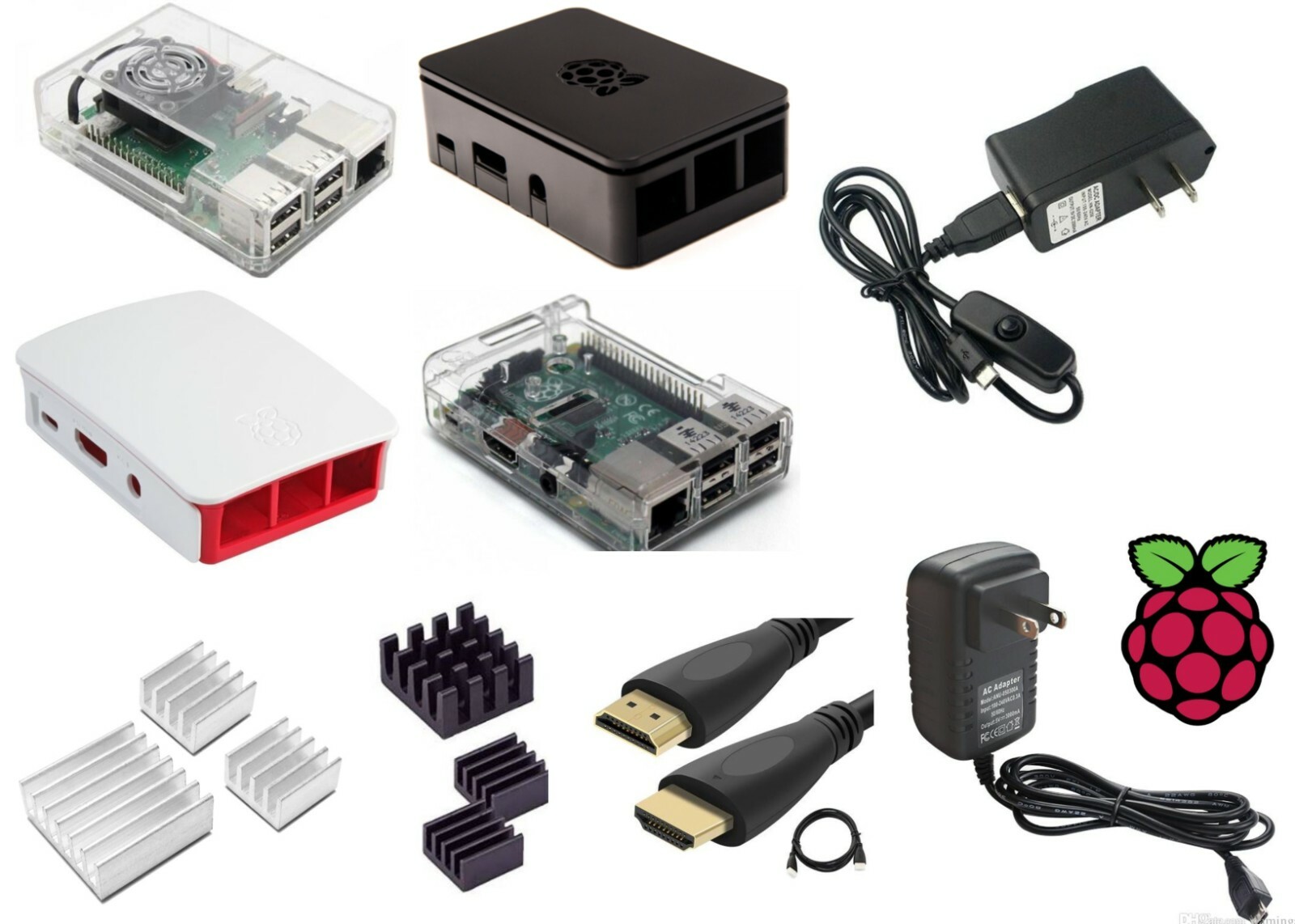

Photos from current listings. Actual item, color, and included accessories may vary.
Raspberry Pi Desktop Buying Guide
A Raspberry Pi desktop is a full desktop computer built around a credit-card-sized SBC, where the model generation and RAM tier determine whether it runs a modern browser and office apps smoothly or stutters. The core trade-off is board tier vs. total kit cost: a Pi 4/5 with 4-8GB RAM delivers a usable desktop, while a Zero 2 W or Pi 3 is a headless or retro-computing device. The decision rule is simple: buy the newest full-size board with at least 4GB RAM and a proper 5V/3A USB-C or 5V/2.5A micro-USB supply, or skip the build.
Median $39.99
Key takeaways
- Pi 4 Model B and Pi 5 use USB-C power (5V/3A for Pi 4, 5V/5A for Pi 5) and dual micro-HDMI; Pi 3 B+ and earlier use micro-USB power and a single full-size HDMI.
- RAM tiers change everything: 1GB handles Pi OS Lite/headless only, 2GB is entry desktop, 4GB is the desktop sweet spot, and 8GB suits heavy browser tabs and containers.
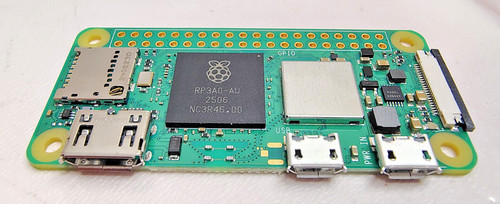
- Pi Zero and Zero 2 W are 65mm x 30mm boards with no full-size USB or Ethernet; they need adapters and are best for headless, camera, or handheld projects, not general desktop use.
At a glance
- Category
- Microcontrollers & Dev Boards
- Last updated
- Nov 25, 2026
Current offers
Highlights
- Pi 4 Model B and Pi 5 use USB-C power (5V/3A for Pi 4, 5V/5A for Pi 5) and dual micro-HDMI; Pi 3 B+ and earlier use micro-USB power and a single full-size HDMI.
- RAM tiers change everything: 1GB handles Pi OS Lite/headless only, 2GB is entry desktop, 4GB is the desktop sweet spot, and 8GB suits heavy browser tabs and containers.
- Pi Zero and Zero 2 W are 65mm x 30mm boards with no full-size USB or Ethernet; they need adapters and are best for headless, camera, or handheld projects, not general desktop use.
- All full-size boards use a 40-pin GPIO header and boot from microSD; Pi 4/5 additionally support USB boot and, on Pi 5, PCIe via the FPC connector.
Best use cases
- Pick a Pi 4 (4GB) or Pi 5 (4-8GB) with a USB-C 5V/3A+ supply, micro-HDMI cables, and a 32GB+ A2 microSD for a web-and-office desktop; skip Zero boards and 1GB variants.
- Pick a Pi 3 B+ only for retro gaming, Pi-hole, or a lightweight kiosk where 1GB RAM and micro-USB power are acceptable; skip it if you need dual monitors or modern browser performance.
- Pick a Zero 2 W for headless sensors, camera traps, or GPIO projects with adapters; skip it as a primary desktop because it lacks full-size USB/Ethernet and tops out at 512MB RAM.
- For a kit, buy one that includes the correct board tier and a branded supply; a 'kit only, no board' listing is a trap if you expect a working computer.
Buying tips
- Choose at least 4GB RAM for a desktop: 1GB boards choke on modern browsers, 2GB is marginal, and 8GB only matters if you run many tabs or containers.
- Match the power supply to the board: Pi 4 needs 5V/3A USB-C, Pi 5 needs 5V/5A USB-C, and Pi 3/2/1 need 5V/2.5A micro-USB; an underpowered supply causes throttling and SD corruption.
- Budget for storage speed: a 32GB+ A2-rated microSD is the minimum, while USB 3.0 SSD boot on Pi 4/5 is a major desktop responsiveness upgrade.
- Verify the board revision: Pi 4 Model B has USB-C power and dual micro-HDMI, Pi 3 B+ has micro-USB and full HDMI, and Pi 5 adds PCIe and a power button—buy cables and cases for the exact generation.
Specs
| Board Tier | Pi 5 / Pi 4 / Pi 3 B+ / Zero 2 W |
|---|---|
| RAM for Desktop | 4-8GB (2GB minimum, 1GB headless) |
| Power Input | USB-C 5V/3-5A vs micro-USB 5V/2.5A |
| Video Output | Dual micro-HDMI vs single full HDMI |
Related searches
What to check before buying
- Confirm your monitor input: Pi 4/5 need micro-HDMI to HDMI cables or adapters, while Pi 3 and earlier use standard HDMI.
- Measure your desk or VESA mount space and pick a case with active cooling for Pi 4/5; passively cooled boards throttle under sustained desktop load.
- Check your country's plug type and buy a supply with the correct prongs and a detachable USB-C or micro-USB cable rated for the board's current.
- Account for companion parts: keyboard, mouse, microSD card, and a display are not included unless the kit explicitly lists them.
FAQ
Data sources: eBay / Amazon listings and product attribute feeds. Updated Nov 25, 2026.
Some links on this page are affiliate links. If you buy after clicking one, we may earn a commission at no extra cost to you. This does not change which products appear here or their order. Affiliate disclosure.