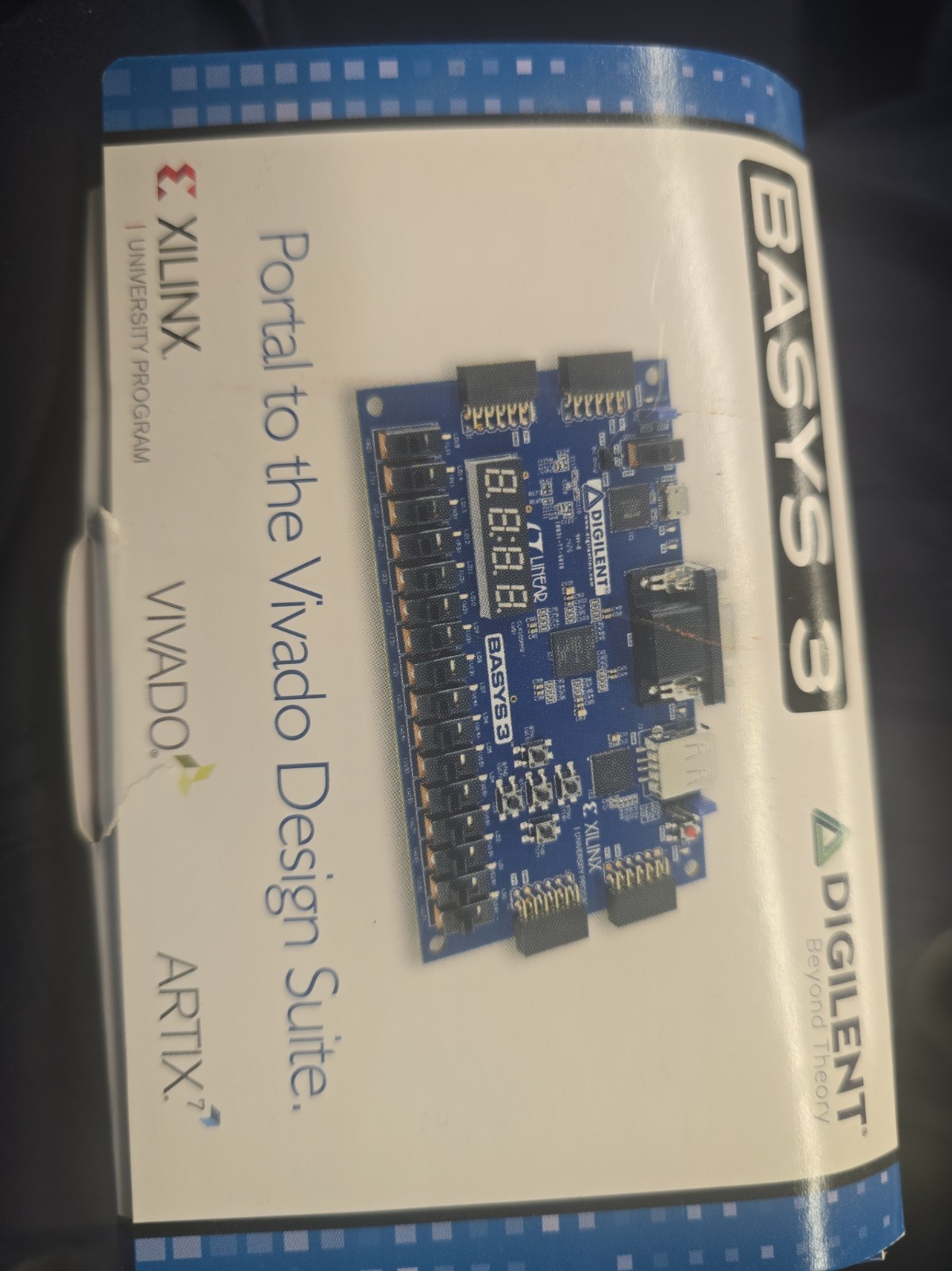

Photos from current listings. Actual item, color, and included accessories may vary.
Digilent Fpga Board Buying Guide
Digilent FPGA boards are Xilinx-based development platforms (Artix-7, Zynq, Kintex) that combine a programmable logic device with on-board USB-JTAG, memory, and I/O for learning digital design or prototyping. The core trade-off is logic capacity and I/O count versus cost and board complexity—Artix-7 entry boards suit first-time HDL work, while Zynq or Kintex tiers unlock SoC and high-speed designs. The clear rule: buy a board whose FPGA density and on-board peripherals match your actual coursework or project, not the cheapest listing.
Key takeaways
- Artix-7 XC7A35T (Basys 3/Nexys A7) offers ~33K logic cells and 1,800 Kb BRAM—enough for soft processors and mid-size state machines.
- Zynq-7000 boards (Zybo, Cora) pair ARM Cortex-A9 with FPGA fabric for hardware/software co-design and embedded Linux.
- On-board USB-JTAG (Digilent JTAG-SMT2/SMT3) eliminates external programmer cost and supports Vivado hardware manager directly.
At a glance
- Category
- Microcontrollers & Dev Boards
- Last updated
- Nov 25, 2026
Current offers
Highlights
- Artix-7 XC7A35T (Basys 3/Nexys A7) offers ~33K logic cells and 1,800 Kb BRAM—enough for soft processors and mid-size state machines.
- Zynq-7000 boards (Zybo, Cora) pair ARM Cortex-A9 with FPGA fabric for hardware/software co-design and embedded Linux.
- On-board USB-JTAG (Digilent JTAG-SMT2/SMT3) eliminates external programmer cost and supports Vivado hardware manager directly.
- Board tiers differ by FPGA density: S7/Arty S7 uses Spartan-7, Arty A7 uses Artix-7, and Nexys Video/Kintex use higher-speed transceivers.
Best use cases
- Best-fit: Students in a digital logic or HDL course should pick Basys 3 (Artix-7 XC7A35T) for its switches, LEDs, 7-segment displays, and Pmod ports.
- Best-fit: Embedded Linux or hardware/software co-design projects need a Zynq board like Zybo Z7, not a pure Artix-7 board.
- Wrong-fit: High-speed serial or DSP-heavy designs should skip entry Artix-7 boards and move to Kintex-7 or Zynq UltraScale+ tiers.
Buying tips
- Match logic density to design size: 33K logic cells (XC7A35T) handles soft-core MicroBlaze and moderate DSP; larger SoC designs need 100K+ cells.
- Confirm the board ships with USB-JTAG programming circuitry on-board—older or clone boards may require an external Digilent HS2/HS3 programmer.
- Check Pmod port count and type (standard 12-pin vs high-speed differential) before planning sensor or display add-ons.
- For Vivado compatibility, verify the board's FPGA part is listed in the Vivado board files—Basys 3 and Arty A7 are officially supported.
Specs
| FPGA Family | Artix-7 / Zynq-7000 / Kintex-7 |
|---|---|
| Logic Cells | 33K (XC7A35T) to 100K+ |
| On-board JTAG | USB-JTAG (SMT2/SMT3) |
| Pmod Ports | 2–4 standard 12-pin |
Related searches
What to check before buying
- Confirm your Vivado or ISE version supports the board's FPGA family; Artix-7 requires Vivado, not older ISE.
- Verify the board includes a USB cable and that your host PC has the Digilent Adept or Vivado cable drivers installed.
- Check on-board memory: Basys 3 has 16 MB Flash and no DDR; Nexys A7 adds 128 MB DDR2 for soft-processor use.
- Ensure your project's I/O voltage (3.3V vs 1.8V) matches the board's Pmod and expansion headers.
FAQ
Data sources: eBay / Amazon listings and product attribute feeds. Updated Nov 25, 2026.
Some links on this page are affiliate links. If you buy after clicking one, we may earn a commission at no extra cost to you. This does not change which products appear here or their order. Affiliate disclosure.