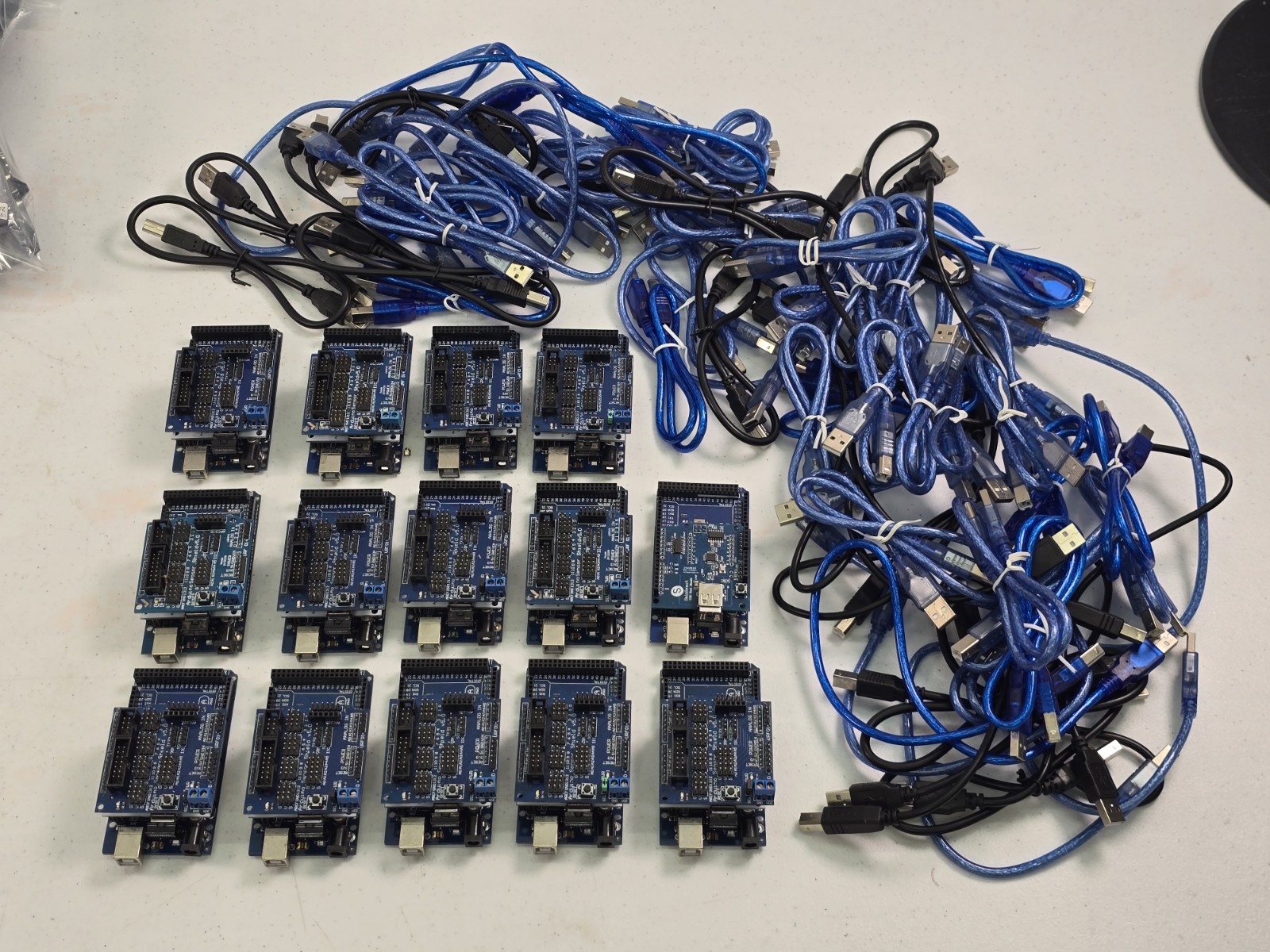

Photos from current listings. Actual item, color, and included accessories may vary.
Arduino Mega 2560 Board Buying Guide
The Arduino Mega 2560 is an 8-bit ATmega2560 development board defined by its large 54-pin GPIO count and 256 KB flash, making it the standard choice when Uno-class boards run out of timers, serial ports, or memory. The core trade-off is authentic 16 MHz ATmega2560 boards with the ATmega16U2 USB bridge versus CH340-clone variants that cut cost but may need driver installs. Buy the genuine or well-cloned 5V/16 MHz board when pin count and SRAM headroom matter; skip it for 3.3V or high-clock workloads that belong on ESP32 or ARM Cortex-M boards.
Key takeaways
- ATmega2560 at 16 MHz with 256 KB flash, 8 KB SRAM, and 4 KB EEPROM — roughly 8x the Uno's flash and 4x its SRAM.
- 54 digital I/O (15 PWM), 16 analog inputs, and 4 hardware UARTs; Uno offers 14 digital, 6 analog, 1 UART.
- Genuine boards use ATmega16U2 as USB-serial bridge; budget clones use CH340G, which requires a driver on macOS and older Windows.
At a glance
- Category
- Microcontrollers & Dev Boards
- Last updated
- Nov 25, 2026
Current offers
Highlights
- ATmega2560 at 16 MHz with 256 KB flash, 8 KB SRAM, and 4 KB EEPROM — roughly 8x the Uno's flash and 4x its SRAM.
- 54 digital I/O (15 PWM), 16 analog inputs, and 4 hardware UARTs; Uno offers 14 digital, 6 analog, 1 UART.
- Genuine boards use ATmega16U2 as USB-serial bridge; budget clones use CH340G, which requires a driver on macOS and older Windows.
- 5V logic at 16 MHz; input voltage 7-12V recommended via barrel jack, with ~50 mA per I/O pin and 200 mA total chip limit.
Best use cases
- Pick the Mega 2560 for multi-sensor rigs, 3D printer/CNC control, or projects needing 3+ hardware serial ports and dozens of GPIO — Uno runs out of pins and SRAM fast.
- Choose a genuine or ATmega16U2 clone for classroom, lab, or production fixtures where driver-free USB enumeration and long-term supply consistency matter.
- Skip the Mega for battery-powered BLE, Wi-Fi, or 3.3V sensor nodes — an ESP32 or Cortex-M0+ board delivers more clock, RAM, and radio in a smaller footprint.
- Skip the Mega for fast signal processing or motor FOC control; its 16 MHz 8-bit core and lack of FPU make ARM boards the right fit.
Buying tips
- Match shield form factor: Mega 2560 uses the larger Arduino Mega footprint; Uno shields fit mechanically only in the center pins, so verify shield outline before buying.
- Prefer ATmega16U2 boards for driver-free Windows/macOS; CH340 clones are fine on Linux or when you can install the WCH driver once.
- Check voltage: genuine Mega 2560 is 5V logic — 3.3V-only sensors need level shifters; do not assume 3.3V tolerance on GPIO.
- For USB power, budget ~500 mA via the 5V pin and use the barrel jack (7-12V) when driving relays, servos, or LED strips.
Specs
| MCU & Clock | ATmega2560, 16 MHz, 8-bit AVR |
|---|---|
| Memory | 256 KB flash / 8 KB SRAM / 4 KB EEPROM |
| I/O & Analog | 54 digital (15 PWM), 16 analog, 4 UART |
| Logic & USB Bridge | 5V logic; ATmega16U2 or CH340 |
Related searches
What to check before buying
- Measure your project enclosure and shield footprint: Mega 2560 is about 101.6 x 53.3 mm, larger than the Uno's 68.6 x 53.3 mm.
- Confirm your sensor and module logic levels are 5V-compatible or budget level shifters for 3.3V parts.
- Verify barrel-jack polarity (center-positive) and that your supply delivers at least 7V at 1A for motor or relay loads.
- Check that your PC OS has drivers for the USB bridge chip (ATmega16U2 driver-free; CH340 needs a driver on macOS and Windows 7/8).
FAQ
Data sources: eBay / Amazon listings and product attribute feeds. Updated Nov 25, 2026.
Some links on this page are affiliate links. If you buy after clicking one, we may earn a commission at no extra cost to you. This does not change which products appear here or their order. Affiliate disclosure.