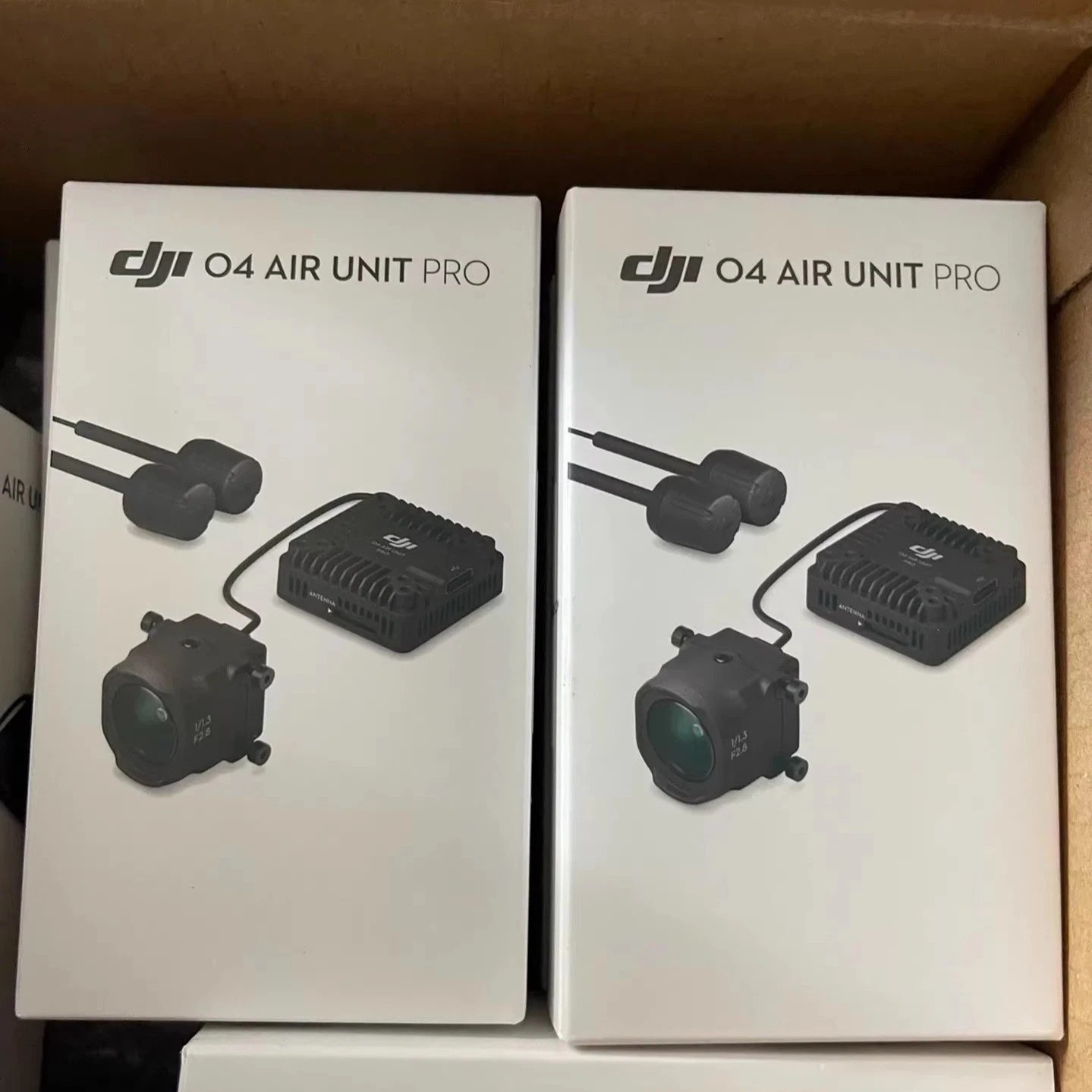

Photos from current listings. Actual item, color, and included accessories may vary.
Digital Transmission System Buying Guide
A digital transmission system is the wireless video link that carries camera footage from an FPV air unit to a compatible goggle or monitor, defined by its proprietary protocol and ecosystem lock-in. The core trade-off is latency and image quality versus interoperability: DJI O3/O4 systems deliver HD low-latency video but only pair with DJI goggles, while open standards like HDZero and Walksnail offer varying compatibility. Buy the system whose ecosystem matches your goggles and flight controller, not the other way around.
Key takeaways
- DJI O4 Air Unit Pro records 4K/120fps and transmits 1080p/100fps with 20ms end-to-end latency, requiring DJI Goggles 3 or Goggles Integra.
- HDZero delivers sub-20ms fixed latency with 720p/60 video but lower range and penetration than DJI O3/O4 in obstructed environments.
- Walksnail Avatar systems support 1080p/60 with up to 4K onboard recording and pair with Avatar HD goggles or third-party HDMI-in goggles.
At a glance
- Category
- FPV Video Systems & Goggles
- Last updated
- Nov 24, 2026
Current offers
Highlights
- DJI O4 Air Unit Pro records 4K/120fps and transmits 1080p/100fps with 20ms end-to-end latency, requiring DJI Goggles 3 or Goggles Integra.
- HDZero delivers sub-20ms fixed latency with 720p/60 video but lower range and penetration than DJI O3/O4 in obstructed environments.
- Walksnail Avatar systems support 1080p/60 with up to 4K onboard recording and pair with Avatar HD goggles or third-party HDMI-in goggles.
- Analog 5.8GHz remains the lowest-latency, cheapest option but delivers only 480p-class image quality with no HD recording.
Best use cases
- Choose DJI O4 Air Unit Pro for cinematic freestyle and long-range HD capture when you already own or plan to buy DJI Goggles 3 or Integra.
- Choose HDZero for racing and tight proximity flying where consistent sub-20ms latency matters more than image sharpness.
- Choose Walksnail Avatar for budget HD builds needing onboard 4K recording and compatibility with HDMI-in goggles you already own.
- Skip digital systems entirely for sub-250g micro quads where analog weight and cost savings outweigh HD benefits.
Buying tips
- Match the air unit protocol to your goggles first: DJI O3/O4 requires DJI Goggles 2, 3, or Integra; HDZero requires HDZero goggles or a compatible HDMI-in module.
- Check air unit weight: DJI O4 Air Unit Pro is ~32g with camera, significant for sub-250g builds where every gram counts toward the limit.
- Verify flight controller UART availability: HD systems need a free full-duplex UART for MSP DisplayPort or DJI OSD, not just a half-duplex pad.
- Confirm power input range: most digital air units accept 7.4-26V (2-6S); exceeding this without a BEC risks instant failure.
Specs
| Protocol | DJI O3/O4, HDZero, Walksnail, Analog |
|---|---|
| Max Resolution | 1080p/100fps (DJI O4), 720p/60 (HDZero) |
| Latency | 20ms (DJI O4) / sub-20ms (HDZero) |
| Input Voltage | 7.4-26V (2-6S LiPo) |
Related searches
What to check before buying
- Confirm your goggles support the air unit protocol (DJI O4 needs Goggles 3/Integra; HDZero needs HDZero goggles or HDMI-in).
- Measure your frame's camera mounting width: DJI O4 Pro camera uses a 20mm-wide mount, while many frames ship 19mm or 25mm mounts.
- Check your flight controller has a free full-duplex UART and sufficient 5V/9V BEC current (typically 1.5-2A) for the air unit.
- Verify your radio system does not occupy the same 2.4GHz band in a way that causes interference with the digital video link.
FAQ
Data sources: eBay / Amazon listings and product attribute feeds. Updated Nov 24, 2026.
Some links on this page are affiliate links. If you buy after clicking one, we may earn a commission at no extra cost to you. This does not change which products appear here or their order. Affiliate disclosure.