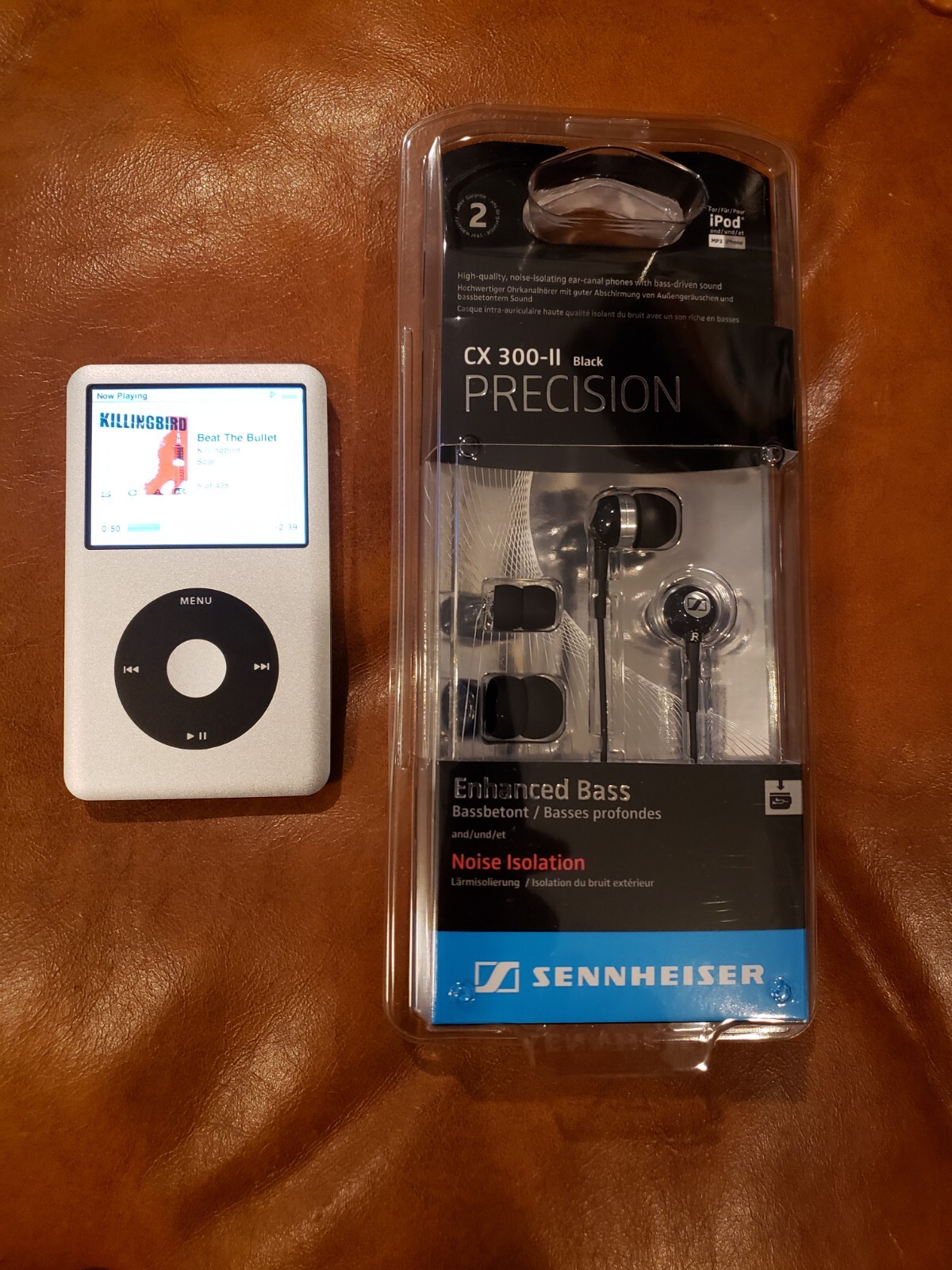

Photos from current listings. Actual item, color, and included accessories may vary.
Classic iPod Generation Buying Guide
Classic iPods are Apple’s discontinued hard-drive and flash-based portable players, spanning six generations with distinct DACs, storage ceilings, and firmware locks. The core trade-off is mechanical durability versus capacity: 1.8-inch HDD models offer huge storage but are shock-sensitive, while later flash models are rugged but capped at 64GB. Buy a 5th-gen or later for the Wolfson/Cirrus DAC and Rockbox support; skip 1st–3rd gen unless you collect 30-pin FireWire relics.
Key takeaways
- 5th gen (2005–2006) uses a Wolfson DAC and user-replaceable battery; 6th/7th gen switch to a Cirrus DAC and glued front panel.
- 6th gen caps Rockbox and SD-card mods via signed firmware; 5th gen and 7th gen 160GB accept compact flash or microSD adapters.
- 1.8-inch Toshiba HDDs (30/60/80/160GB) fail from drops; flash-modded units remove the only moving part and extend runtime to 20+ hours.
At a glance
- Category
- Digital Audio Players
- Last updated
- Nov 28, 2026
Current offers
Highlights
- 5th gen (2005–2006) uses a Wolfson DAC and user-replaceable battery; 6th/7th gen switch to a Cirrus DAC and glued front panel.
- 6th gen caps Rockbox and SD-card mods via signed firmware; 5th gen and 7th gen 160GB accept compact flash or microSD adapters.
- 1.8-inch Toshiba HDDs (30/60/80/160GB) fail from drops; flash-modded units remove the only moving part and extend runtime to 20+ hours.
- 30-pin dock connector carries analog line-out and FireWire charging on 1st–3rd gen; 4th gen and later charge over USB.
Best use cases
- Pick a 5th-gen 30GB or 60GB if you want the easiest battery swap, Wolfson DAC, and microSD mod path—skip 6th gen for Rockbox.
- Choose the 7th-gen 160GB only if you need maximum stock capacity and accept a glued case; avoid it if you plan frequent disassembly.
- Buy a 2nd-gen iPod Mini or 4th-gen Nano for flash-based gym use; skip any HDD Classic for running or cycling.
- Skip 1st–3rd gen unless you specifically need FireWire sync or collect early 30-pin hardware; USB-C adapters do not charge them.
Buying tips
- Match capacity to media: 160GB HDD holds roughly 20,000 songs at 256kbps; a 64GB flash mod holds about 8,000—choose by library size before condition.
- Verify battery health by asking for runtime hours, not cycle count; a healthy 5th-gen should exceed 10 hours of continuous playback.
- For flash mods, confirm the player is 5th gen or 7th-gen 160GB; 6th-gen 80/120GB boards reject SD adapters without a firmware workaround.
- Check the 30-pin port for bent pins and confirm USB charging works—FireWire-only 3rd-gen units will not charge from a standard USB wall brick.
Specs
| Storage Type | 1.8in HDD vs flash-modded SD |
|---|---|
| DAC Generation | Wolfson (5th) vs Cirrus (6th/7th) |
| Charging Standard | FireWire (1st-3rd) vs USB (4th+) |
| Mod Support | 5th/7th 160GB vs locked 6th gen |
Related searches
What to check before buying
- Confirm your computer has a USB-A port or a powered hub; 30-pin cables are USB-A terminated and FireWire is not included.
- Measure your library in gigabytes at your target bitrate; add 20% headroom because iPod firmware reserves space for indexing.
- Check the headphone jack for corrosion and test both channels—the 3.5mm jack is soldered to the logic board on most Classics.
- For HDD models, listen for clicking or spinning noise at startup; a healthy drive is near-silent and mounts within 5 seconds.
FAQ
Data sources: eBay / Amazon listings and product attribute feeds. Updated Nov 28, 2026.
Some links on this page are affiliate links. If you buy after clicking one, we may earn a commission at no extra cost to you. This does not change which products appear here or their order. Affiliate disclosure.