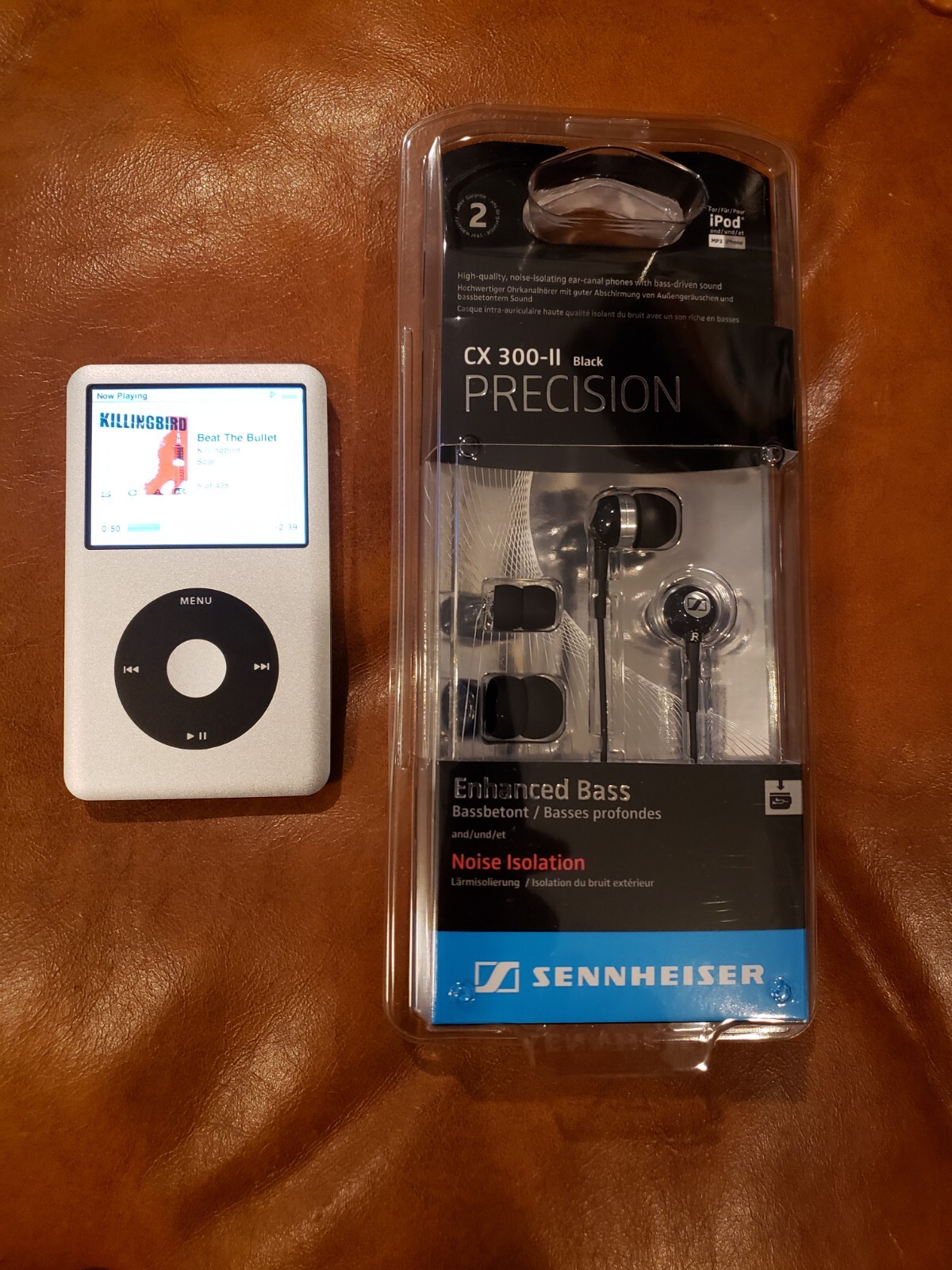

Photos from current listings. Actual item, color, and included accessories may vary.
iPod Classic 7th Generation Buying Guide
The iPod Classic 7th Generation is a discontinued hard-drive-based digital audio player from Apple, prized for its 160GB capacity and click-wheel interface. The core trade-off is between a mechanical 1.8-inch HDD (higher capacity, but prone to failure) and flash-modded units (faster, more durable, but pricier and DIY). Buy a verified flash-modded or low-cycle HDD unit for longevity; skip any unit with a bulging battery or unverified drive health.
Key takeaways
- 160GB 1.8-inch HDD is the only stock capacity; flash mods (SDXC/microSD via adapter) replace it for reliability and speed.
- 30-pin dock connector supports USB 2.0 data and analog line-out via dock; no Bluetooth or Lightning natively.
- 7th gen (Late 2009) adds 160GB HDD and earphone controls; 6th gen topped out at 120GB and lacks inline remote support.
At a glance
- Category
- Digital Audio Players
- Last updated
- Nov 28, 2026
Current offers
Highlights
- 160GB 1.8-inch HDD is the only stock capacity; flash mods (SDXC/microSD via adapter) replace it for reliability and speed.
- 30-pin dock connector supports USB 2.0 data and analog line-out via dock; no Bluetooth or Lightning natively.
- 7th gen (Late 2009) adds 160GB HDD and earphone controls; 6th gen topped out at 120GB and lacks inline remote support.
- Click wheel is capacitive; aftermarket batteries and LCDs vary widely in quality, so prefer units with service history.
Best use cases
- Best fit: offline music library over 100GB with no streaming—pick a 160GB HDD unit if drive health is verified; skip flash-modded units if you need rock-bottom cost.
- Best fit: durability and speed for daily carry—choose a microSD flash-modded unit (up to 512GB via adapter) and skip stock HDD models with high power-on hours.
- Wrong fit: Bluetooth or streaming—no native wireless; skip iPod Classic entirely and choose a modern DAP with LDAC/aptX.
- Wrong fit: hi-res FLAC over 24-bit/48kHz—stock firmware caps ALAC at 16-bit/44.1kHz (CD quality); skip unless you Rockbox-mod.
Buying tips
- Verify battery cycle count and drive SMART data; a healthy 160GB HDD should show under 10,000 power-on hours and no reallocated sectors.
- Flash mods using iFlash adapters accept microSD up to 512GB (SDXC); format the card as FAT32 and restore via iTunes/Finder for stable playback.
- 7th gen 160GB uses a thinner chassis than 6th gen 160GB; check that cases and docks are labeled for '7th gen thin' to avoid misfit.
- Rockbox firmware adds FLAC, EQ, and drag-and-drop, but drains battery faster; install only on flash-modded units for best stability.
Specs
| Storage Type | 160GB HDD vs microSD flash mod |
|---|---|
| Max Capacity | 160GB stock; 512GB flash-mod |
| Connector | 30-pin dock / 3.5mm jack |
| Audio Formats | AAC, MP3, ALAC, AIFF, WAV |
Related searches
What to check before buying
- Confirm your music library size in GB; leave 10–15% free space—160GB HDD yields roughly 140GB usable after formatting.
- Check PC/Mac compatibility: 30-pin USB sync requires iTunes 12.6 or Finder on macOS Catalina+ for restore.
- Inspect battery health: a swollen battery lifts the screen; any bulge means immediate replacement or rejection.
- Verify the headphone jack and click wheel function before purchase; 30-pin dock and line-out require a compatible dock or cable.
FAQ
Data sources: eBay / Amazon listings and product attribute feeds. Updated Nov 28, 2026.
Some links on this page are affiliate links. If you buy after clicking one, we may earn a commission at no extra cost to you. This does not change which products appear here or their order. Affiliate disclosure.