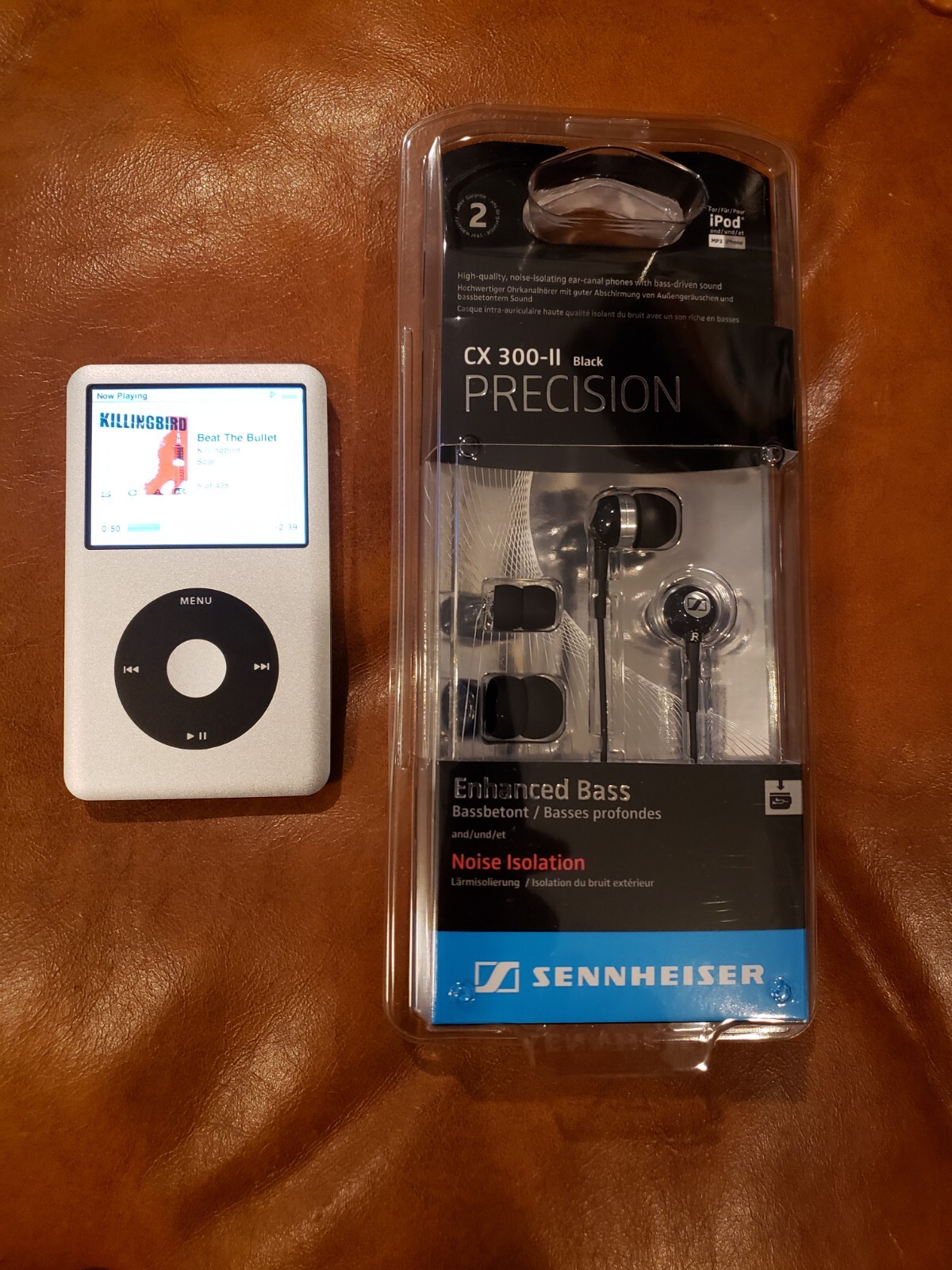

Photos from current listings. Actual item, color, and included accessories may vary.
Apple iPod Buying Guide
The Apple iPod is a family of portable digital audio players spanning the original click-wheel HDD models through the iPod Classic, Nano, Shuffle, and Touch. The primary trade-off is storage architecture and connector generation: 1.8-inch hard-drive Classics (30/80/120/160GB, 30-pin) offer massive offline libraries but are sensitive to shock and require legacy cables, while flash-based Nano/Shuffle/Touch models are shock-proof and use Lightning or USB-C but cap capacity. Buy a click-wheel Classic only if you want a large offline library and accept 30-pin accessories; choose a flash model for durability and modern connectors.
Key takeaways
- iPod Classic generations: 6th gen (80/120GB) and 7th gen (160GB) share the same 2.5-inch-screened aluminum chassis; 7th gen is the final click-wheel model with 160GB 1.8-inch HDD.
- iPod Nano evolved from 30-pin (1st-6th gen) to Lightning (7th gen); Nano 7th gen is the only Nano with Bluetooth 4.0 and Lightning, dropping the clip.
- iPod Shuffle (4th gen) uses a physical click wheel-less button layout, VoiceOver, and a 3.5mm-to-USB charge cable; no screen and no Bluetooth.
At a glance
- Category
- Digital Audio Players
- Last updated
- Nov 28, 2026
Current offers
Highlights
- iPod Classic generations: 6th gen (80/120GB) and 7th gen (160GB) share the same 2.5-inch-screened aluminum chassis; 7th gen is the final click-wheel model with 160GB 1.8-inch HDD.
- iPod Nano evolved from 30-pin (1st-6th gen) to Lightning (7th gen); Nano 7th gen is the only Nano with Bluetooth 4.0 and Lightning, dropping the clip.
- iPod Shuffle (4th gen) uses a physical click wheel-less button layout, VoiceOver, and a 3.5mm-to-USB charge cable; no screen and no Bluetooth.
- iPod Touch 7th gen (A10 Fusion) is the only current-OS-capable iPod, supporting iOS 15 and Apple Music streaming; all click-wheel iPods are offline-only with no streaming.
Best use cases
- Best fit: large offline library (100GB+) with wired headphones and no streaming — buy iPod Classic 7th gen 160GB and budget for a 30-pin cable plus battery service.
- Best fit: gym/running with shock and sweat exposure — pick iPod Shuffle 4th gen or Nano 7th gen; skip any hard-drive Classic, which skips when jolted.
- Best fit: streaming and app support in a pocket player — iPod Touch 7th gen is the only iPod with Wi-Fi streaming; skip all click-wheel models if you need Apple Music or Spotify offline downloads.
- Wrong fit: USB-C-only households — every iPod except the final Touch uses 30-pin or Lightning; budget for the correct cable or a 30-pin-to-USB-C adapter.
Buying tips
- Match capacity to library: 30GB holds roughly 7,500 songs at 256kbps; 160GB holds roughly 40,000 songs. Buy 160GB only if your library exceeds 80GB after accounting for video.
- Check the connector before accessories: Classic/Nano 1st-6th gen use 30-pin, Nano 7th/Touch 5th+ use Lightning, Shuffle 4th uses 3.5mm-to-USB. Cables and docks are generation-specific.
- For Classic 6th/7th gen, confirm the model via the last-three-characters of the serial or the storage tier (120GB = 6th gen, 160GB = 7th gen); both use the same 30-pin dock and 1.8-inch HDD.
- Treat used HDD iPods as serviceable items: ask for a SMART/click test, confirm the headphone jack and hold switch work, and expect to replace the battery (OEM ~580-650mAh) on any unit over a decade old.
Specs
| Storage Media | 1.8-inch HDD (Classic) vs flash (Nano/Shuffle/Touch) |
|---|---|
| Connector | 30-pin / Lightning / 3.5mm-to-USB |
| Capacity Tiers | 2-64GB flash; 30-160GB HDD |
| Display | 2.5-inch color LCD (Classic) / multi-touch (Touch) |
Related searches
What to check before buying
- Confirm your headphones are wired 3.5mm — no iPod except Touch 7th gen has Bluetooth, and no iPod has a USB-C audio output.
- Measure your pocket or armband: Classic is ~103.5 x 61.8 x 10.5mm and ~140g; Nano 7th is ~76.5 x 39.6 x 5.4mm and ~31g; Shuffle 4th is ~29 x 31.6 x 8.7mm.
- Verify your computer has iTunes (Windows/macOS up to Catalina) or Finder (macOS Catalina+) for syncing; click-wheel iPods do not mount as plain USB mass storage for music transfer.
- Confirm charging standard: 30-pin (Classic/Nano 1st-6th), Lightning (Nano 7th/Touch 5th+), or 3.5mm-to-USB (Shuffle 4th); plan the cable and wall adapter accordingly.
FAQ
Data sources: eBay / Amazon listings and product attribute feeds. Updated Nov 28, 2026.
Some links on this page are affiliate links. If you buy after clicking one, we may earn a commission at no extra cost to you. This does not change which products appear here or their order. Affiliate disclosure.