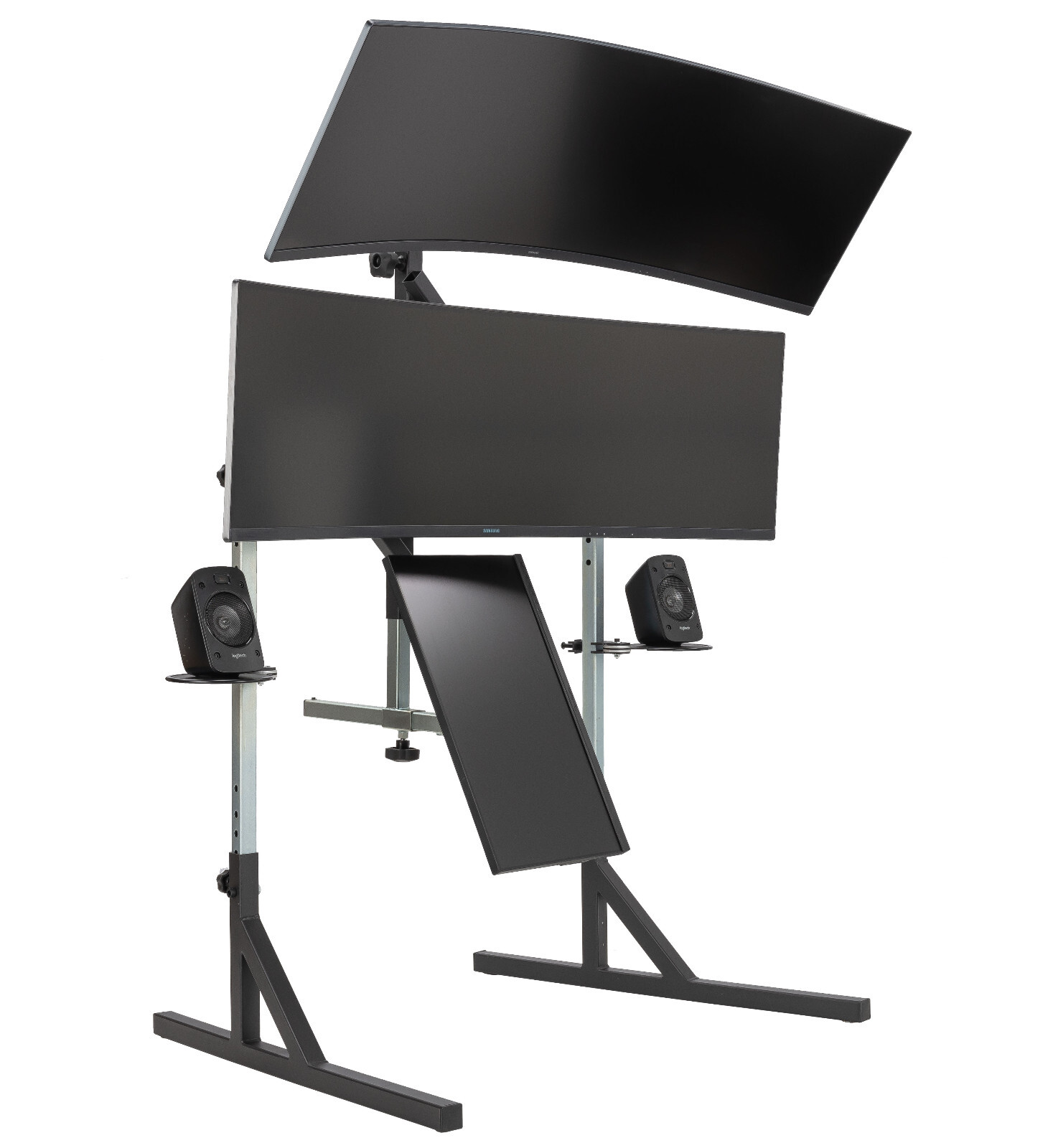

Photos from current listings. Actual item, color, and included accessories may vary.
Sim Racing Monitor Stand Buying Guide
A sim racing monitor stand is a freestanding frame that positions one or three displays at the correct height and distance relative to your wheelbase and seat. The core trade-off is adjustability versus rigidity: thin steel tubing and plastic clamps flex under a heavy direct-drive wheel, while overbuilt profiles add cost and footprint but eliminate sag and monitor shake. Buy a stand rated for your display size and total weight with independent height, tilt, and distance adjustment; skip fixed-position stands or any frame that clamps to the cockpit if you run a direct-drive base.
Key takeaways
- Triple-display frames use 2-3 mm steel tube or 40x40 mm aluminum extrusion; extrusion resists flex better under 27-32 inch panels.
- VESA mounting is the compatibility standard: 75x75 and 100x100 mm patterns cover nearly all 24-32 inch monitors; 55 inch TVs need a separate heavier bracket.
- Direct-drive wheelbases transmit strong force; a stand that shares no structure with the cockpit prevents monitor shake that a cockpit-mounted arm cannot.
At a glance
- Category
- Sim Racing Cockpits & Mounts
- Last updated
- Nov 28, 2026
Current offers
Highlights
- Triple-display frames use 2-3 mm steel tube or 40x40 mm aluminum extrusion; extrusion resists flex better under 27-32 inch panels.
- VESA mounting is the compatibility standard: 75x75 and 100x100 mm patterns cover nearly all 24-32 inch monitors; 55 inch TVs need a separate heavier bracket.
- Direct-drive wheelbases transmit strong force; a stand that shares no structure with the cockpit prevents monitor shake that a cockpit-mounted arm cannot.
- Independent height, tilt, and distance adjustment per display is what enables correct sightline and FOV alignment across a triple setup.
Best use cases
- Best fit: a freestanding triple stand for a 27-32 inch triple setup behind a separate cockpit; keeps displays isolated from wheel force and allows full FOV tuning.
- Best fit: a single freestanding stand for a 32-49 inch ultrawide when desk space is limited and the cockpit sits close to the wall.
- Wrong fit: clamping a monitor arm to a cockpit frame with a direct-drive base, which transfers vibration into the display and causes visible shake.
- Wrong fit: a fixed-height stand for a 55 inch TV; large panels need a dedicated heavy-duty bracket and a wider base footprint for stability.
Buying tips
- Match the stand's rated panel size to your display: 24-32 inch monitors use standard VESA brackets, while 43-55 inch TVs require a reinforced bracket and wider base.
- Measure the horizontal span needed for triple displays: three 27 inch panels side by side need roughly 75-85 inches of width, so confirm the frame's crossbar length before ordering.
- Choose aluminum extrusion or thick-wall steel over thin round tube; extrusion lets you reposition VESA plates and add accessories without drilling.
- Standalone stands beat cockpit-integrated mounts for direct-drive users because isolating the display from wheel force removes the main source of monitor shake.
Specs
| Display Capacity | Single / Triple / TV up to 55 in |
|---|---|
| Mount Standard | VESA 75x75 / 100x100 mm |
| Frame Material | Steel tube / 40x40 aluminum extrusion |
| Adjustability | Height / tilt / distance per display |
Related searches
What to check before buying
- Measure your room: a triple stand for 27-32 inch panels needs about 6-7 feet of width and 2-3 feet of depth behind the cockpit.
- Confirm your display's VESA pattern (75x75 or 100x100 mm) and weight; TVs above 32 inches usually need a dedicated heavy bracket.
- Check floor surface and leveling: adjustable feet or casters matter on uneven floors to keep the frame square and the displays aligned.
- Verify the stand's height range reaches your seated eye level with the cockpit in place; too-low frames force an upward tilt that distorts the image.
FAQ
Data sources: eBay / Amazon listings and product attribute feeds. Updated Nov 28, 2026.
Some links on this page are affiliate links. If you buy after clicking one, we may earn a commission at no extra cost to you. This does not change which products appear here or their order. Affiliate disclosure.