Choosing among CPUs, motherboards, and memory gets complicated when socket, computer model, memory type, and price all point in different directions. The practical shortcut is to match the board to the processor and system first, then use form factor, ports, condition, and listed price to break ties. These four choices divide into Dell-specific replacements, an Intel LGA1151 MicroATX board, and an AMD AM4 gaming board, so the right pick depends less on a universal winner than on the PC in front of you.
Quick take
Start with the exact Dell desktop name when replacing a Dell board. The Dell Precision 3650 Tower motherboard is aimed at that named system, while the Dell XPS 8940 motherboard uses the XPS 8940 model phrase as its key matching cue. The ASUS PRIME H310M-A R2.0 is a separate board-model route, and the MSI MAG B550 Tomahawk MAX WiFi Gaming Motherboard is the AMD gaming-oriented choice.
Listed price comparison
Price is a meaningful divider here, but it should not override socket or system fit. The bars show relative placement within this four-item comparison and are not performance ratings.
| Product | Listed price | Price bar |
|---|---|---|
| Dell Precision 3650 Tower motherboard | USD 89.99 | |
| Dell XPS 8940 motherboard | USD 161.58 | |
| ASUS PRIME H310M-A R2.0 | USD 43.96 | |
| MSI MAG B550 Tomahawk MAX WiFi | USD 167.99 |
Decision matrix
- Socket and system match: Dell Precision 3650 and Dell XPS 8940 choices list Intel LGA1200. ASUS lists Intel LGA1151, while MSI lists AMD AM4. The Dell model names are especially important for system-specific replacements.
- Memory planning: DDR4 is named across all four choices. The Dell XPS 8940 board lists a maximum memory configuration of 128GB, while the ASUS board lists two memory slots. Treat those as planning inputs rather than performance rankings.
- Format and I/O: ASUS lists MicroATX with DVI and VGA. MSI lists ATX, PCI Express, PCIe 4.0, M.2, 2.5G LAN, and Wi-Fi 6E. Dell XPS 8940 connectivity includes RJ-45, USB 3.1, USB 2.0, USB Type-C, M.2, SATA, PCIe, and headset ports.
- Condition: Dell Precision 3650 and ASUS are marked used; Dell XPS 8940 and MSI are marked new. That distinction can matter as much as the model match when narrowing the shortlist.
Product notes
Dell Precision 3650 Tower Intel W580 Socket LGA1200 Motherboard NDYHG 0NDYHG
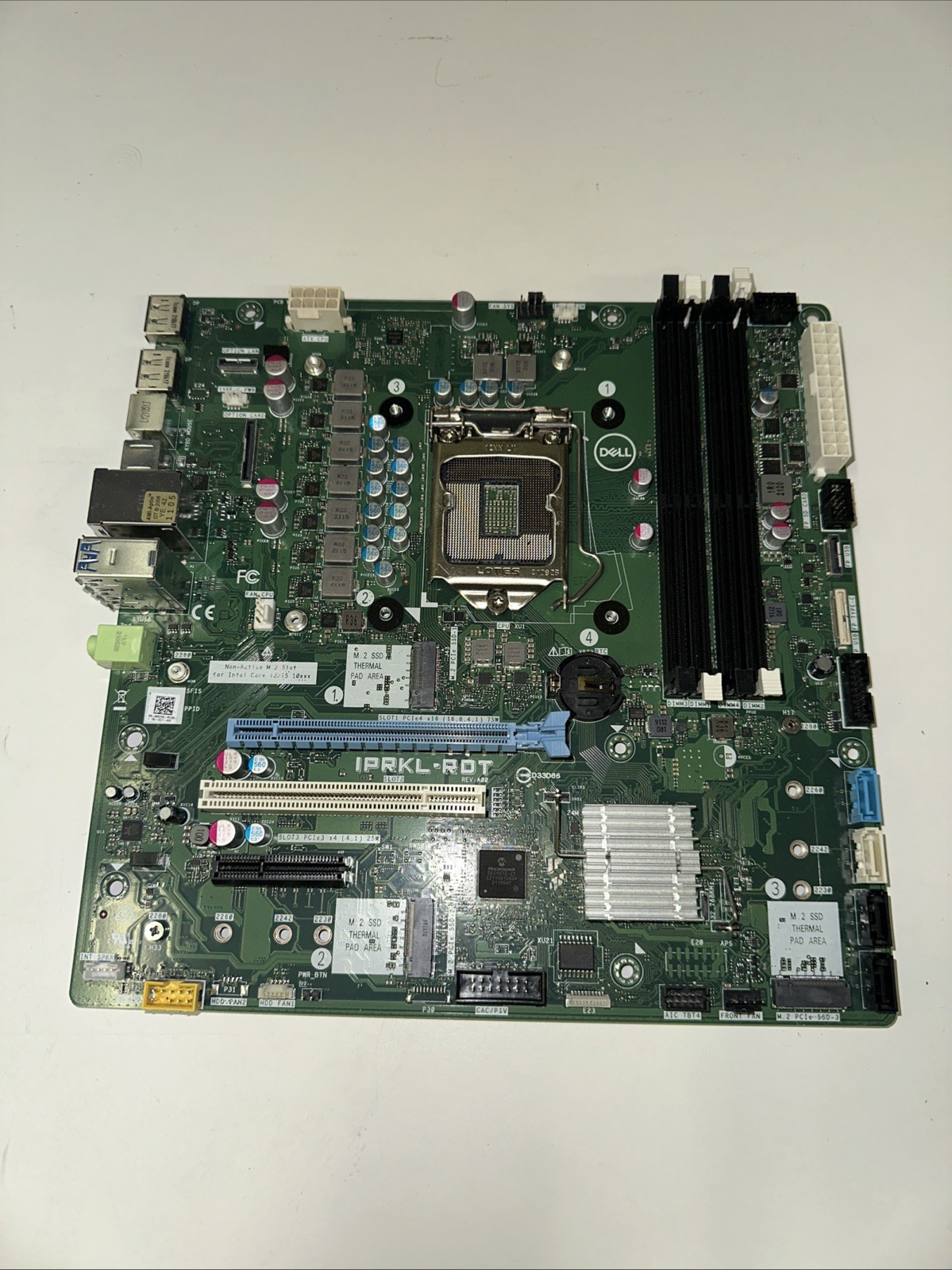
For a Dell Precision 3650 Tower replacement, the Dell Precision 3650 Tower Intel W580 Socket LGA1200 Motherboard NDYHG 0NDYHG offers a direct model-name match. It lists Intel compatibility, DDR4 SDRAM, BIOS Unlocked, and Computrace Unlocked. At USD 89.99, it occupies a middle position in the listed-price spread. The concrete limitation is its used condition, so the choice is tied to accepting a used board. The title's W580 and LGA1200 wording, plus model code NDYHG 0NDYHG, gives shoppers several identifiers to match against a Precision 3650 project. Choose it when that Dell tower is the starting point; its Dell-specific naming makes it a targeted choice.
Dell XPS 8940 Desktop Motherboard Intel 10th 11th Gen LGA1200 DDR4 K3CM7 427JK
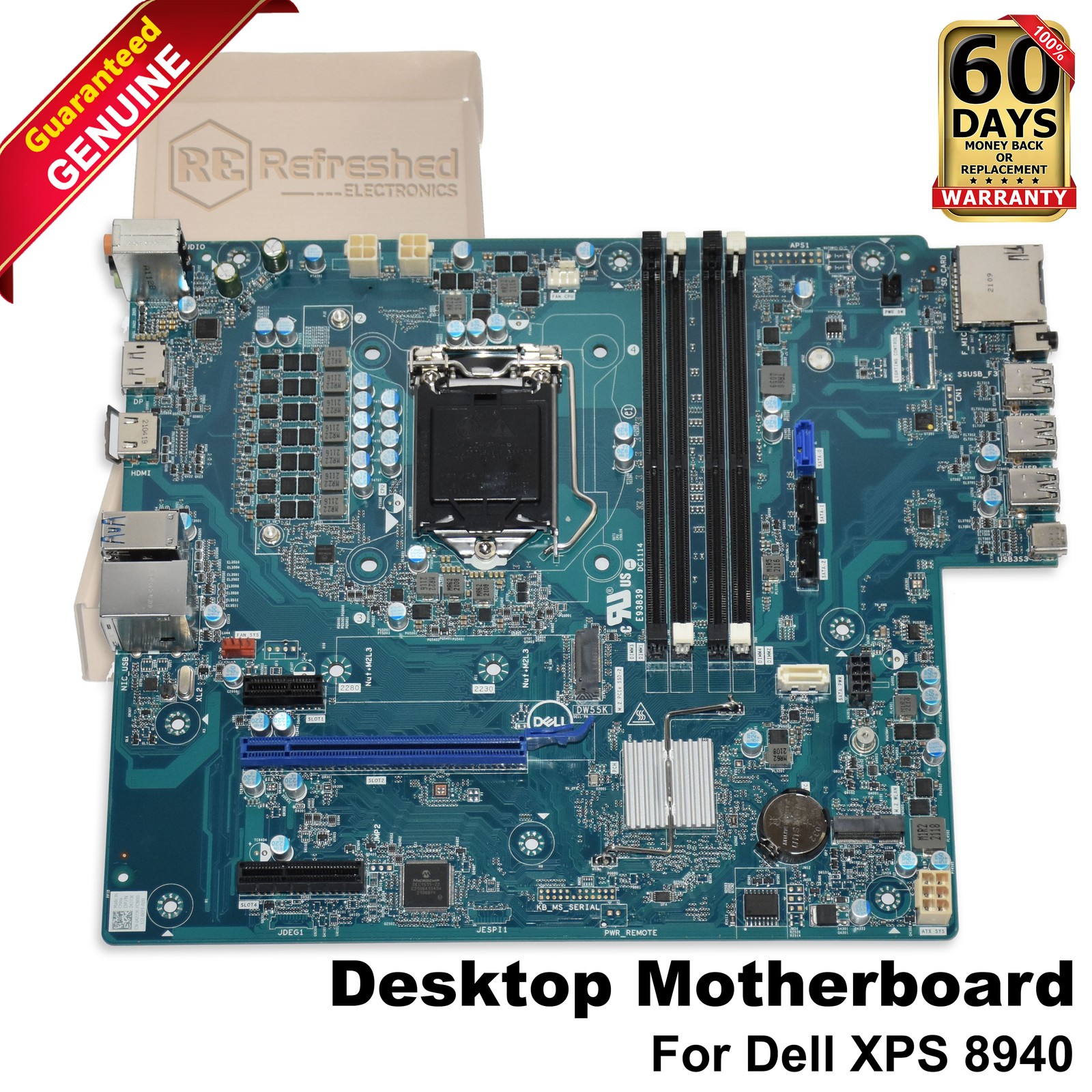
For a Dell XPS 8940, the Dell XPS 8940 Desktop Motherboard Intel 10th 11th Gen LGA1200 DDR4 K3CM7 427JK has the exact system phrase in its title and lists compatibility with 10th- and 11th-generation Intel Core processors using the H470 chipset. It also specifies a maximum memory configuration of 128GB and lists RJ-45, USB 3.1, USB 2.0, USB Type-C, M.2, SATA, PCIe, and headset connections. At USD 161.58, it is USD 71.59 above the Dell Precision 3650 board. That price spread is the limitation, while the XPS 8940 match is the reason to choose it. Its new condition is another listed distinction.
ASUS Intel PRIME H310M-A R2.0 LGA1151 DDR4 mATX Motherboard + I/O Plate
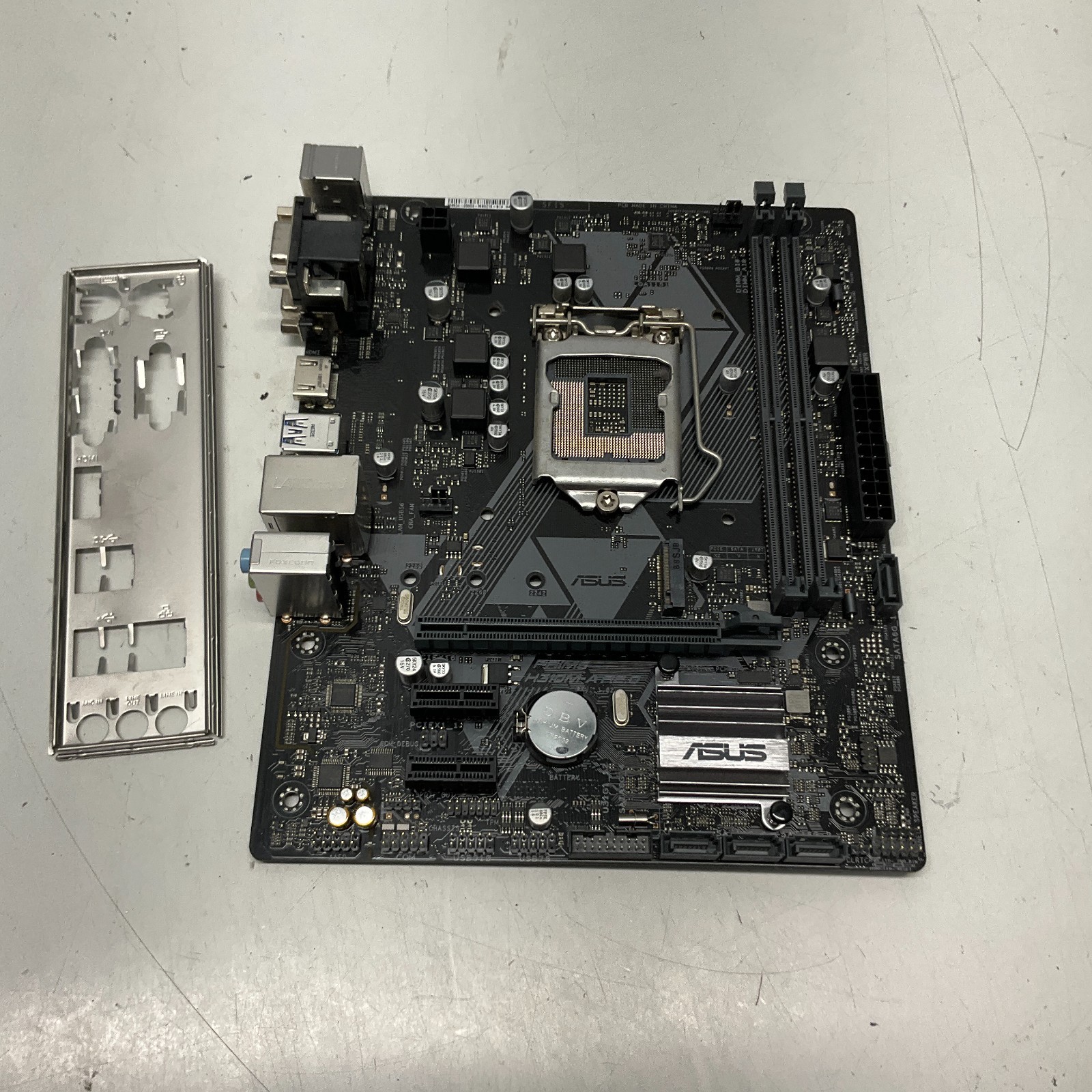
The ASUS Intel PRIME H310M-A R2.0 LGA1151 DDR4 mATX Motherboard + I/O Plate is the straightforward route when its H310M-A R2.0 model phrase, Intel LGA1151 socket, DDR4 SDRAM, and MicroATX form factor line up with the build. The title explicitly includes an I/O Plate, while the listed ports are DVI and VGA. At USD 43.96, it has the lowest listed price in the comparison. Its used condition is the main limitation, and the two listed memory slots make memory planning a concrete part of the decision. Pick it for the model and layout cues, not simply because the price is lower.
MSI MAG B550 Tomahawk MAX WiFi Gaming Motherboard AM4 DDR4 ATX
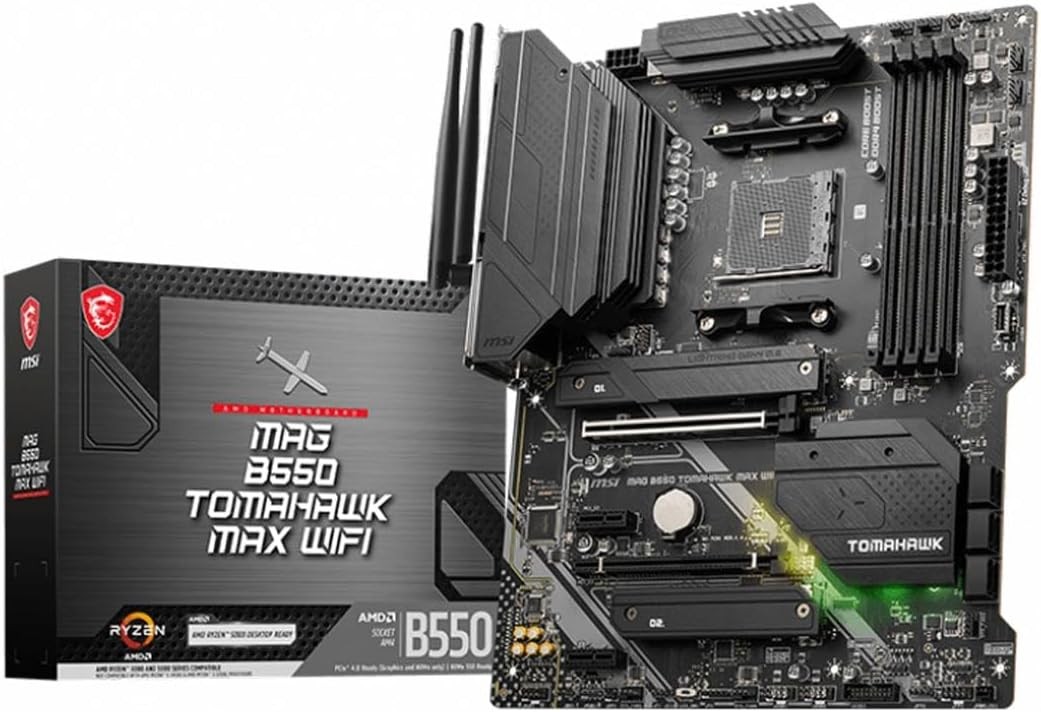
The MSI MAG B550 Tomahawk MAX WiFi Gaming Motherboard AM4 DDR4 ATX is the AMD-focused choice, with AMD B550, AM4, DDR4, and support named for Ryzen 5000, 5000 G-Series, 4000G-Series, and 3000 Series processors. Its description also calls out PCIe 4.0, M.2, 2.5G LAN, and Wi-Fi 6E, giving a clear reason to select it for a gaming-oriented AMD build. At USD 167.99, it is USD 124.03 above the ASUS board. That spread is the limitation, along with its AM4 platform label for shoppers considering the Intel LGA1200 or LGA1151 paths. The ATX designation is another concrete planning detail.
Final recommendation by use case
- Dell Precision 3650 Tower replacement: Choose the Dell Precision 3650 Tower motherboard because its title names the target desktop directly.
- Dell XPS 8940 replacement: Choose the Dell XPS 8940 motherboard because the system name and relevant Intel processor generations appear together.
- ASUS PRIME H310M-A R2.0 project: Choose the ASUS board when that exact model phrase and included I/O Plate match the build.
- AMD gaming build: Choose the MSI MAG B550 Tomahawk MAX WiFi Gaming Motherboard for the named AMD gaming platform.
Use the matching system or board title as the deciding anchor, then weigh condition, memory planning, form factor, ports, and price. That sequence keeps the comparison focused on a workable upgrade path rather than a price-only choice.