37-in-1 Sensor Modules Kit vs UNO R3 Basic Kit: Which Fits Arduino Projects?
The 37-in-1 kit costs more but covers multiple Arduino boards and named modules; the UNO R3 basic kit keeps the setup compact and focused on breadboard components.
Last updated Oct 7, 2026
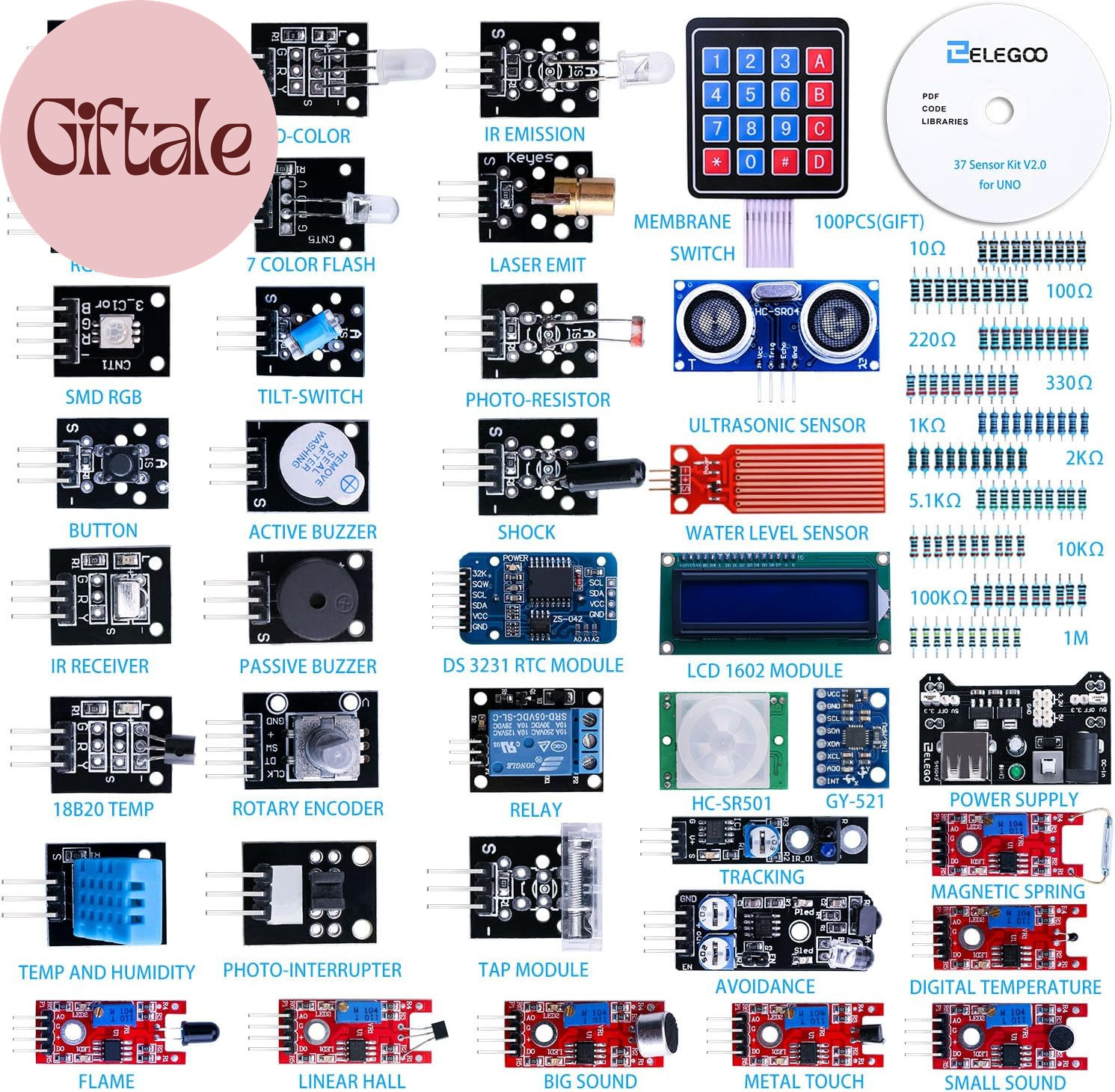
Upgraded 37 in 1 Sensor Modules Kit
$66.90Listed at review time
Affiliate disclosure: We may earn a commission if you buy through links on this page, at no extra cost to you. Confirm live price, stock, and return terms on the seller page. Affiliate disclosure.
For sensors, modules & components, the key buyer decision is whether your next Arduino project needs a wide mix of modules or a compact box of core parts. The Upgraded 37-in-1 Sensor Modules Kit and the Electronics Component Basic Kit point in different directions: one is presented as a 37-in-1 sensor kit for three Arduino board types, while the other is a basic electronic components kit framed around UNO R3. Match the kit to the work you actually plan to do, not simply to the longer title.
Quick verdict
The Upgraded 37-in-1 Sensor Modules Kit is a strong fit for exploring motion, display, and timekeeping modules. The Electronics Component Basic Kit is the more focused route for a compact UNO R3 setup and breadboard-based component work. The listed prices are $52.41 apart, making breadth and learning material the main reasons to choose the costlier kit.
Compact comparison
| Comparison point | Upgraded 37-in-1 Sensor Modules Kit | Electronics Component Basic Kit |
|---|---|---|
| Listed price | USD 66.90 | USD 14.49 |
| Stated board fit | Arduino UNO R3, MEGA R3, NANO | UNO R3 |
| Stated scope | 37-in-1 sensor modules kit | Basic electronic components kit |
Where each kit wins
Upgraded 37-in-1 Sensor Modules Kit wins for module variety. Its named examples include the GY-521 accelerometer, LCD1602 screen, and DS1307 real-time clock module, giving it a direct path into motion, display, and timekeeping project themes.
Electronics Component Basic Kit wins for a carry-friendly format. Its package is listed as 180 × 85 × 45 mm, and the function sheet is printed on the lid, creating a built-in identification aid for the fittings. That is useful when organization matters as much as the parts themselves.
Product notes
Upgraded 37-in-1 Sensor Modules Kit
The included tutorial is designed for Arduino UNO R3, MEGA R3, and NANO, with a CD and listing paper described alongside it. That makes the kit a fit for guided learning across the named boards, rather than a parts-only purchase. Its concrete limitation is that the boards are not included, so a shopper who needs a complete board-and-module bundle will need to account for that separate requirement. The $66.90 listed price is also $52.41 above the Basic Kit. Choose it when the tutorial material and 37-in-1 scope match multiple projects; choose the Electronics Component Basic Kit when your immediate need is a narrowly focused component box.
Electronics Component Basic Kit
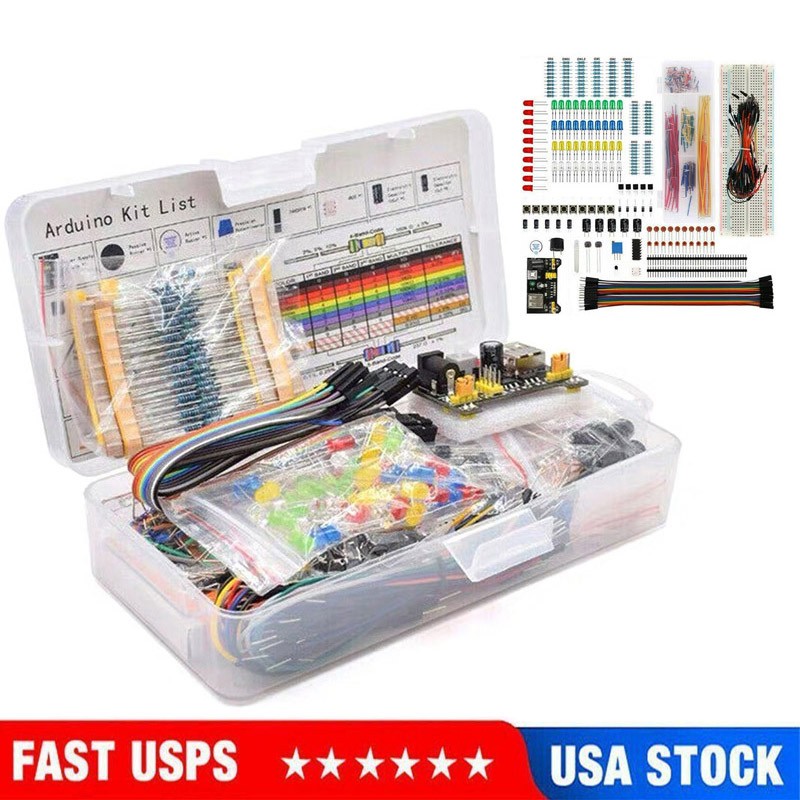
The Electronics Component Basic Kit earns its place through simplicity of format. The 290 g package is described as lightweight, and its white case plus multicolor signal lamps provide concrete sorting cues for different fittings. That can suit a maker who wants components gathered in a small case rather than a tutorial-led module collection. The limitation is stated scope: applicability is UNO R3, while the other kit names UNO R3, MEGA R3, and NANO. At $14.49, it fits a smaller initial outlay, but its basic component focus is less suited to a project brief centered on a broad set of named modules. Pick it for breadboard-centered component work.
Final choice by use case
- Choose the Upgraded 37-in-1 Sensor Modules Kit for projects centered on the GY-521, LCD1602, or DS1307, or for a tutorial-led learning path.
- Choose the Electronics Component Basic Kit for a compact breadboard-and-components setup where the 180 × 85 × 45 mm case format and lid-printed function sheet fit the workflow.
The decision is straightforward: select the 37-in-1 kit when module variety and guided projects matter; select the Basic Kit when a compact component setup is the closer match.