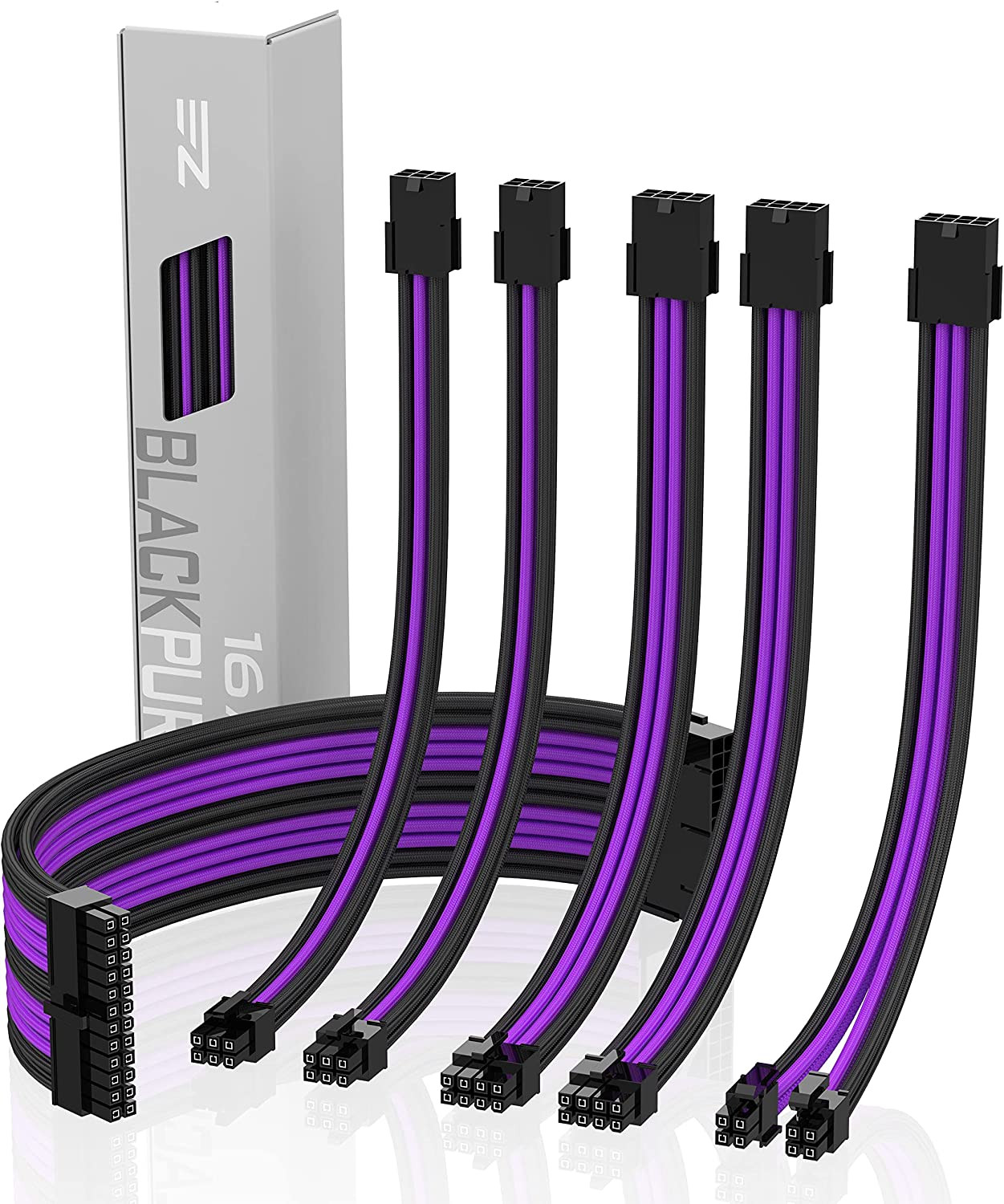

Photos from current listings. Actual item, color, and included accessories may vary.
Power Supply Cable Buying Guide
Power supply cables are the modular or fixed wiring harnesses that deliver ATX/EPS12V power from your PSU to the motherboard, GPU, and drives; the core trade-off is conductor gauge and connector standard versus length and sleeving bulk. Buy by the exact standard (ATX 24-pin, EPS12V 8-pin, PCIe 8/6-pin, 12VHPWR) and 18 AWG or thicker copper; thin 20/22 AWG aluminum-clad or adapter-chain cables are the compromise that causes voltage drop and melted connectors.
Key takeaways
- 18 AWG copper is the minimum for PCIe/EPS runs; 16 AWG lowers resistance and heat on high-wattage 12VHPWR and dual-GPU builds.
- ATX 3.0/3.1 PSUs ship native 12VHPWR or 12V-2x6 cables rated for 600W; older PSUs need a native cable, not a 3x or 4x PCIe adapter chain.
- Modular cables are PSU-generation-specific at the PSU end; pinouts vary by brand and model even when the connector looks identical.
At a glance
- Category
- PC Power Supplies & Cables
- Last updated
- Nov 28, 2026
Current offers
Highlights
- 18 AWG copper is the minimum for PCIe/EPS runs; 16 AWG lowers resistance and heat on high-wattage 12VHPWR and dual-GPU builds.
- ATX 3.0/3.1 PSUs ship native 12VHPWR or 12V-2x6 cables rated for 600W; older PSUs need a native cable, not a 3x or 4x PCIe adapter chain.
- Modular cables are PSU-generation-specific at the PSU end; pinouts vary by brand and model even when the connector looks identical.
- Sleeved extension kits add 16–30 cm of length and custom look but introduce an extra mating pair; use only UL 1007/1015 wire and fully seated connectors.
Best use cases
- Pick a native 12VHPWR/12V-2x6 cable rated 600W for RTX 40/50-class GPUs; skip multi-adapter octopus cables that split one PSU port into four.
- Pick a full modular cable set matched to your exact PSU model for clean routing in a new build; skip universal 'one-size' kits with undocumented pinouts.
- Pick 18 AWG sleeved extensions for cosmetic builds under 400W GPU draw; skip extensions entirely on 12VHPWR or high-draw dual-GPU systems.
- Pick EPS12V 8-pin (4+4) CPU cables for any modern board; skip 4-pin-only legacy cables unless the board is a low-power HTPC.
Buying tips
- Measure PSU-to-connector routing and add 10 cm slack; standard 24-pin cables are 55–65 cm, EPS 60–75 cm, PCIe 50–65 cm.
- Match the PSU-end connector exactly: Corsair Type 3/4/5, Seasonic, EVGA, and Enermax MaxRevo modular pinouts are not interchangeable.
- For 12VHPWR use the PSU vendor's native cable or a 12V-2x6 cable with 16 AWG; avoid 90-degree adapters unless rated for 600W.
- Count connectors before buying: a 24-pin, 2x EPS 8-pin, and 2–4 PCIe 8-pin covers most ATX builds; SATA/molex count follows drive count.
Specs
| Cable Standard | ATX 24-pin / EPS12V / PCIe / 12VHPWR |
|---|---|
| Wire Gauge | 18 AWG min; 16 AWG for 12VHPWR |
| PSU Interface | Fixed vs modular (brand/generation-specific) |
| Cable Length | 24-pin 55-65 cm; EPS 60-75 cm |
Related searches
What to check before buying
- Confirm PSU model and modular connector generation (e.g., Corsair Type 4 vs Type 5) before ordering any replacement cable.
- Measure case clearance from PSU bay to 24-pin, EPS, and GPU connectors; add 10 cm for bend radius behind the tray.
- Verify wall outlet and PSU input voltage (100–240V auto-switch vs fixed 230V) and that the C13/C19 cord matches your region.
- Check GPU power spec: 12VHPWR 600W vs 3x/4x PCIe 8-pin; confirm PSU has enough native ports, not just wattage.
FAQ
Data sources: eBay / Amazon listings and product attribute feeds. Updated Nov 28, 2026.
Some links on this page are affiliate links. If you buy after clicking one, we may earn a commission at no extra cost to you. This does not change which products appear here or their order. Affiliate disclosure.