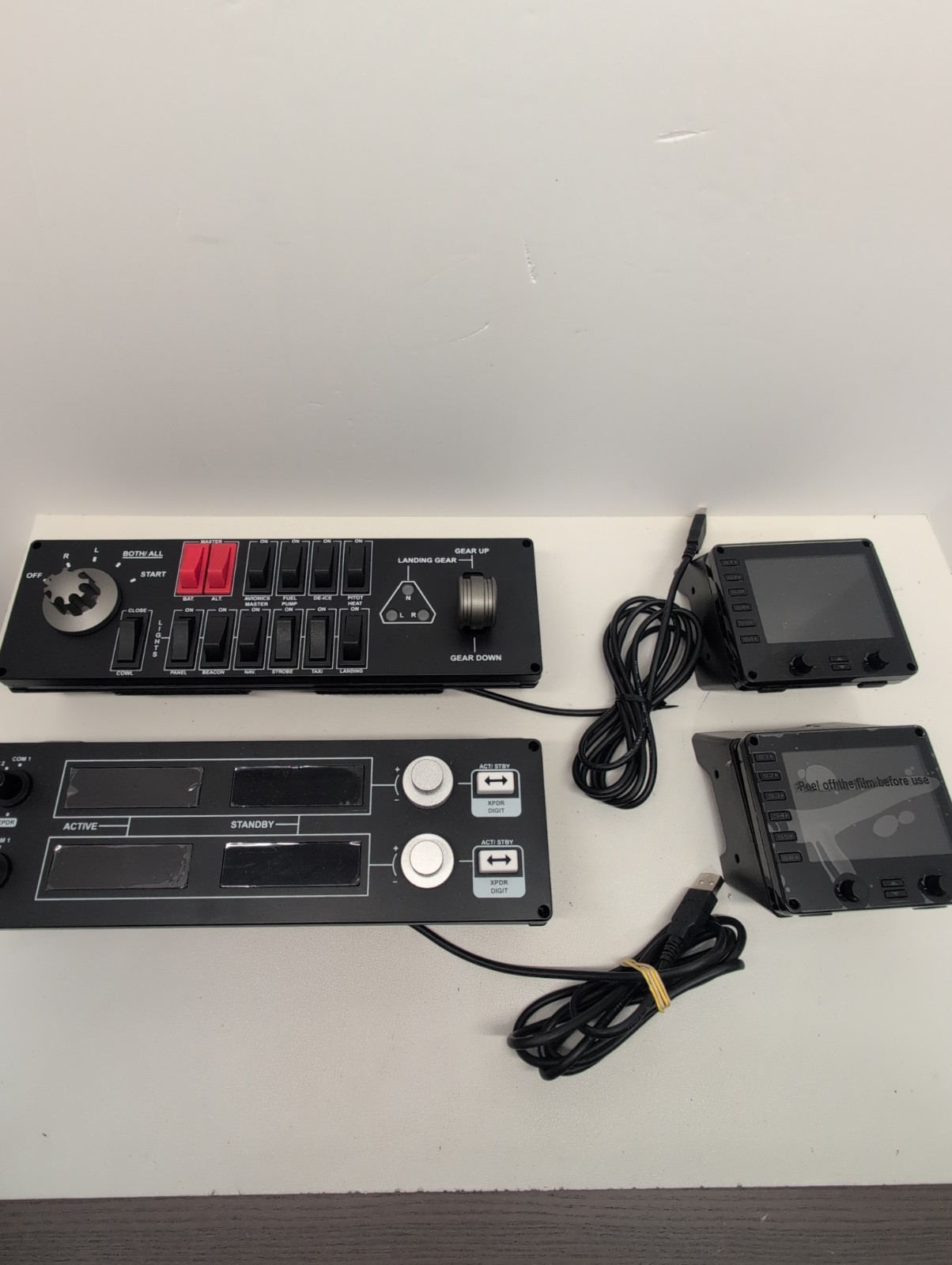

Photos from current listings. Actual item, color, and included accessories may vary.
Logitech Radio Buying Guide
The Logitech Radio is the radio-stack module of the Logitech/Saitek Pro Flight simulation family, a USB panel that replicates COM/NAV/XPDR/ADF controls for Microsoft Flight Simulator, X-Plane and Prepar3D. The key trade-off is not radio features but ecosystem generation and connector compatibility: original Saitek-era Flight Sim Panels bridge through the Flight Simulator Switch Panel or a serial-to-USB converter, while current Logitech-branded units are native USB and plug-and-play. Choose a native-USB Logitech revision matched to your sim platform; skip orphaned serial-only panels unless you are prepared to source a converter and legacy drivers.
Key takeaways
- Panel family: Logitech Radio is part of the Pro Flight multi-panel set including Switch Panel, Multi Panel, Instrument Panel and BIP, all designed to stack or mount together.
- Connectivity generation: Saitek-branded originals use a serial-to-USB bridge through the Switch Panel or a converter; current Logitech units enumerate as native USB HID devices.
- Control layout: dual concentric COM/NAV tuning knobs, flip-flop standby buttons, XPDR and ADF selectors with dedicated multi-position mode switches.
At a glance
- Category
- Flight Sim Panels & Instruments
- Status
- Listings available
- Last updated
- Nov 23, 2026
Current offers
Highlights
- Panel family: Logitech Radio is part of the Pro Flight multi-panel set including Switch Panel, Multi Panel, Instrument Panel and BIP, all designed to stack or mount together.
- Connectivity generation: Saitek-branded originals use a serial-to-USB bridge through the Switch Panel or a converter; current Logitech units enumerate as native USB HID devices.
- Control layout: dual concentric COM/NAV tuning knobs, flip-flop standby buttons, XPDR and ADF selectors with dedicated multi-position mode switches.
- Sim support: works with FSX, Prepar3D and Microsoft Flight Simulator via Logitech plug-ins; X-Plane requires the third-party driver package for full knob mapping.
Best use cases
- Best fit: desktop simmers flying IFR in MSFS or Prepar3D who want tactile COM/NAV/XPDR tuning without looking at the screen — pick a native-USB Logitech revision.
- Best fit: builders assembling a full Logitech Pro Flight stack who need the Radio to interlock with Switch, Multi and Instrument panels as one cockpit cluster.
- Wrong fit: users expecting standalone avionics like a GNS430/530 GPS or autopilot head — the Radio is a tuning and selector panel, not a navigator or FMS.
- Skip if: you only fly VFR in arcade-style sims or use VR exclusively — the panel adds cable clutter and desk footprint with little benefit.
Buying tips
- Prefer native-USB Logitech-branded Radio panels: Saitek-era serial units need a Switch Panel bridge or converter, plus legacy driver workarounds on modern Windows.
- Match the panel to your sim: MSFS and Prepar3D have official Logitech plug-ins; X-Plane needs the third-party driver for knob and button mapping.
- Plan desk space for the full stack: Radio, Switch, Multi and Instrument panels are each roughly 15 cm wide and stack vertically in a shared cradle.
- If buying used, confirm the unit includes its USB cable and that it enumerates as a Logitech/Saitek HID device, not an unknown serial adapter.
Specs
| Connectivity | Native USB HID vs serial bridge |
|---|---|
| Panel Family | Logitech/Saitek Pro Flight stack |
| Sim Compatibility | MSFS, FSX, Prepar3D, X-Plane* |
| Controls | COM/NAV/XPDR/ADF knobs + buttons |
Related searches
What to check before buying
- Measure desk or rig space for the stacked panel cluster; each Pro Flight module is approximately 15 cm wide by 20 cm deep.
- Confirm your simulator is MSFS, FSX or Prepar3D, or that you will install the X-Plane driver package.
- Verify your PC has a free USB-A port and Windows 10/11, since legacy Saitek drivers may need compatibility mode.
- Check that any used purchase includes the correct USB cable and, for Saitek-era units, the Switch Panel bridge or serial converter.
FAQ
Data sources: eBay / Amazon listings and product attribute feeds. Updated Nov 23, 2026.
Some links on this page are affiliate links. If you buy after clicking one, we may earn a commission at no extra cost to you. This does not change which products appear here or their order. Affiliate disclosure.