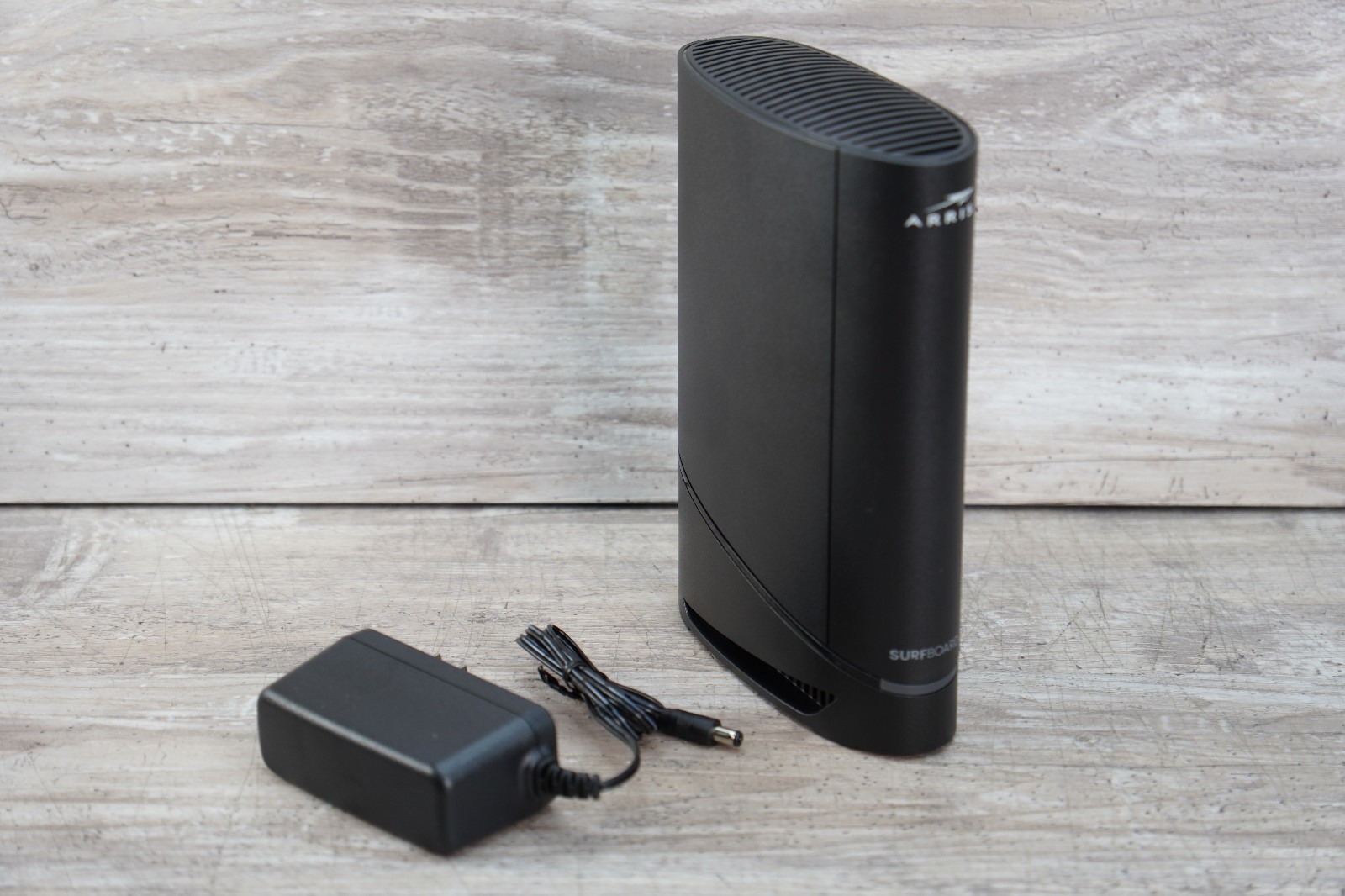

Photos from current listings. Actual item, color, and included accessories may vary.
ARRIS G20 Buying Guide
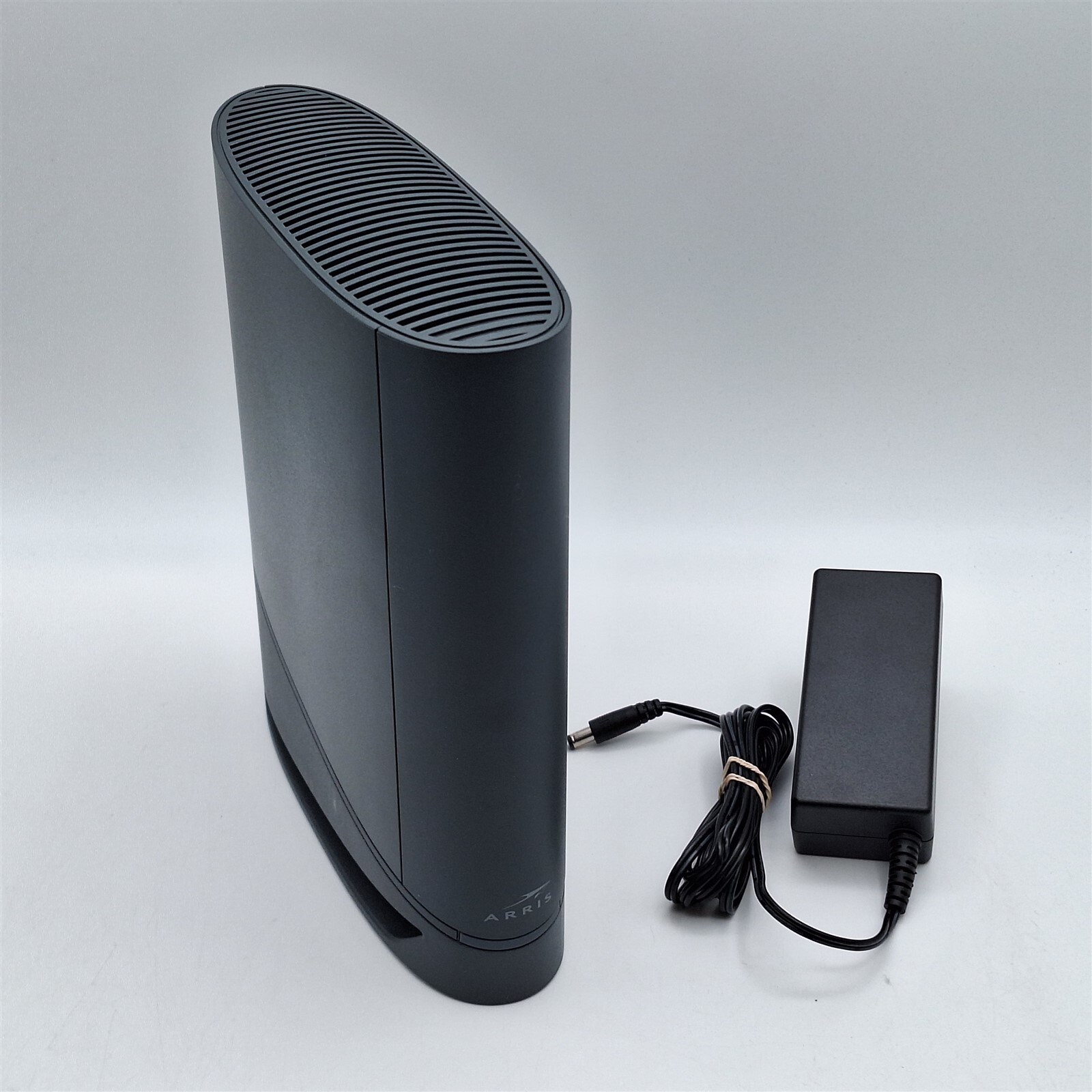
The ARRIS G20 (SURFboard G20) is a DOCSIS 3.1 cable modem with an integrated dual-band Wi-Fi 6 AX3000 router, built for cable-broadband households that want one device for modem and Wi-Fi. The core trade-off is combo convenience versus modular upgradeability: an all-in-one saves space and cabling but locks modem and Wi-Fi to the same replacement cycle. Buy the G20 only if your cable ISP certifies the exact model and your home is a small-to-mid apartment; otherwise split into a standalone DOCSIS 3.1 modem plus a separate Wi-Fi 6 router (or mesh) for better coverage and future-proofing.
Key takeaways
- DOCSIS 3.1 modem with 2x2 OFDM/OFDMA channels supports multi-gigabit downstream tiers and low-latency upstream on certified cable ISPs.
- Wi-Fi 6 AX3000 class: 2x2 MIMO on 2.4 GHz and 5 GHz with 160 MHz channel support on 5 GHz for peak PHY rates near 2.4 Gbps.
- Integrated router means one power brick, one coax drop, and no modem-to-router Ethernet link — but Wi-Fi and modem fail as a single unit.
At a glance
- Category
- Network Switches, Routers & Firewalls
- Status
- Listings available
- Last updated
- Nov 25, 2026
Current offers
Highlights
- DOCSIS 3.1 modem with 2x2 OFDM/OFDMA channels supports multi-gigabit downstream tiers and low-latency upstream on certified cable ISPs.
- Wi-Fi 6 AX3000 class: 2x2 MIMO on 2.4 GHz and 5 GHz with 160 MHz channel support on 5 GHz for peak PHY rates near 2.4 Gbps.
- Integrated router means one power brick, one coax drop, and no modem-to-router Ethernet link — but Wi-Fi and modem fail as a single unit.
- Gigabit Ethernet LAN ports (typically 2) suit wired consoles/PCs, but the combo lacks the 2.5GbE LAN and multi-gig WAN found on standalone DOCSIS 3.1 modems.
Best use cases
- Best fit: apartment or small home (roughly under 1,500 sq ft) on a certified cable ISP plan up to about 1 Gbps — one device covers modem and Wi-Fi with minimal clutter.
- Best fit: renters or secondary setups where a single compact black unit on a shelf is preferred over a modem + router + cables stack.
- Wrong fit: large multi-story homes or heavy smart-home loads — choose a standalone DOCSIS 3.1 modem plus a mesh Wi-Fi 6/6E system instead.
- Wrong fit: fiber, DSL, or fixed-wireless ISPs — the G20 is cable-coax only and will not authenticate on non-DOCSIS networks.
Buying tips
- Confirm your ISP's approved-modem list names the exact SURFboard G20 model — cable providers certify by model, and uncertified modems may not provision.
- Match the modem to your subscribed tier: DOCSIS 3.1 handles plans up to multi-gigabit, but the AX3000 Wi-Fi and gigabit LAN ports will bottleneck wired throughput above ~940 Mbps.
- Skip the combo if you need 2.5GbE LAN, link aggregation, or a separate router/firewall — a standalone DOCSIS 3.1 modem with 2.5GbE WAN gives cleaner upgrade paths.
- For homes over ~1,500 sq ft or with thick walls, budget for a separate router or mesh node; the G20's internal antennas are modest versus dedicated Wi-Fi 6 routers.
Specs
| Modem Standard | DOCSIS 3.1 (cable coax) |
|---|---|
| Wi-Fi Class | Wi-Fi 6 dual-band AX3000 |
| Wired Ports | Gigabit Ethernet LAN (approx. 2) |
| Form Factor | All-in-one modem + router |
Alternatives to compare
Related searches
What to check before buying
- Verify your ISP is a cable (DOCSIS) provider and lists the G20 as approved before purchase — fiber/DSL service will not work.
- Measure your coverage area: plan on the G20 for roughly 1,000–1,500 sq ft open-plan; larger or multi-floor homes need a mesh add-on.
- Confirm you have an active coax outlet near the device location plus a standard 120V outlet — the G20 has no battery backup.
- Check your plan speed against the gigabit LAN ports; if you pay for multi-gig, pair a standalone modem with 2.5GbE instead.
FAQ
Data sources: eBay / Amazon listings and product attribute feeds. Updated Nov 25, 2026.
Some links on this page are affiliate links. If you buy after clicking one, we may earn a commission at no extra cost to you. This does not change which products appear here or their order. Affiliate disclosure.