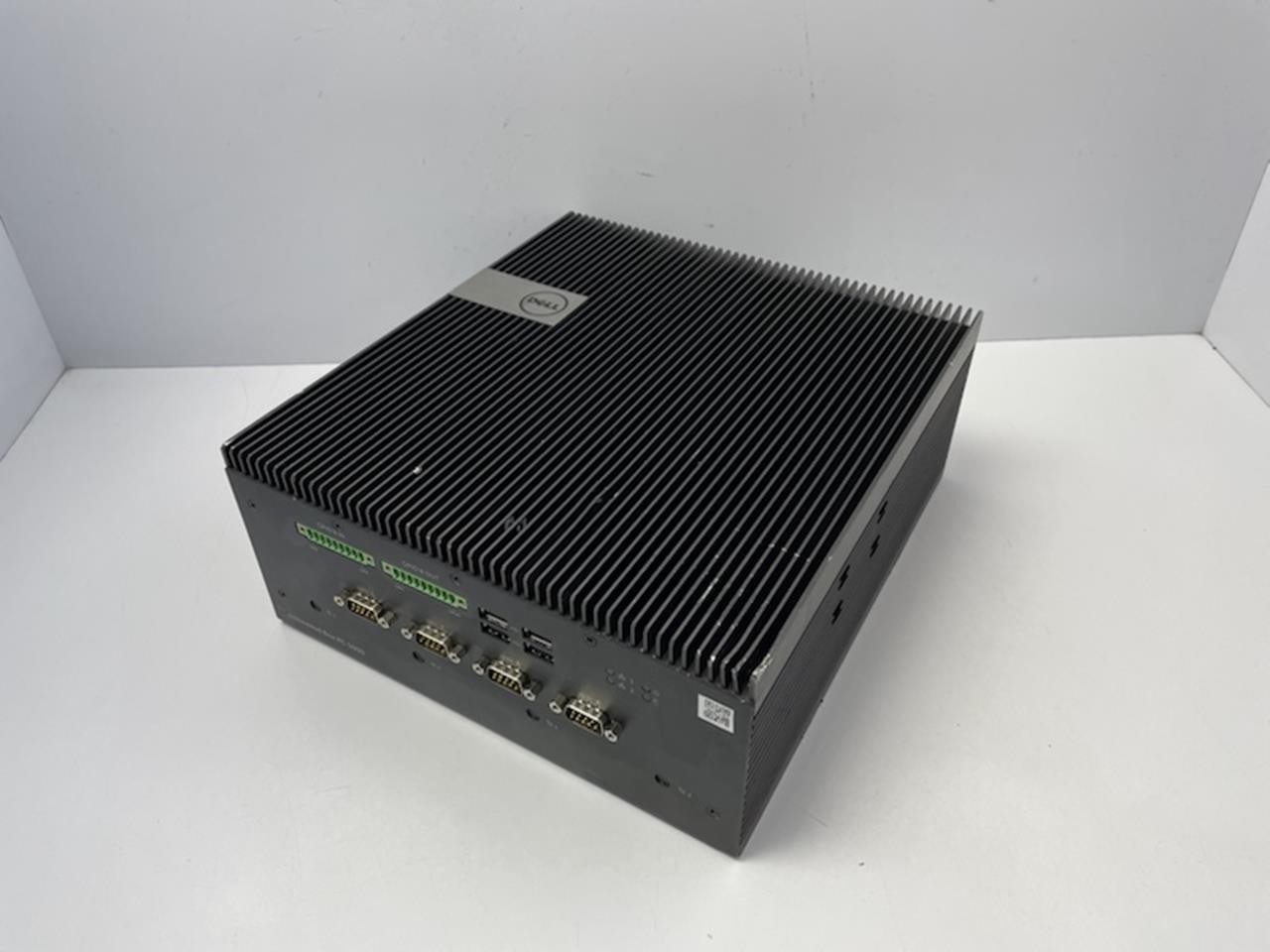

Photos from current listings. Actual item, color, and included accessories may vary.
DELL EMBEDDED BOX PC 5000 Buying Guide
The Dell Embedded Box PC 5000 is a rugged, fanless industrial small-form-factor computer built for 24/7 operation in harsh environments, not a general-purpose desktop. Its core trade-off is sealed, ventless thermal reliability versus upgradeability and raw CPU performance, since the chassis uses mobile-class processors and often ships as a barebone (no RAM or storage). The decision rule is simple: buy it only if you need wide-temperature, dust-resistant, vibration-tolerant computing and will supply your own compatible DDR4 SO-DIMM and storage; skip it if you want a plug-and-play home PC or easy GPU expansion.
Key takeaways
- Fanless, ventless chassis with wide operating temperature range (typically -20°C to 55°C) for dust, vibration, and shock resistance in industrial settings.
- Uses Intel 6th-gen mobile CPUs such as the Core i7-6820EQ (2.8 GHz base, 4 cores/8 threads, 45 W TDP class), giving desktop-like burst performance within a sealed thermal envelope.
- Often sold as a barebone: no RAM and no storage included, so buyers must add DDR4 SO-DIMM memory and an M.2 or 2.5-inch SATA drive before first boot.
At a glance
- Category
- Servers & Mini PCs
- Status
- Listings available
- Last updated
- Nov 28, 2026
Current offers
Highlights
- Fanless, ventless chassis with wide operating temperature range (typically -20°C to 55°C) for dust, vibration, and shock resistance in industrial settings.
- Uses Intel 6th-gen mobile CPUs such as the Core i7-6820EQ (2.8 GHz base, 4 cores/8 threads, 45 W TDP class), giving desktop-like burst performance within a sealed thermal envelope.
- Often sold as a barebone: no RAM and no storage included, so buyers must add DDR4 SO-DIMM memory and an M.2 or 2.5-inch SATA drive before first boot.
- Expansion and I/O differ by configuration: multiple Gigabit LAN ports, serial COM ports, and DisplayPort/HDMI outputs are common, with some models supporting PCIe or Mini PCIe add-in cards.
Best use cases
- Best fit: factory-floor or outdoor kiosk deployments where dust, temperature swings, and continuous operation would kill a standard desktop—choose the i7-6820EQ tier for heavier multi-app workloads.
- Best fit: edge gateway or network appliance role using multiple LAN and COM ports—pick a configuration with the serial and dual-NIC options rather than the minimal I/O variant.
- Wrong fit: a home office or gaming PC—skip this and buy a standard mini PC or desktop, because the sealed chassis limits GPU options and the barebone needs separate RAM and storage.
- Wrong fit: a budget plug-and-play server—avoid unless you are comfortable sourcing compatible SO-DIMM and storage and confirming the exact port layout before purchase.
Buying tips
- Confirm the exact CPU SKU: the i7-6820EQ is a 45 W mobile quad-core, while lower-tier versions use dual-core U-series chips—match the CPU to your sustained workload, not just the model name.
- Budget for memory and storage: this unit typically ships with no HD and no RAM, so add DDR4 SO-DIMM (check the platform's supported speed and max capacity) and an M.2 or 2.5-inch SATA SSD.
- Verify the port configuration on the specific unit: LAN count, COM/serial ports, and display outputs vary by model, and replacing missing industrial I/O later is not possible.
- Check the power input standard: industrial box PCs often use a wide-range DC input (e.g., 9–36 V) with a terminal-block or lockable barrel connector, not a standard ATX or laptop brick.
Specs
| CPU Class | Intel 6th-gen mobile, i7-6820EQ quad-core |
|---|---|
| Thermal Design | Fanless, ventless sealed chassis |
| Memory Type | DDR4 SO-DIMM (often not included) |
| Storage Support | M.2 and/or 2.5-inch SATA (often not included) |
Alternatives to compare
Related searches
What to check before buying
- Measure your mounting space and confirm the box's dimensions and any VESA or DIN-rail mounting pattern fit your enclosure or panel.
- Confirm the operating temperature and ingress rating (e.g., IP rating) match your environment—unvented fanless design helps, but check the stated range for your climate.
- Verify the power supply voltage and connector type available at your site, and that the included or required adapter matches your mains voltage and plug standard.
- Confirm you have compatible DDR4 SO-DIMM memory and an M.2 or 2.5-inch SATA drive on hand, plus any needed mounting brackets or antennae for wireless cards.
FAQ
Data sources: eBay / Amazon listings and product attribute feeds. Updated Nov 28, 2026.
Some links on this page are affiliate links. If you buy after clicking one, we may earn a commission at no extra cost to you. This does not change which products appear here or their order. Affiliate disclosure.