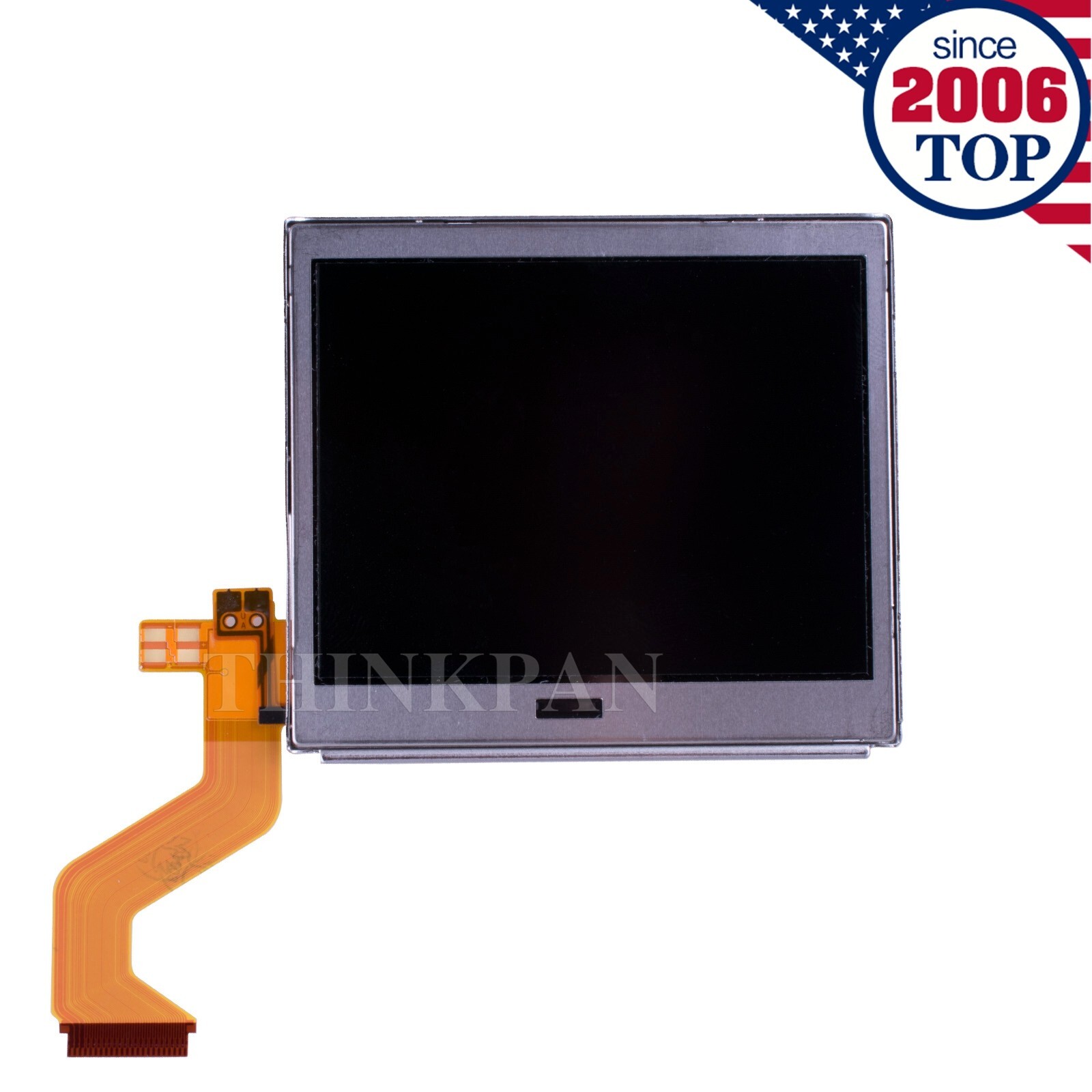

Photos from current listings. Actual item, color, and included accessories may vary.
Display LCD Screen Buying Guide
A replacement LCD screen is the display module that restores an image in handheld consoles, retro portables, and repair projects when the original panel fails. The core trade-off is panel technology and bonding: original-spec IPS panels with factory OCA bonding preserve color, viewing angles, and touch response, while cheap TN or air-gap replacements introduce washed-out contrast, ghosting, and dust ingress. The decision rule is simple: match panel type, connector pinout, and physical dimensions exactly to your device revision; anything that changes one of those three is a compromise, not an upgrade.
Key takeaways
- IPS vs TN panel: IPS gives 178-degree viewing angles and consistent color; TN replacements show contrast shift and color washout when tilted, making IPS the only acceptable tier for handheld gaming.
- OCA vs air-gap bonding: factory optical clear adhesive bonding eliminates the air gap between glass and LCD, preventing dust intrusion and improving contrast; air-gap replacements are cheaper but trap dust and reduce clarity.
- Connector and pinout: 30-pin and 40-pin FPC connectors with 0.5mm pitch are common; a mismatched pin count or flipped pinout will not seat or will short the backlight, so match the original ribbon exactly.
At a glance
- Category
- Replacement Parts, Modding & Repair Tools
- Last updated
- Nov 28, 2026
Current offers
Highlights
- IPS vs TN panel: IPS gives 178-degree viewing angles and consistent color; TN replacements show contrast shift and color washout when tilted, making IPS the only acceptable tier for handheld gaming.
- OCA vs air-gap bonding: factory optical clear adhesive bonding eliminates the air gap between glass and LCD, preventing dust intrusion and improving contrast; air-gap replacements are cheaper but trap dust and reduce clarity.
- Connector and pinout: 30-pin and 40-pin FPC connectors with 0.5mm pitch are common; a mismatched pin count or flipped pinout will not seat or will short the backlight, so match the original ribbon exactly.
- Resolution and size: 3.5-inch panels typically run 640x480 or 320x240; a higher-resolution panel will not render correctly without firmware support, so match the native resolution of the original module.
Best use cases
- Best fit: replacing a cracked or dead panel in an Anbernic RG35XX or similar 3.5-inch retro handheld—choose a 3.5-inch IPS panel with the exact 640x480 resolution and matching FPC pinout for that model revision.
- Best fit: upgrading a TN panel to IPS in a compatible handheld where the community has confirmed IPS drop-in compatibility—verify the connector and mounting tab layout match before ordering.
- Wrong fit: buying a panel by screen size alone for a device with a bonded glass digitizer—separate LCD-only panels will not work where the original is a full assembly with touch and glass.
- Wrong fit: forcing a higher-resolution panel into a device whose firmware lacks the driver—the screen will stay black or show scaled artifacts, so stick to the native resolution.
Buying tips
- Measure the diagonal active area and the FPC ribbon length before ordering; a 3.5-inch panel with a short ribbon may not reach the connector on your board revision.
- Confirm panel technology in the title or specs: IPS is required for good viewing angles; TN panels are only acceptable for budget repair where color accuracy is irrelevant.
- Match the connector pin count and pitch: count the gold fingers on the original ribbon (typically 30 or 40 pins) and verify the replacement lists the same count and 0.5mm pitch.
- Check whether the replacement includes the backlight and frame: some panels ship as bare LCD glass only, while others include the backlight assembly and mounting frame—bare glass requires reusing your original backlight.
Specs
| Panel Technology | IPS vs TN |
|---|---|
| Bonding Type | OCA bonded vs air-gap |
| Diagonal Size | 3.5 in (common retro handheld) |
| FPC Connector | 30-pin or 40-pin, 0.5mm pitch |
Related searches
What to check before buying
- Open your device and record the exact model number and board revision printed on the PCB; panel compatibility changes between revisions even within the same product line.
- Measure the original panel's active area (width x height in mm) and the FPC ribbon length and width; compare these to the replacement listing's dimensions.
- Count the pins on the original FPC connector and note the pitch (0.5mm is common); confirm the replacement ribbon has the same pin count and orientation.
- Verify whether your device uses a bonded glass-digitizer assembly or a separate LCD panel; buying the wrong type means the part will not fit or function.
FAQ
Data sources: eBay / Amazon listings and product attribute feeds. Updated Nov 28, 2026.
Some links on this page are affiliate links. If you buy after clicking one, we may earn a commission at no extra cost to you. This does not change which products appear here or their order. Affiliate disclosure.